Twitch Drops are a way for viewers to earn in-game rewards by watching participating Twitch streams.
[mai mult...]Adding emotes to a personal Twitch channel
Adding emotes to Twitch is primarily a feature for Twitch Partners and Affiliates
Key Requirements:
- Twitch Affiliate or Partner Status:
- You must be a Twitch Affiliate or Partner to upload custom emotes.
- Emote Guidelines:
- Twitch has specific guidelines for emote dimensions, file format, and content. Adhering to these is crucial for approval.
- File format: PNG.
- Sizes: Twitch requires 3 sizes of each emote: 28×28, 56×56, and 112×112 pixels.
- File size: Must be under 1MB.
- Transparent background: Required.
- Content: Must comply with Twitch’s Community Guidelines
- Twitch has specific guidelines for emote dimensions, file format, and content. Adhering to these is crucial for approval.
How to enable and set up AutoMod for a secured Discord Server
AutoMod is a valuable tool for Discord servers because it significantly enhances moderation efforts and improves the overall server experience.
-
Automated Proactive Moderation: AutoMod automates the detection and filtering of unwanted content, such as:
- Spam: Prevents spam messages from flooding channels, disrupting conversations, and annoying members.
- Hate Speech: Identifies and blocks messages containing offensive language, slurs, and discriminatory remarks, creating a more inclusive environment.
- Inappropriate Content: Filters out sexually suggestive content, links to harmful websites, and other inappropriate material.
-
Time-Saving for Moderators: By automating routine moderation tasks, AutoMod frees up moderators’ time to focus on more important issues, such as community building and member support.
-
Improved User Experience: A cleaner and safer server environment leads to a more positive and enjoyable experience for all members. Users are less likely to encounter offensive or disruptive content, fostering a more welcoming and respectful community.
-
Increased Consistency: AutoMod applies rules consistently across the server, ensuring fair treatment for all members and reducing the potential for bias in manual moderation.
-
Customizable Rules: You can tailor AutoMod’s rules to your specific server’s needs and community guidelines. This allows you to fine-tune the level of moderation and create a server environment that aligns with your desired standards.
How to set up a Discord Server Widget
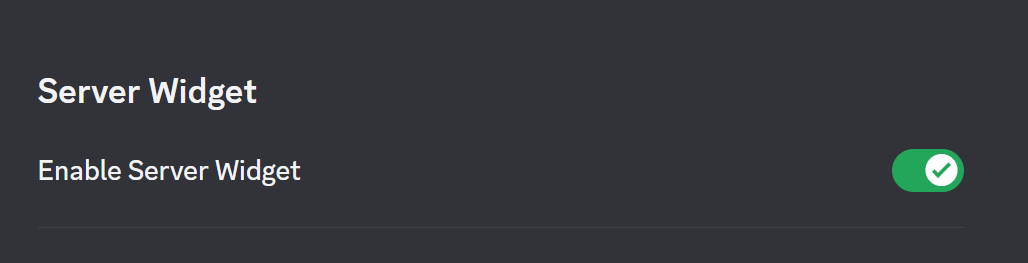
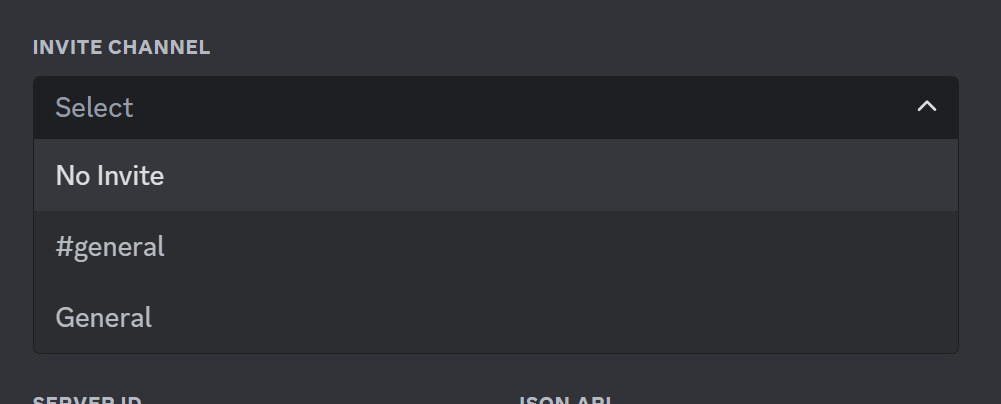
How to Set Up a Discord Server Widget
-
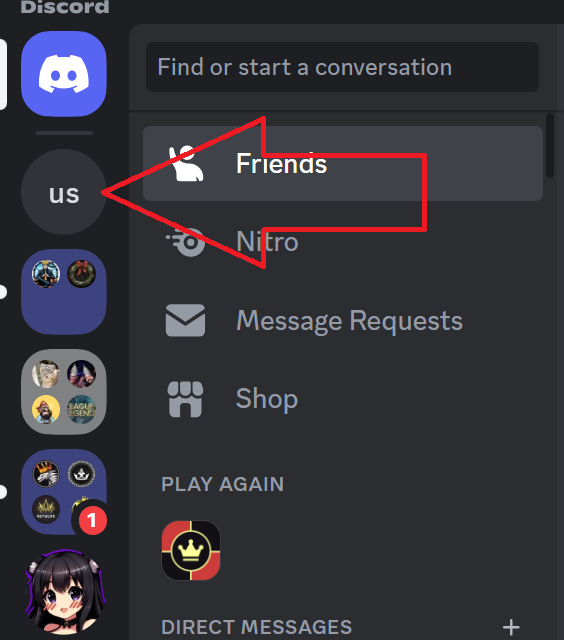
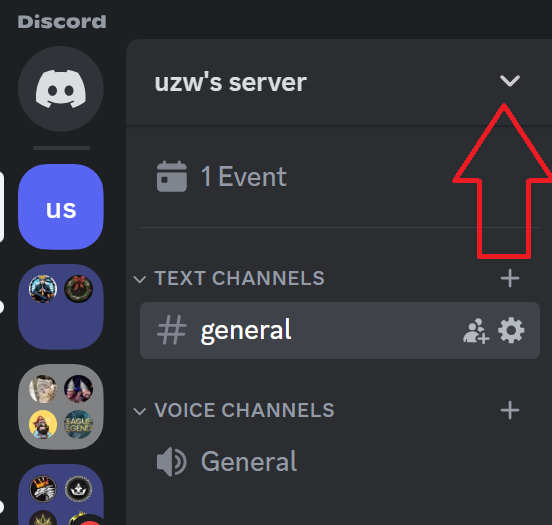
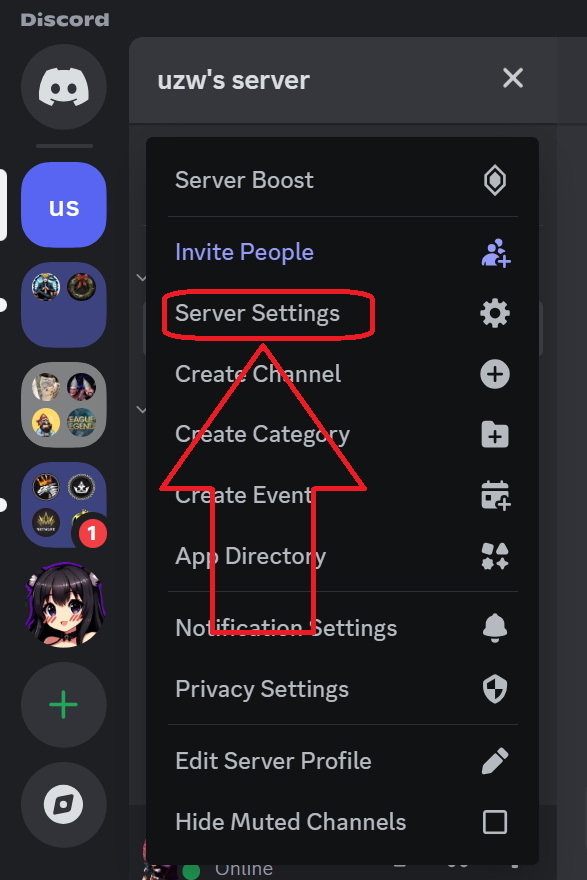
Navigate to Server Settings:
-
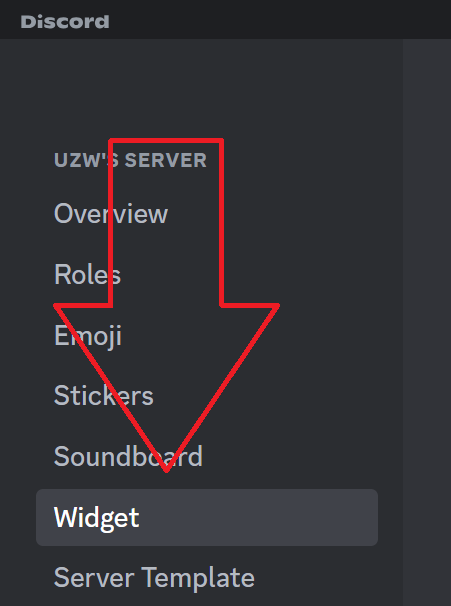
Enable the Widget:
-
Customize (Optional):
-
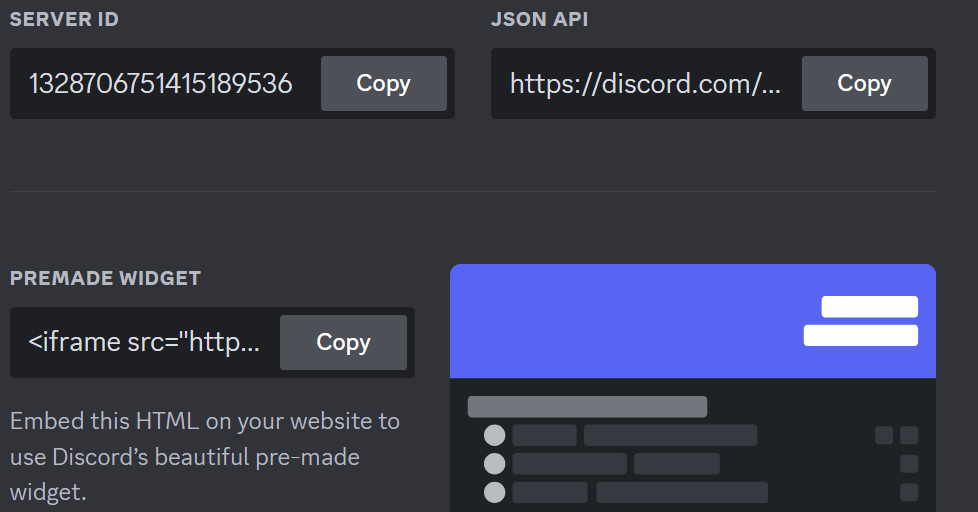
Copy the Widget Code:
- After enabling the widget, you’ll see a box with the widget code
- Copy this code.
Where to Use the Widget Code
- Embed on Websites: Paste the code into the HTML of your website or blog
- Add to Third-Party Platforms: Some platforms (like forums or wikis) might allow you to embed HTML code.
How to create and scheduled Events on your discord server
Discord events are a fantastic way to organize and promote gatherings within your server community. Whether it’s a game night, a movie watch party, or a simple chat session, events help foster interaction and build a stronger sense of community.
Why are Discord events important?
- Increased engagement: Events encourage members to interact and participate in server activities.
- Community building: Shared experiences bring people together and strengthen bonds within the community.
- Improved communication: Events provide a structured way to coordinate plans and communicate with other members.
- Organization: Events help keep track of upcoming activities and prevent scheduling conflicts.
- Fun! Most importantly, events are a fun and enjoyable way to spend time with your server friends.
How to set up a Role on a Discord server
Roles are essential for managing your Discord server effectively. They allow you to:
- Organize your community: Group members based on their roles, such as admins, moderators, or members, to streamline communication and responsibilities.
- Grant specific permissions: Assign different levels of access to different roles, ensuring that only authorized members can perform certain actions like managing channels, kicking users, or creating events.
- Create a hierarchy: Establish a clear structure within your server, making it easier to manage and maintain order.
- Reward active members: Recognize and reward dedicated members by granting them special roles with additional privileges.
- Provide exclusive benefits: Offer exclusive content, features, or access to specific channels to members with certain roles.
Overall, roles are a powerful tool for managing your Discord server and creating a more organized and engaging community.
[mai mult...]How to set up a Role-Exclusive channel on Discord
Role-exclusive channels are a great way to keep your Discord server organized and manage access to specific content or discussions. By creating channels that are only accessible to members with certain roles, you can:
- Keep sensitive topics private: Discuss confidential or age-restricted matters in channels only accessible to authorized users.
- Create exclusive spaces: Offer unique experiences or benefits to members with specific roles, such as VIP channels or exclusive content.
- Manage community size: Control the number of users in certain channels to maintain a more focused and manageable environment.
- Enhance organization: Group related discussions and resources into dedicated channels, making it easier for members to find what they need.
Overall, role-exclusive channels help you create a more structured and engaging Discord server, catering to the needs of different groups within your community.
[mai mult...]How to upload sound in to Discord Soundboard-Build in Sofware
A soundboard is a fun and engaging way to spice up your Discord server. By adding custom sounds, you can:
- Express yourself: Use sounds to convey emotions, reactions, or jokes.
- Create a unique atmosphere: Set the mood with themed sounds or music.
- Enhance interactions: Use sounds to respond to messages or events, making conversations more dynamic.
- Have fun: Enjoy a playful and interactive experience with your community.
A soundboard can make your server more enjoyable and memorable for everyone involved.
[mai mult...]