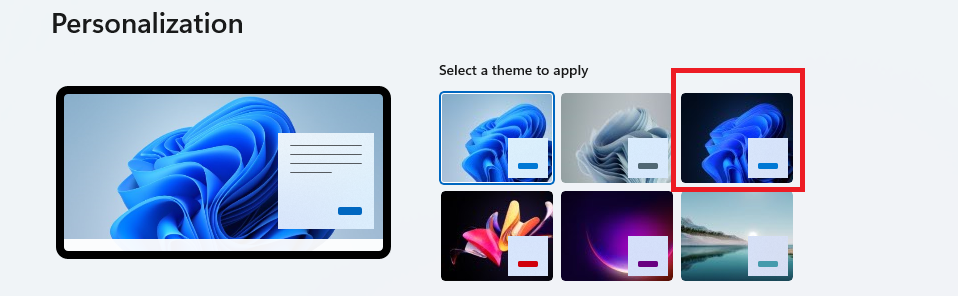
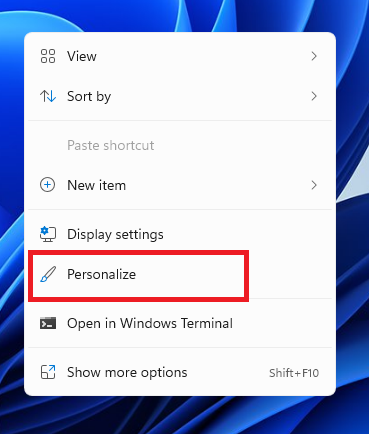
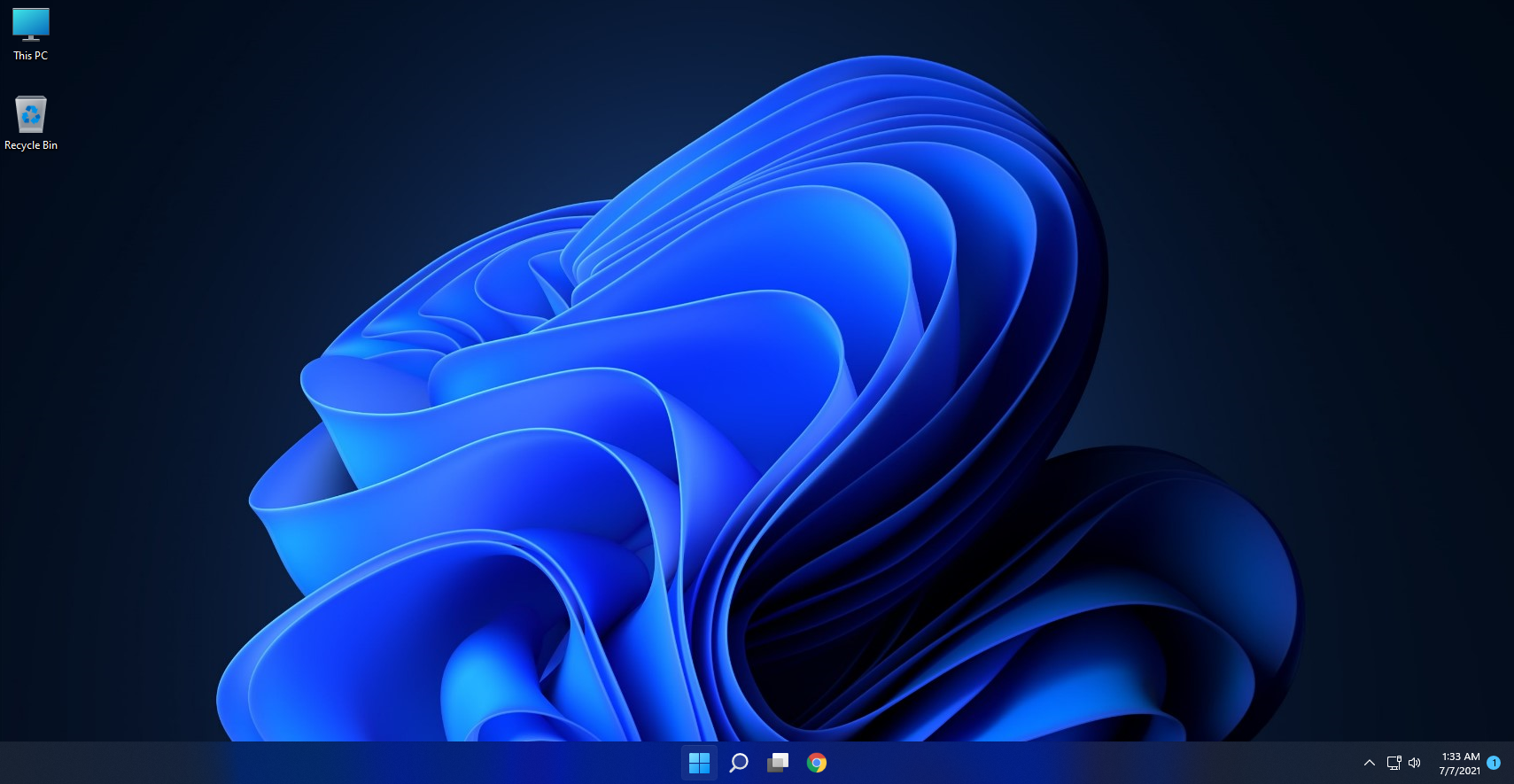
Activare Dark Mode in Windows 11 Data 07/07/2021 Autor Catalin Hodoleanu Categorie Soluții -7 588 Configurare noua (How To) SituatiePentru confort se recomanda folosirea dark mode-ului. Solutie Pasi de urmat Click Dreapta pe Desktop si Personalize: Click pe Tema Windows Dark: Dupa cum putem vedea, inclusiv Wallpaper-ul va avea un background negru. Tip solutiePermanent Plan de restaurare in caz de nefunctionareClick pe tema Windows Light din al doilea pas Voteaza Up Down (13 din 33 persoane apreciaza acest articol) ShareTweetShare Despre Autor Catalin Hodoleanu Solutii Asemanatoare How to resolve a Windows Update Install Error – 0x80070002 3 How to move Taskbar to top or side on Windows 11 3 Reparare eroare:”Trust Relationship Failed” fără scoatere din domeniu și fără restart (PowerShell) 0 You’ve been deleting files the wrong way in Windows 5 Arduino Soil Moisture Sensor 5 Instalare și rulare model AI local (Llama3) pe server Linux folosind Ollama 1 Leave A Comment? × Cancel Reply Save my name, email, and website in this browser for the next time I comment. 4 + = six
Leave A Comment?