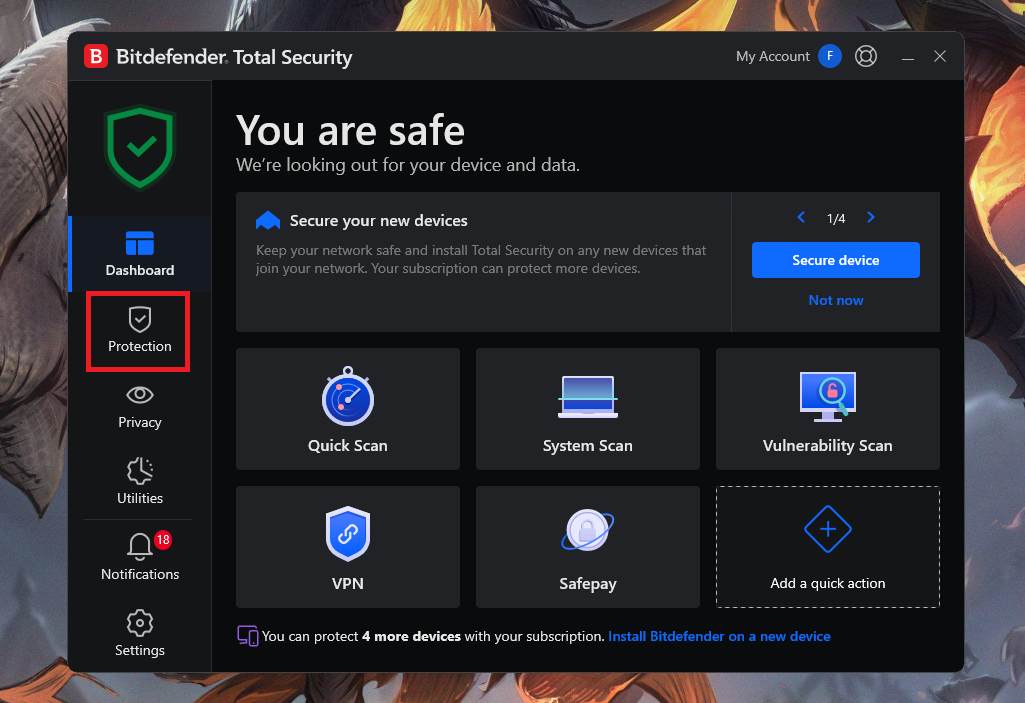
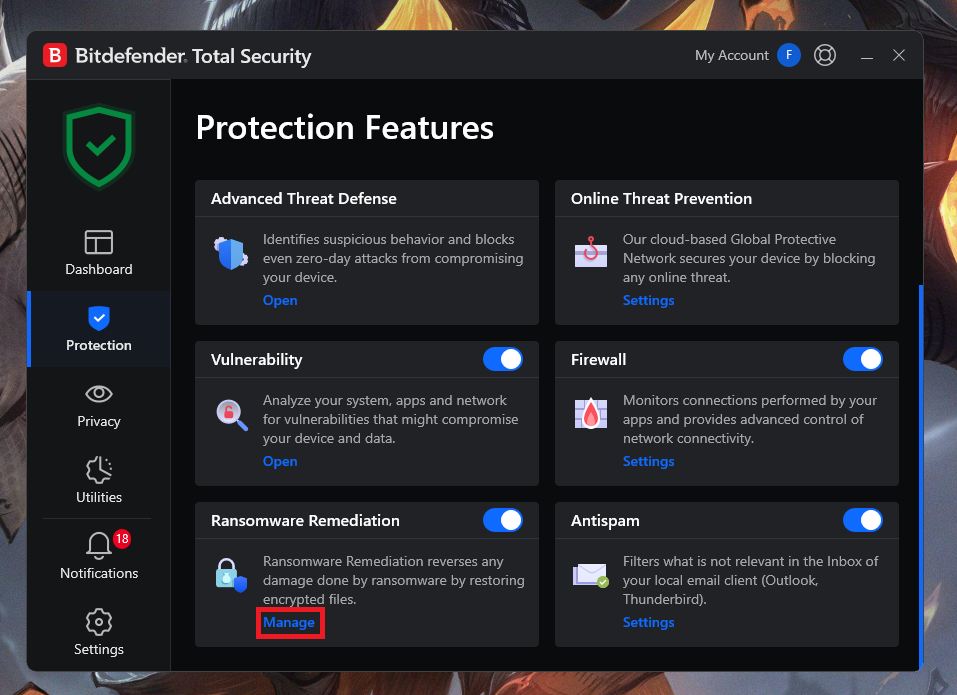
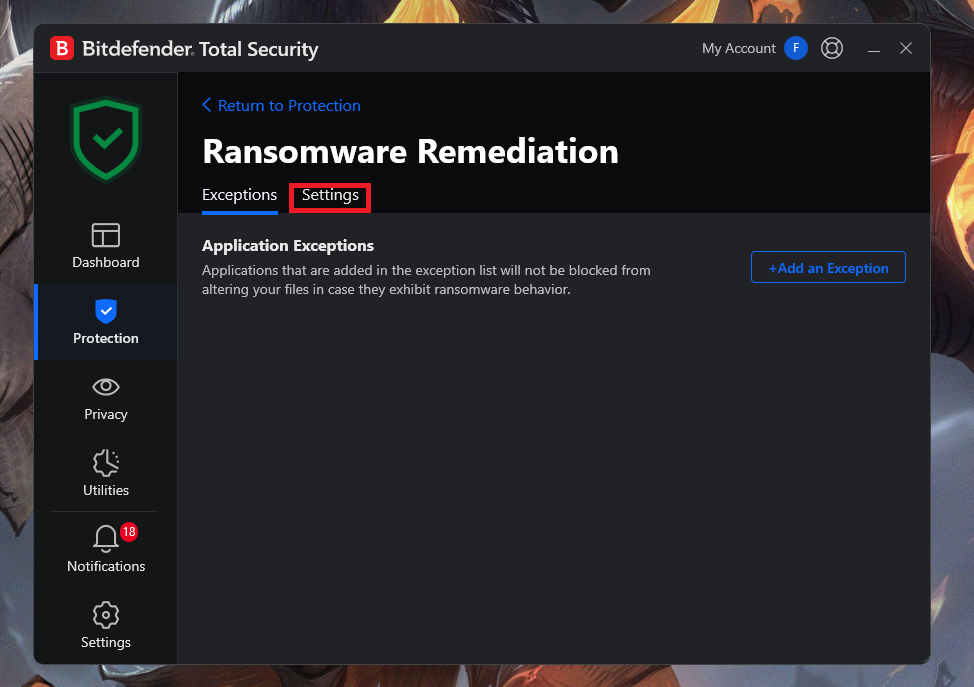
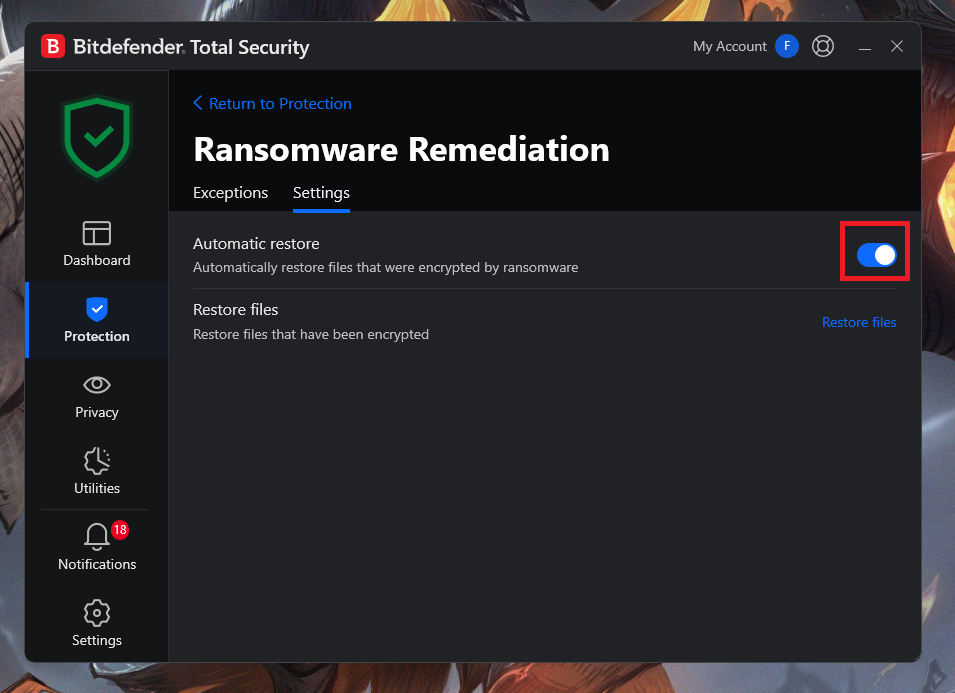
Cum activati functia de “Automatic Restore” din Bitdefender Ransomware remediation Data 28/02/2025 Autor preda silviu Categorie Soluții 8 262 Configurare noua (How To) Situatie Solutie Pasi de urmat Deschideti aplicatia Bitdefender Selectati Protection Derulati in jos si selectati Manage – optiunea Ransomware Remediation Selectati Settings Bifati optiunea Automatic Restore. Tip solutiePermanent Voteaza Up Down (15 din 22 persoane apreciaza acest articol) ShareTweetShare Despre Autor preda silviu Solutii Asemanatoare Your Android phone’s battery has a limited lifespan 0 5 Samsung settings you should change on every new Galaxy -1 Your Android Status Bar is cluttered with Icons? 0 Windows 11’s new Cloud rebuild can resurrect PCs that won’t boot -1 Windows 11 26H2 Enablement Package (KB5121794) direct download for x64 and ARM64 1 Go to the bottom of the page in Google Chrome -1 Leave A Comment? × Cancel Reply Save my name, email, and website in this browser for the next time I comment. + six = 15

Leave A Comment?
