
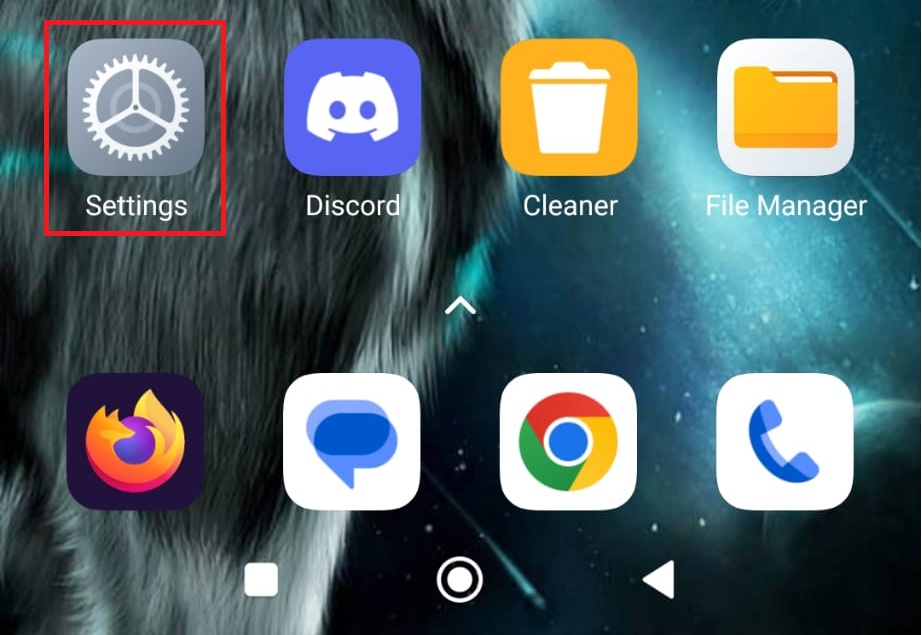
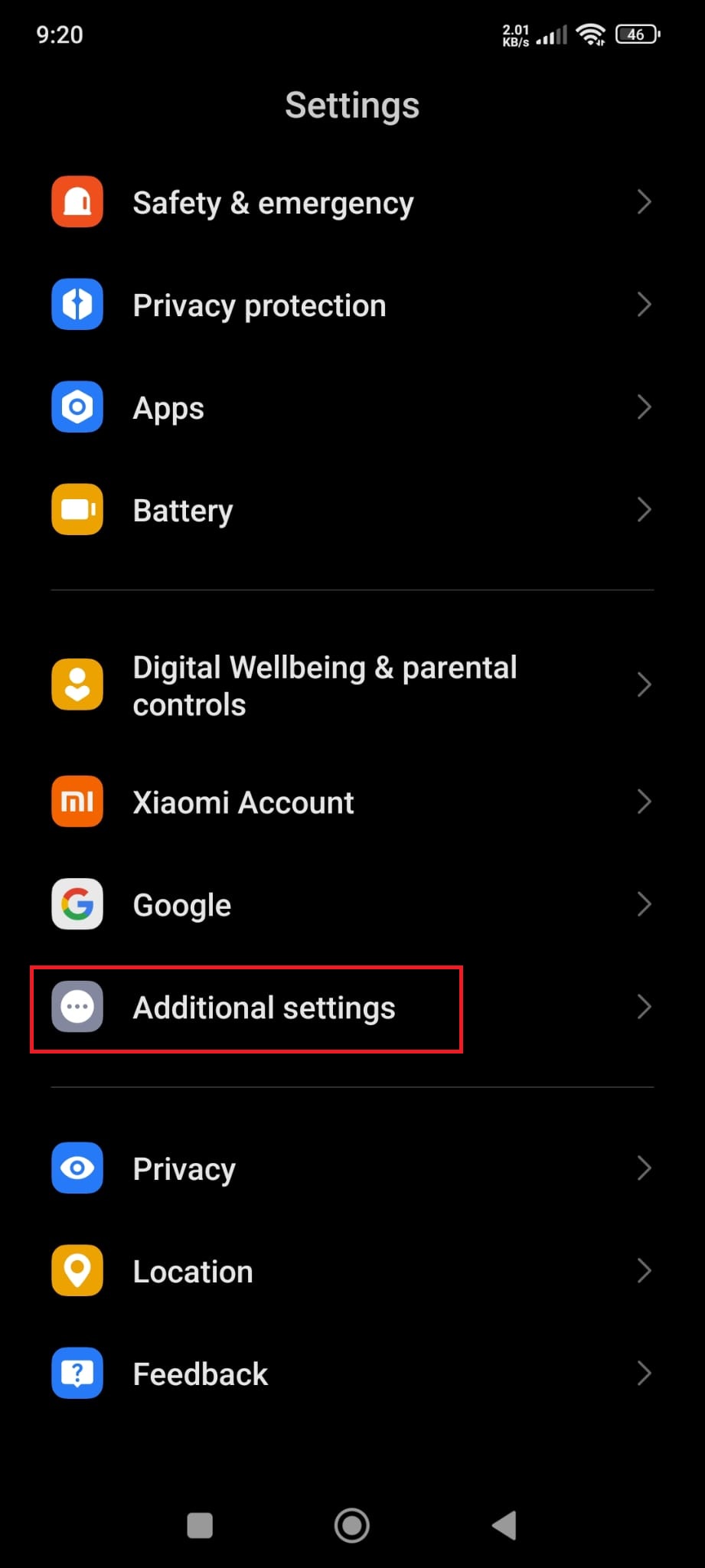
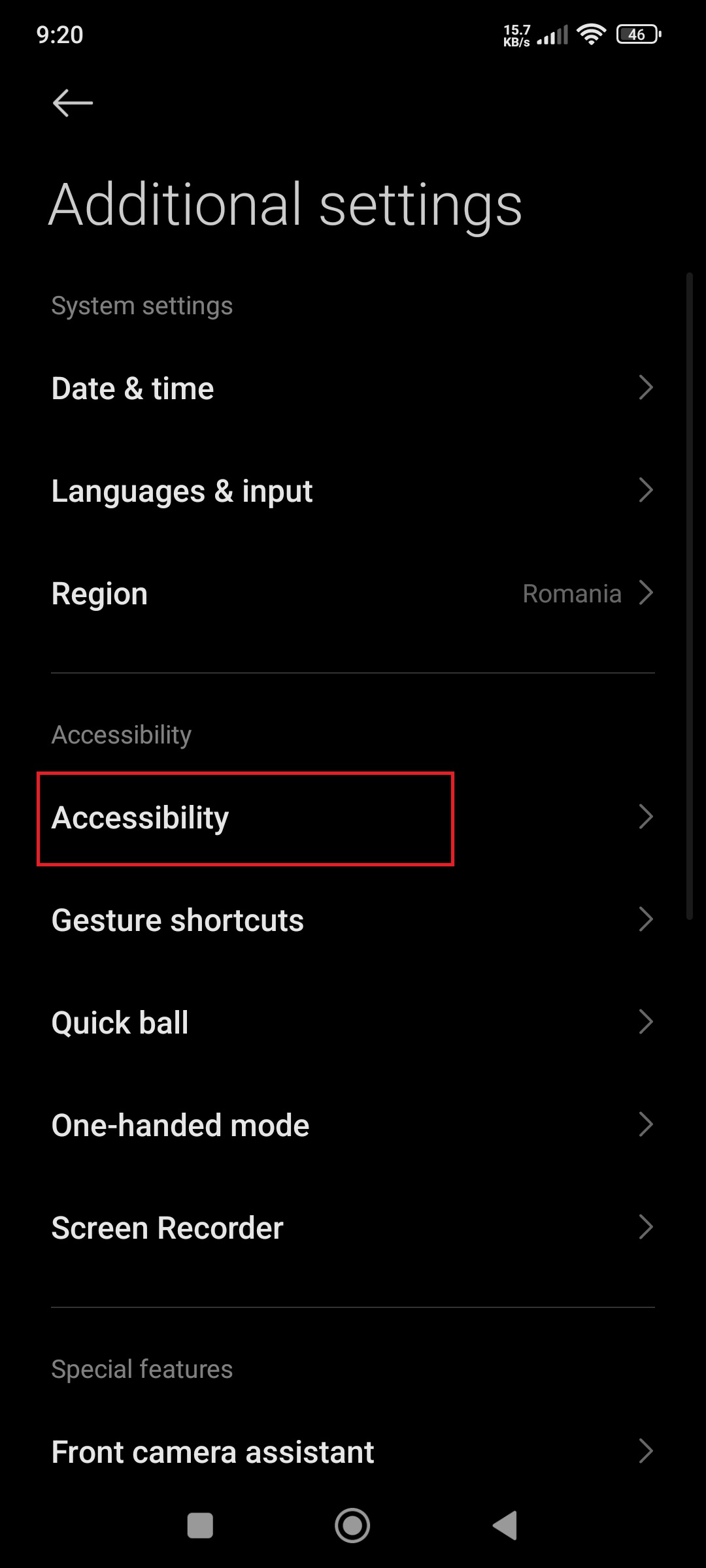
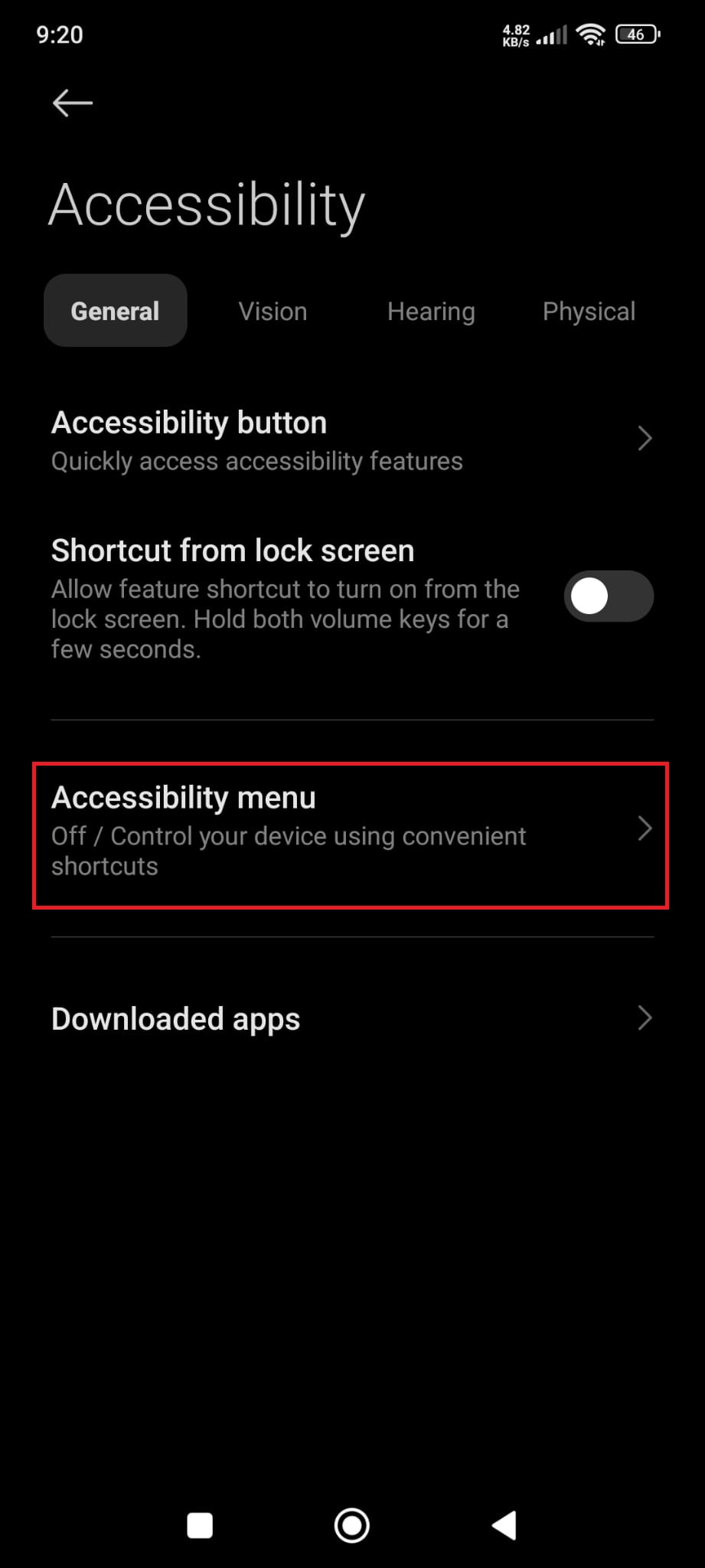
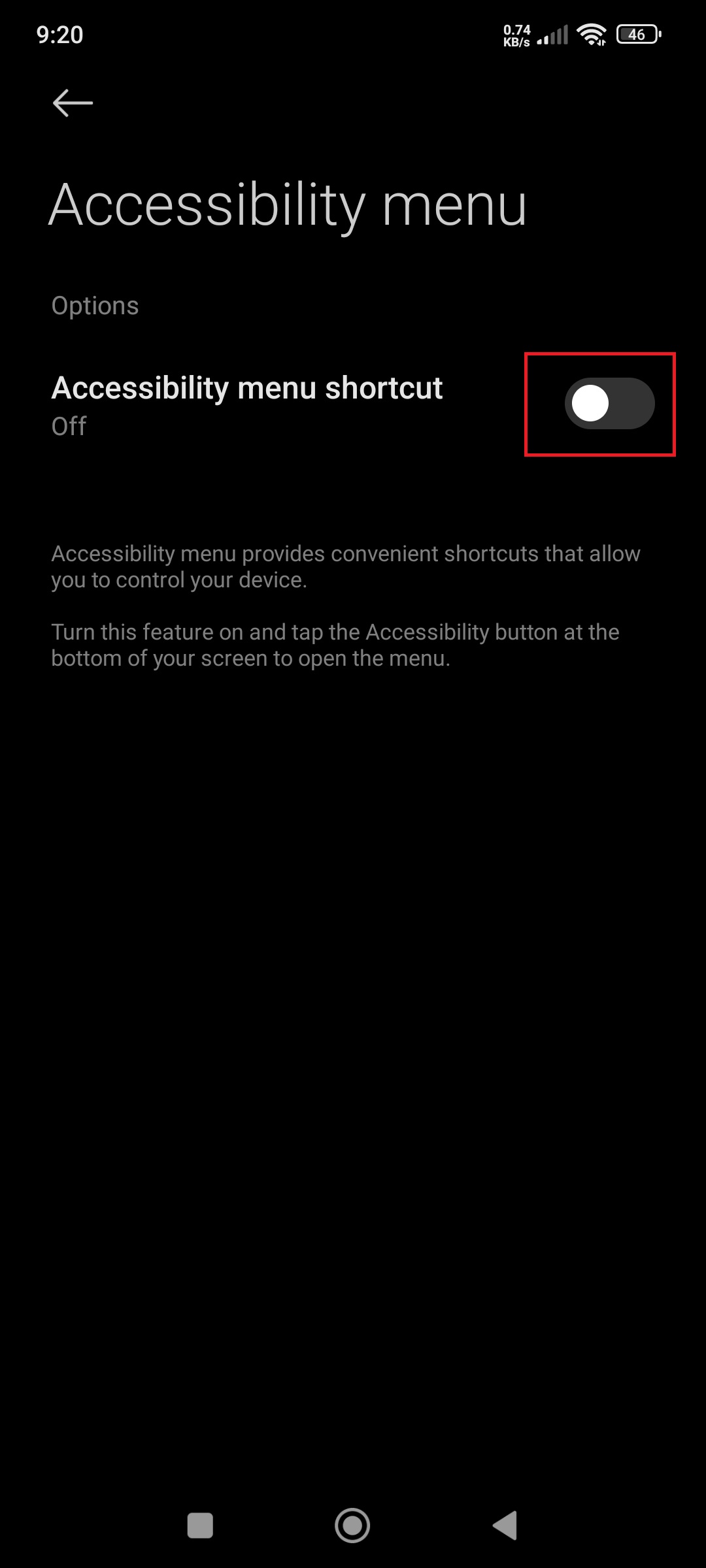
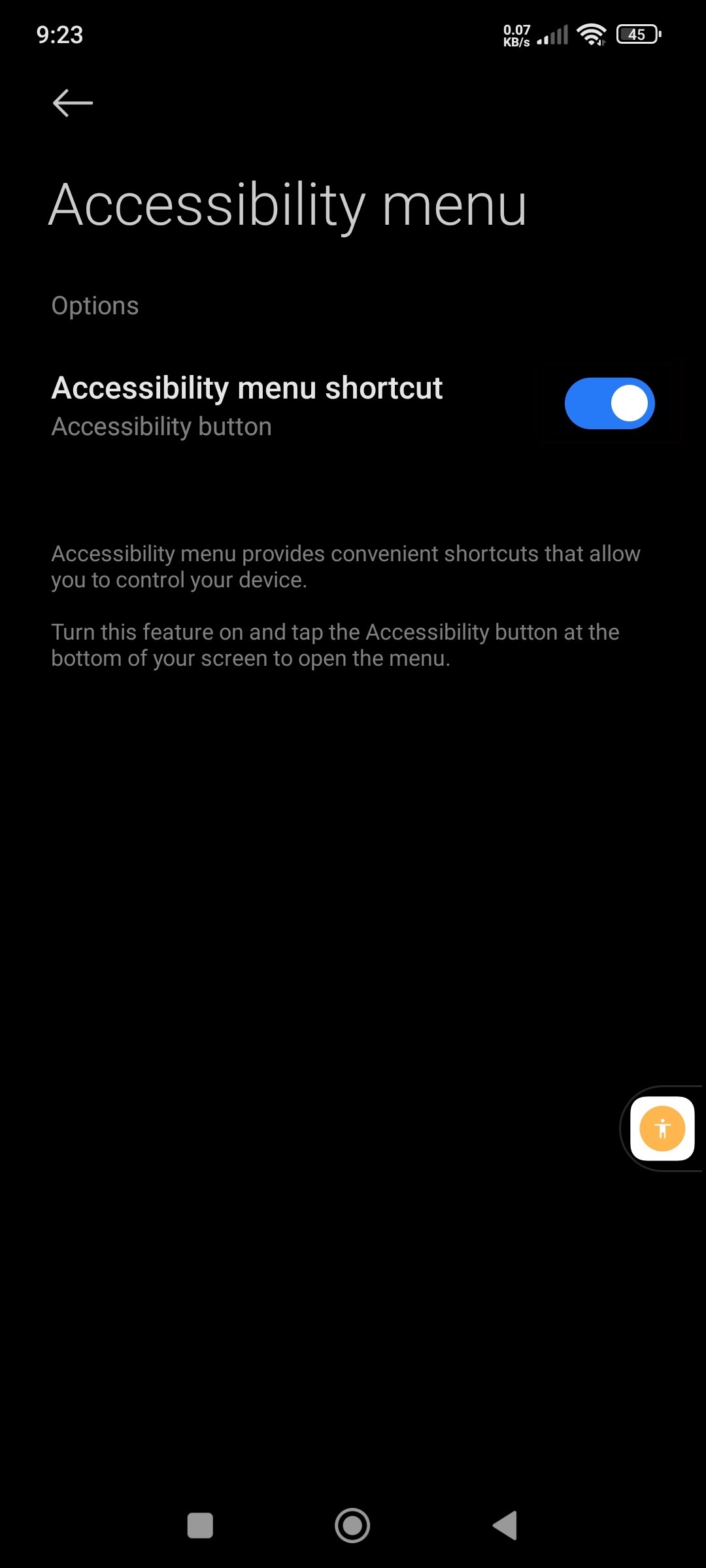
Cum activati “Accessibility menu” pe Xiaomi Redmi Note 11 Pro+ 5G Data 31/03/2026 Autor preda silviu Categorie Soluții 3 193 Configurare noua (How To) Situatie Solutie Pasi de urmat Prima data deschideti meniul de setari al telefonului Derulati pana gasiti optiunea numita “Aditional settings” Aici selectati “Accessibility” Mai departe selectati “Accessibility menu” Iar aici puteti activa optiunea prin apasarea butonului respectiv. Veti observa ca un buton nou va aparea mai jos. Tip solutiePermanent Voteaza Up Down (15 din 27 persoane apreciaza acest articol) ShareTweetShare Despre Autor preda silviu Solutii Asemanatoare Your Android phone’s battery has a limited lifespan 0 5 Samsung settings you should change on every new Galaxy -1 Your Android Status Bar is cluttered with Icons? 0 Windows 11’s new Cloud rebuild can resurrect PCs that won’t boot -1 Windows 11 26H2 Enablement Package (KB5121794) direct download for x64 and ARM64 1 Go to the bottom of the page in Google Chrome -1 Leave A Comment? × Cancel Reply Save my name, email, and website in this browser for the next time I comment. eight × seven =
Leave A Comment?