
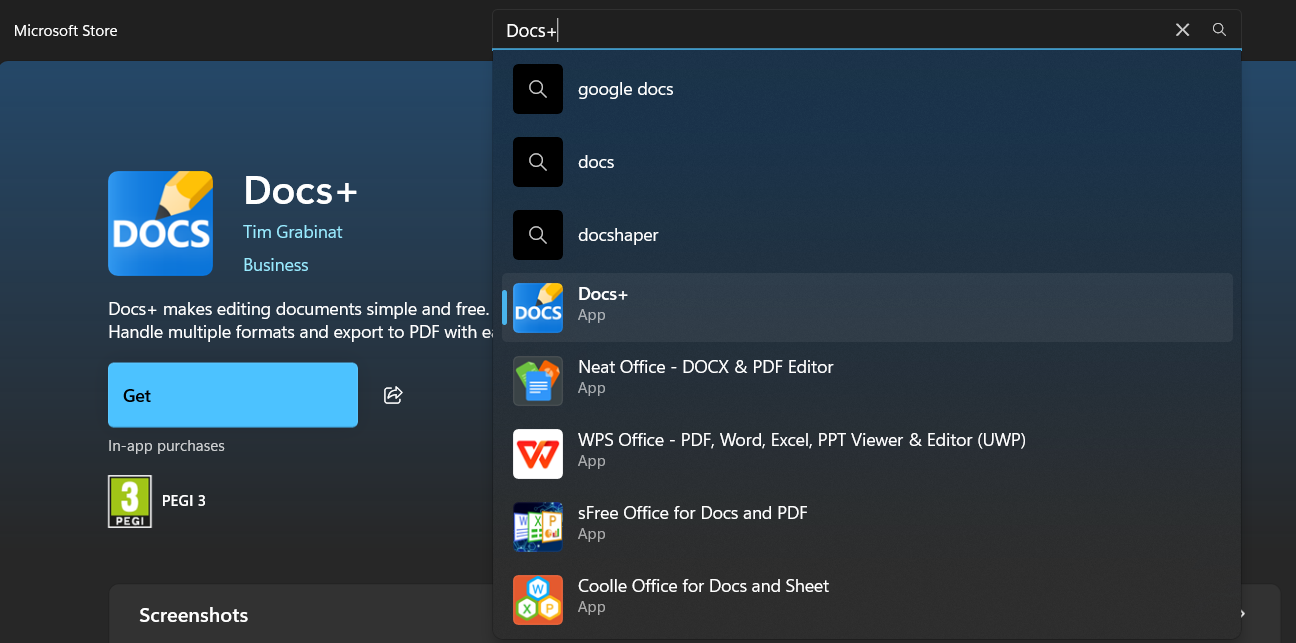
Cum instalăm Docs+ pe Windows 10/11 Data 20/05/2026 Autor Bianca Chiu Categorie Soluții 2 118 Configurare noua (How To) SituatieDorim să instalăm aplicația Docs+ direct pe laptop pentru acces mai rapid cu ajutorul microsoft store. Solutie Navigăm în microsoft store din bara de jos sau de pe lupă, unde scriem store și va apărea microsoft store. Cautăm din bara de “search” aplicația Docs+ și dăm click ca în imagine. Apoi apăsăm “Get”, iar aplicația va începe să se instaleze. Aplicația va apărea în start menu de unde o putem deschide. Tip solutiePermanent Voteaza Up Down (16 din 30 persoane apreciaza acest articol) ShareTweetShare Despre Autor Bianca Chiu Solutii Asemanatoare Your Android phone’s battery has a limited lifespan 0 5 Samsung settings you should change on every new Galaxy -1 Your Android Status Bar is cluttered with Icons? 0 Windows 11’s new Cloud rebuild can resurrect PCs that won’t boot -1 Windows 11 26H2 Enablement Package (KB5121794) direct download for x64 and ARM64 1 Go to the bottom of the page in Google Chrome -1 Leave A Comment? × Cancel Reply Save my name, email, and website in this browser for the next time I comment. − 7 = one
Leave A Comment?