
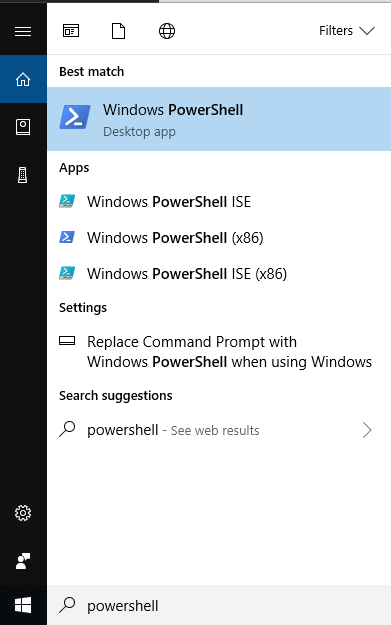
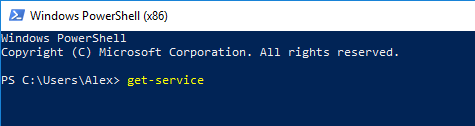
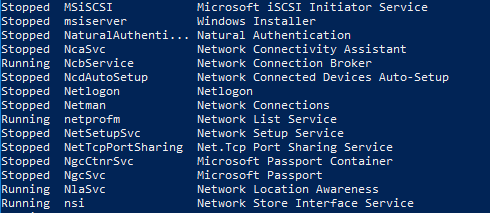
Cum sa listam toate serviciile computerului folosind PowerShell Data 20/09/2018 Autor alexandru corches Categorie Soluții -6 733 Configurare noua (How To) Situatie Solutie Pasi de urmat Accesam Start Menu si cautam “PowerShell” in “search”. Introducem comanda “Get-service” in aplicatie. Dupa introducerea linei de comanda vom vedea ca sunt listate toate serviciile sistemului de operare, statusul lor si descrierea acestora. Tip solutiePermanent Voteaza Up Down (12 din 30 persoane apreciaza acest articol) ShareTweetShare Despre Autor alexandru corches Solutii Asemanatoare Your Android phone’s battery has a limited lifespan 0 5 Samsung settings you should change on every new Galaxy -1 Your Android Status Bar is cluttered with Icons? 0 Windows 11’s new Cloud rebuild can resurrect PCs that won’t boot 0 Windows 11 26H2 Enablement Package (KB5121794) direct download for x64 and ARM64 1 Go to the bottom of the page in Google Chrome -1 Leave A Comment? × Cancel Reply Save my name, email, and website in this browser for the next time I comment. − three = one
Leave A Comment?