If you need to make deep changes to Windows 10 or Windows 11, you sometimes need to open Group Policy Editor, a tool that ships with Windows Pro and Enterprise editions only.
What Is the Group Policy Editor?
Group Policy Editor is a utility that allows you to configure Group Policy settings for a Windows PC or a group of PCs. Aimed mostly at network administrators, Group Policy defines how you or a group of people can use your machines, restricting or allowing features as necessary.
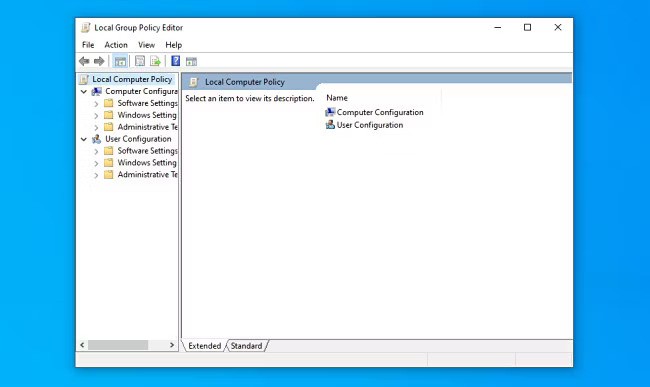
Group Policy Editor is a Microsoft Management Console app with the filename gpedit.msc, and it’s usually located in the “C:\Windows\System32” folder.It’s important to note that Group Policy Editor is not available in Windows 10 or Windows 11 Home. It only ships with Windows 10 or Windows 11 Pro or Enterprise editions.
If you’re not sure which edition of Windows you have, it’s easy to find out. Open Settings, navigate to System > About, and you’ll see it listed under Edition.There are several ways to open Group Policy Editor in Windows 10 and Windows 11, so we’ll cover a handful of major ways to do it below. Each one will get you to the same place, so pick whichever suits you best.
[mai mult...]