
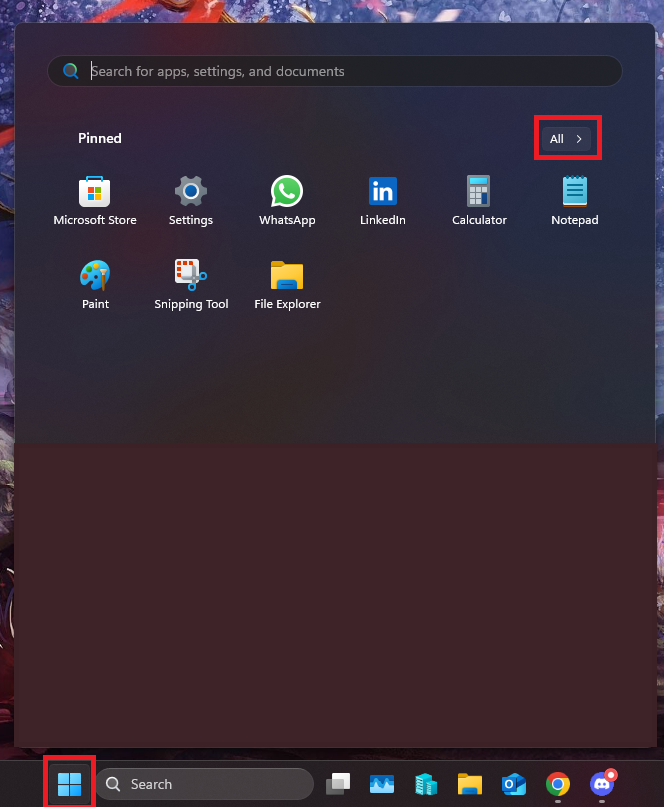
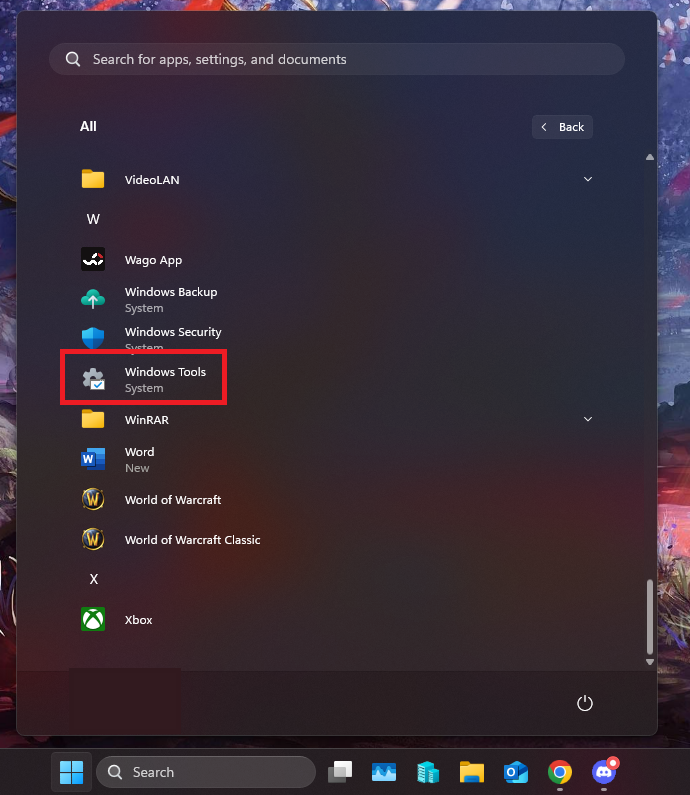
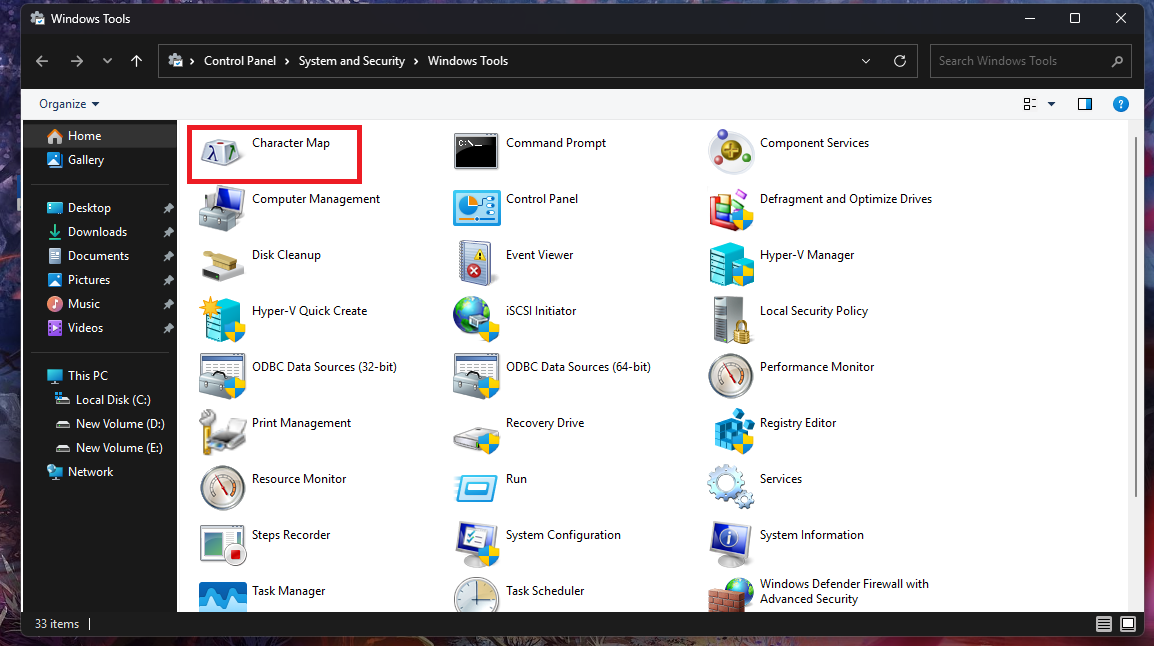
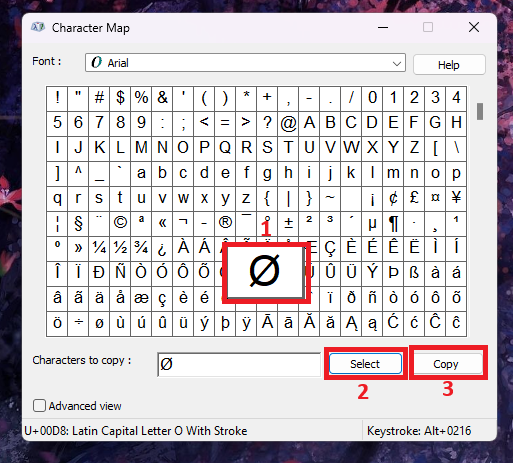
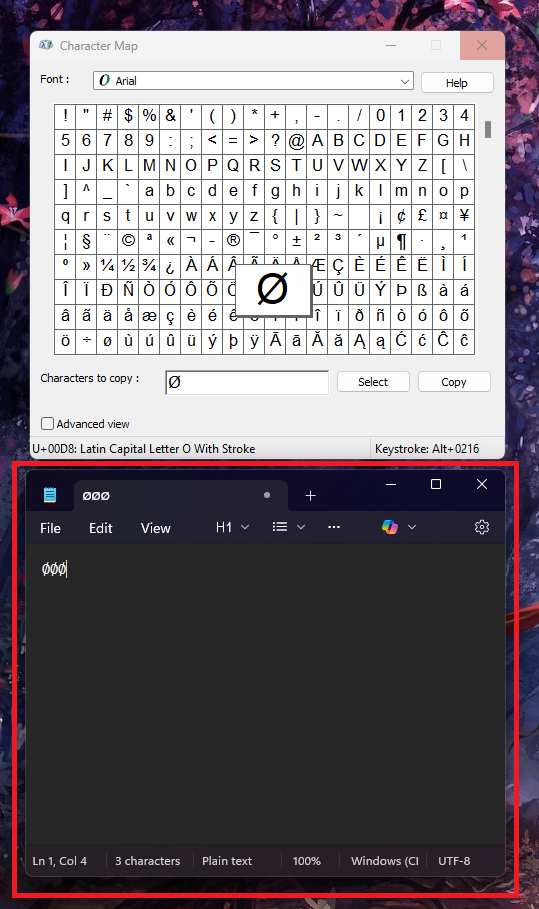
Cum accesati aplicatia “Character Map” pe Windows 11 Data 01/09/2025 Autor preda silviu Categorie Soluții -5 237 Configurare noua (How To) Situatie Solutie Pasi de urmat Prima data click pe butonul “Start” dupa care click pe butonul “All” Derulati pana ajungeti la “Windows Tools”, click pe aceasta aplicatie Aici veti vedea aplicatia “Character Map”. Porniti aplicatia Aceasta aplicatie va permite sa selectati si sa copiati diferite caractere speciale. De exemplu am selectat un caracter special si aceasta a fost copiat in Notepad. Tip solutiePermanent Voteaza Up Down (1 din 7 persoane apreciaza acest articol) ShareTweetShare Despre Autor preda silviu Solutii Asemanatoare NTLDR lipsește din Windows 10 0 Combina nume+prenume in Excel 2 Colorare automată a mesajelor in Outlook 0 Improve AI answers by asking it to Self-Review 2 Improve AI Code Generation with simple constraints 1 Turn rough ideas into a structured plan with AI 4 Leave A Comment? × Cancel Reply Save my name, email, and website in this browser for the next time I comment. 4 × = sixteen
Leave A Comment?