
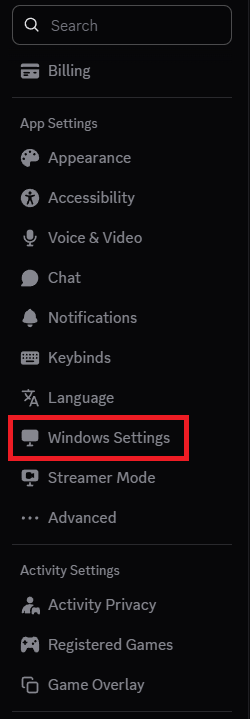
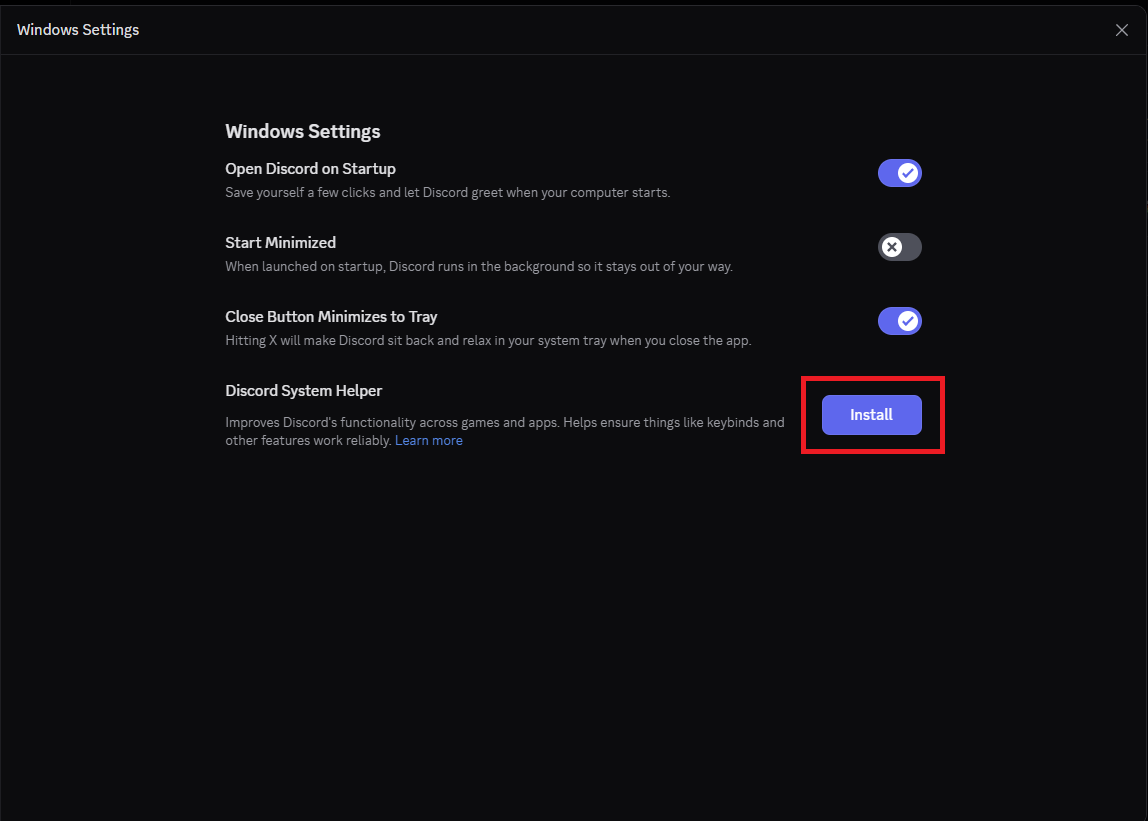
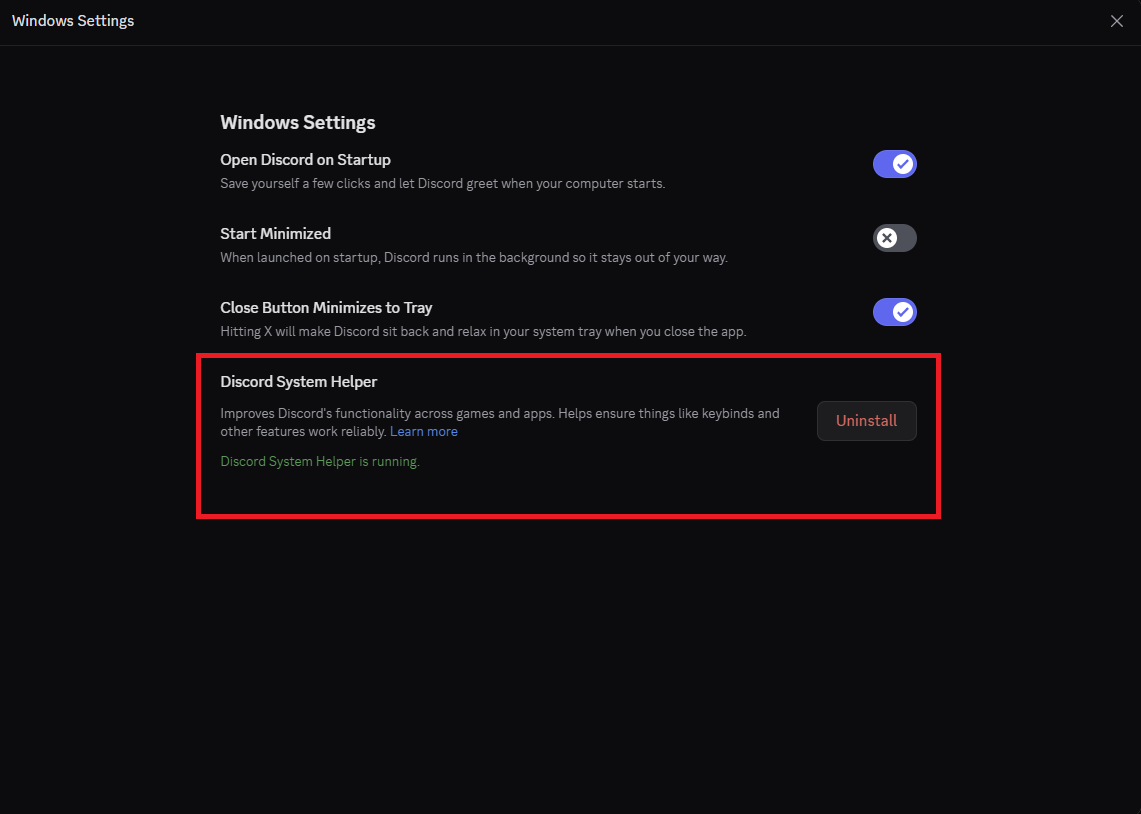
Cum instalati “Discord System Helper” din aplicatia Discord Data 29/11/2025 Autor preda silviu Categorie Soluții 4 36 Configurare noua (How To) Situatie Solutie Pasi de urmat Deschideti aplicatia “Discord” In stanga jos, click pe butonul ‘Settings’ In meniul din partea stanga, derulati in jos si selectati “Windows Settings” Click pe “Install” si acceptati casuta UAC. Dupa finalizare ar trebui sa va arate ca “Discord System Helper” este instalat. Tip solutiePermanent Voteaza Up Down (4 din 4 persoane apreciaza acest articol) ShareTweetShare Despre Autor preda silviu Solutii Asemanatoare How to share files safely using OneDrive links 1 4 Wi-Fi fixes that actually stop random slowdowns and drops 3 5 things I wish I knew when I first learned programming 2 How to factory reset Windows 11 removing everything 1 How to reinstall Windows 11 without losing files 1 How to disable Snipping Tool Print Screen key on Windows 11 -3 Leave A Comment? × Cancel Reply Save my name, email, and website in this browser for the next time I comment. seven − three =
Leave A Comment?