
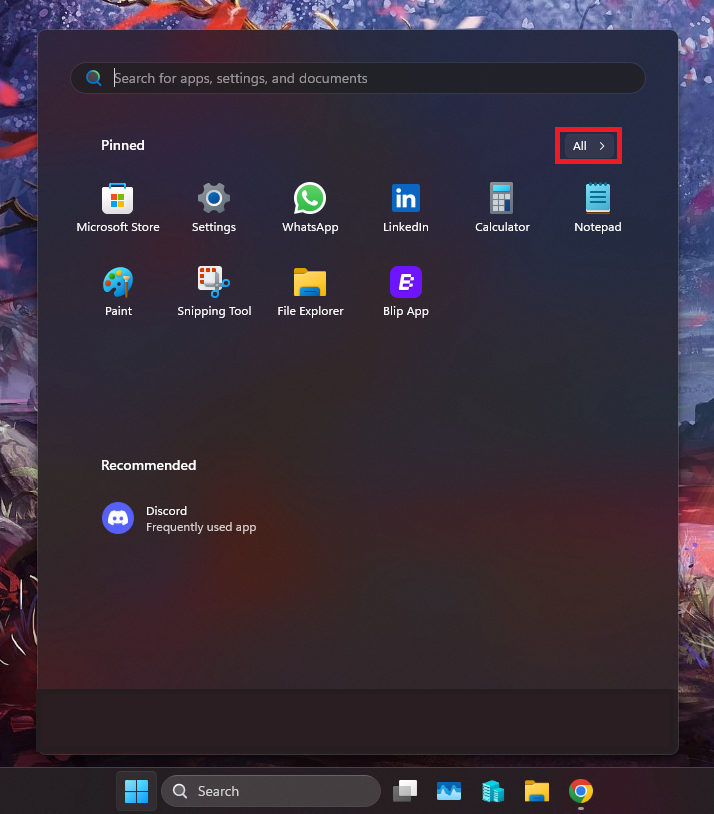
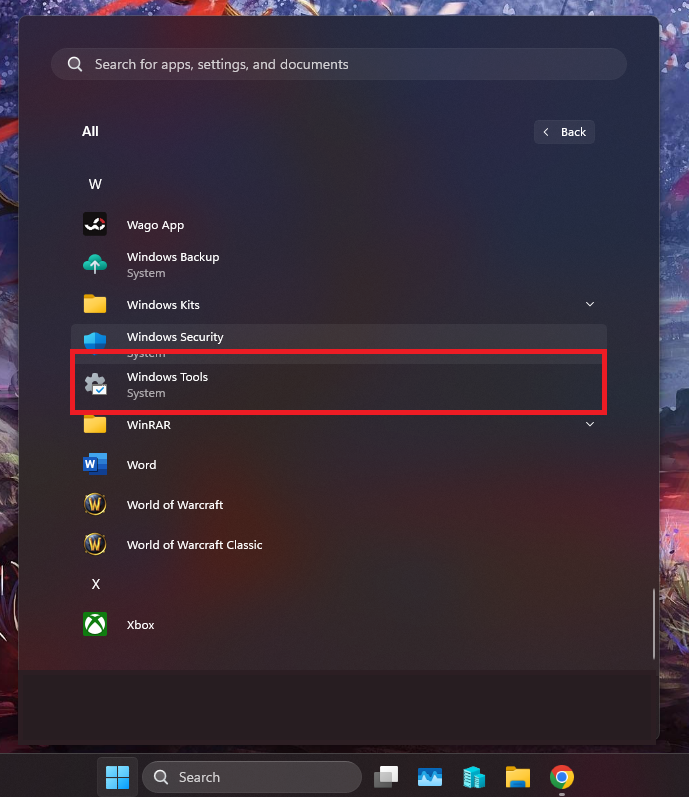
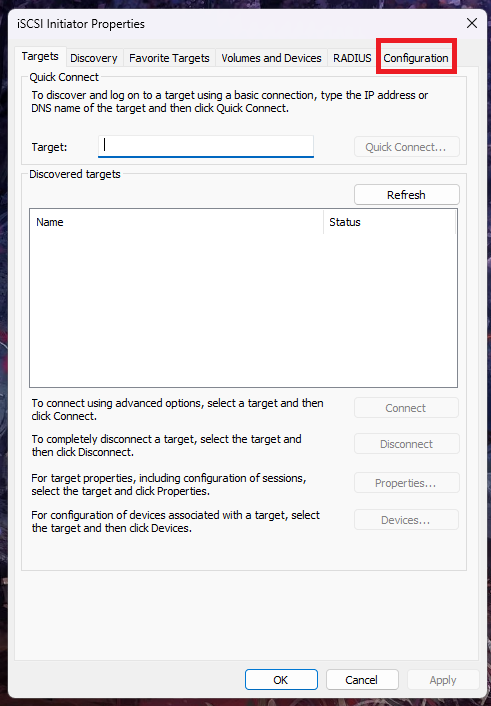
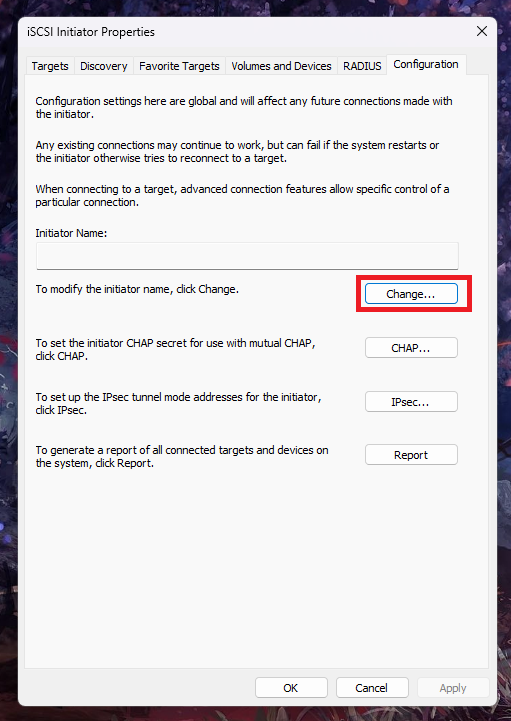
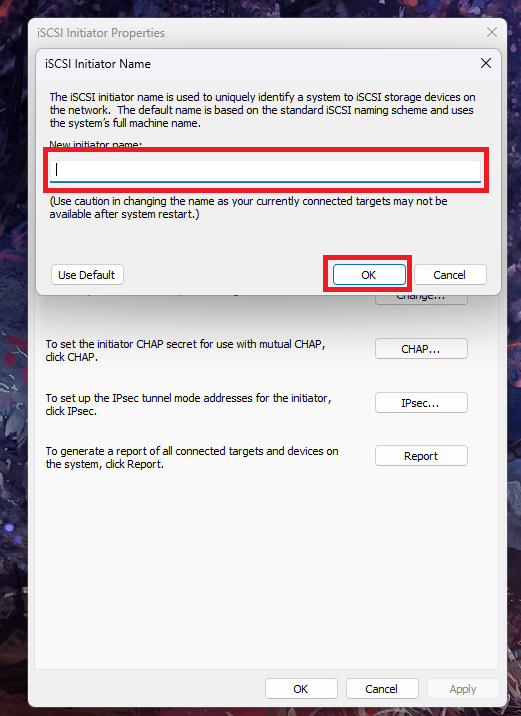
Cum schimbati “Initiator Name” in iSCSI Data 19/01/2026 Autor preda silviu Categorie Soluții 5 89 Configurare noua (How To) Situatie Solutie Pasi de urmat Prima data click pe butonul de Start -> All apps Mai departe derulati in jos pana gasiti “Windows tools” Vi se va deschide aceasta fereasta, mai departe click pe “Configuration” Aici, click pe “Change” in dreptul optiunii de modificare a numelui. Aici veti putea modifica numele dorit, dupa care click pe OK. Tip solutiePermanent Voteaza Up Down (15 din 23 persoane apreciaza acest articol) ShareTweetShare Despre Autor preda silviu Solutii Asemanatoare ESP32 Web Server guide -2 Fix Windows without losing your Files 1 6 ways to speed up email management in Outlook 7 Cum selectezi si editezi text dintr-o imagine pe Windows 11 -5 My iPhone kept running out of storage—this was the only thing that fixed it -5 5 time-saving tools for Windows terminal 0 Leave A Comment? × Cancel Reply Save my name, email, and website in this browser for the next time I comment. × two = sixteen
Leave A Comment?