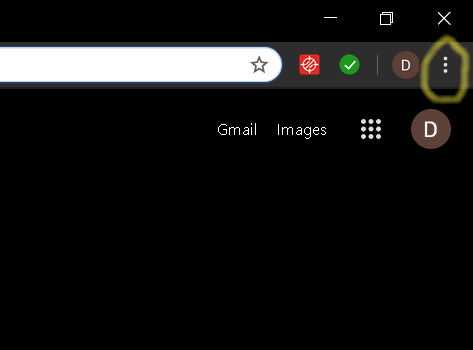
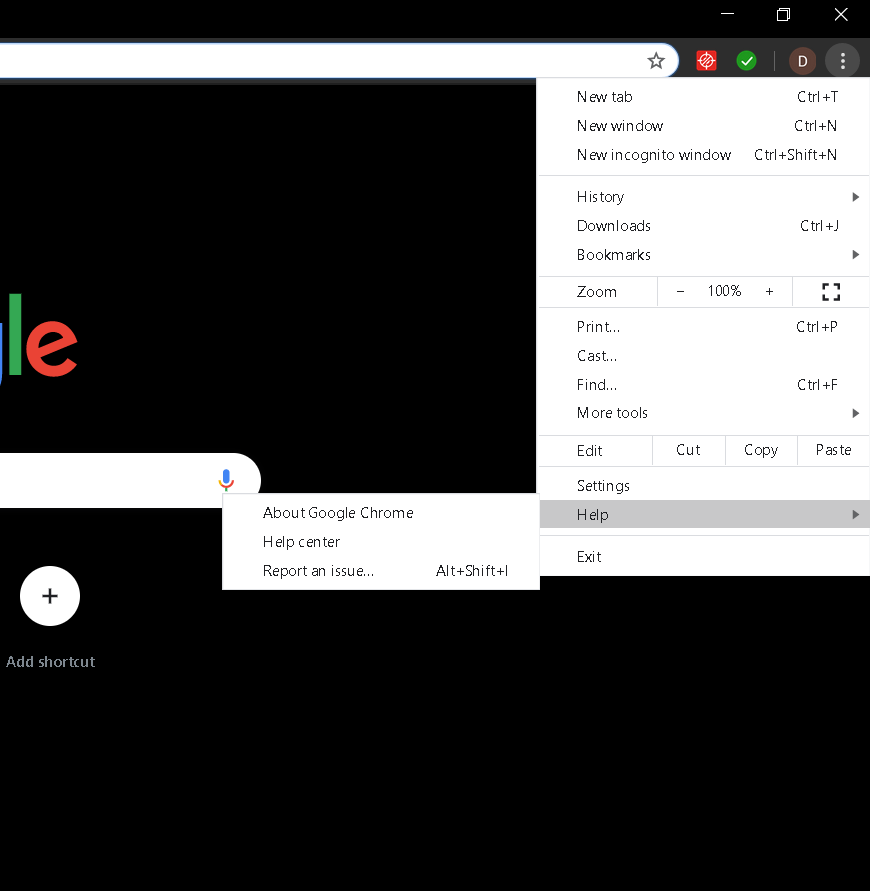
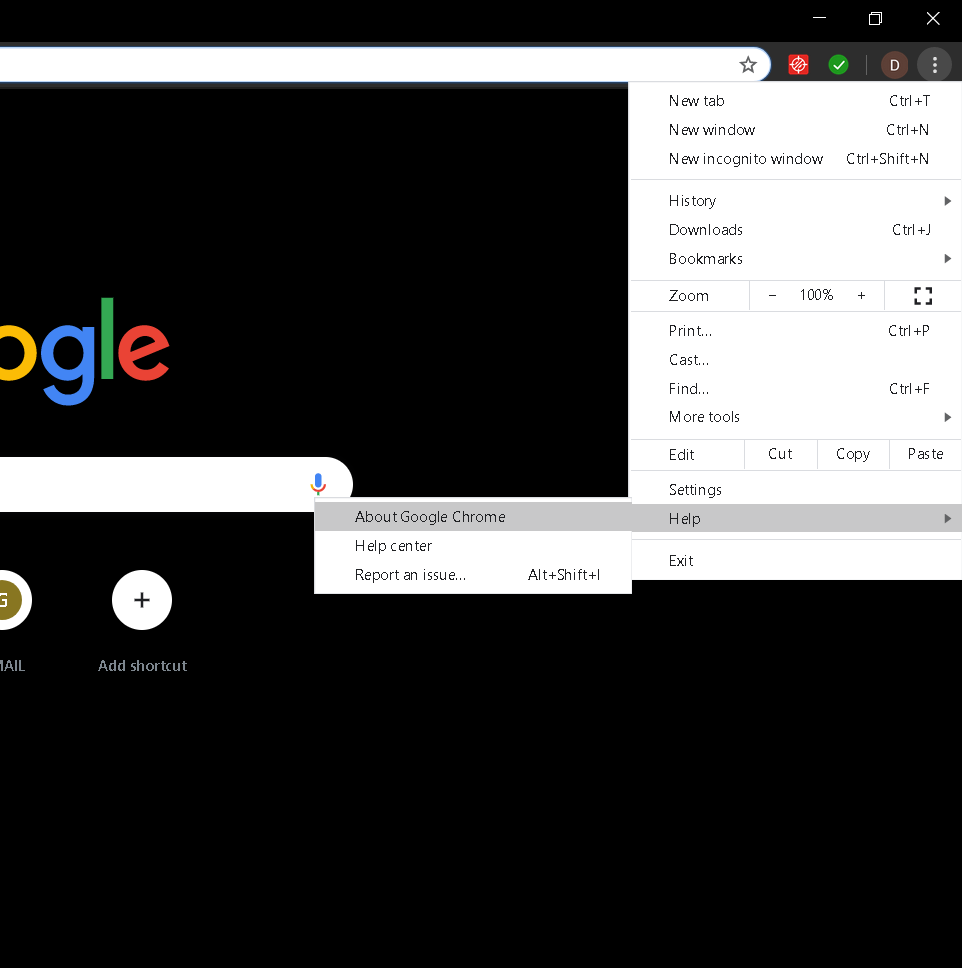
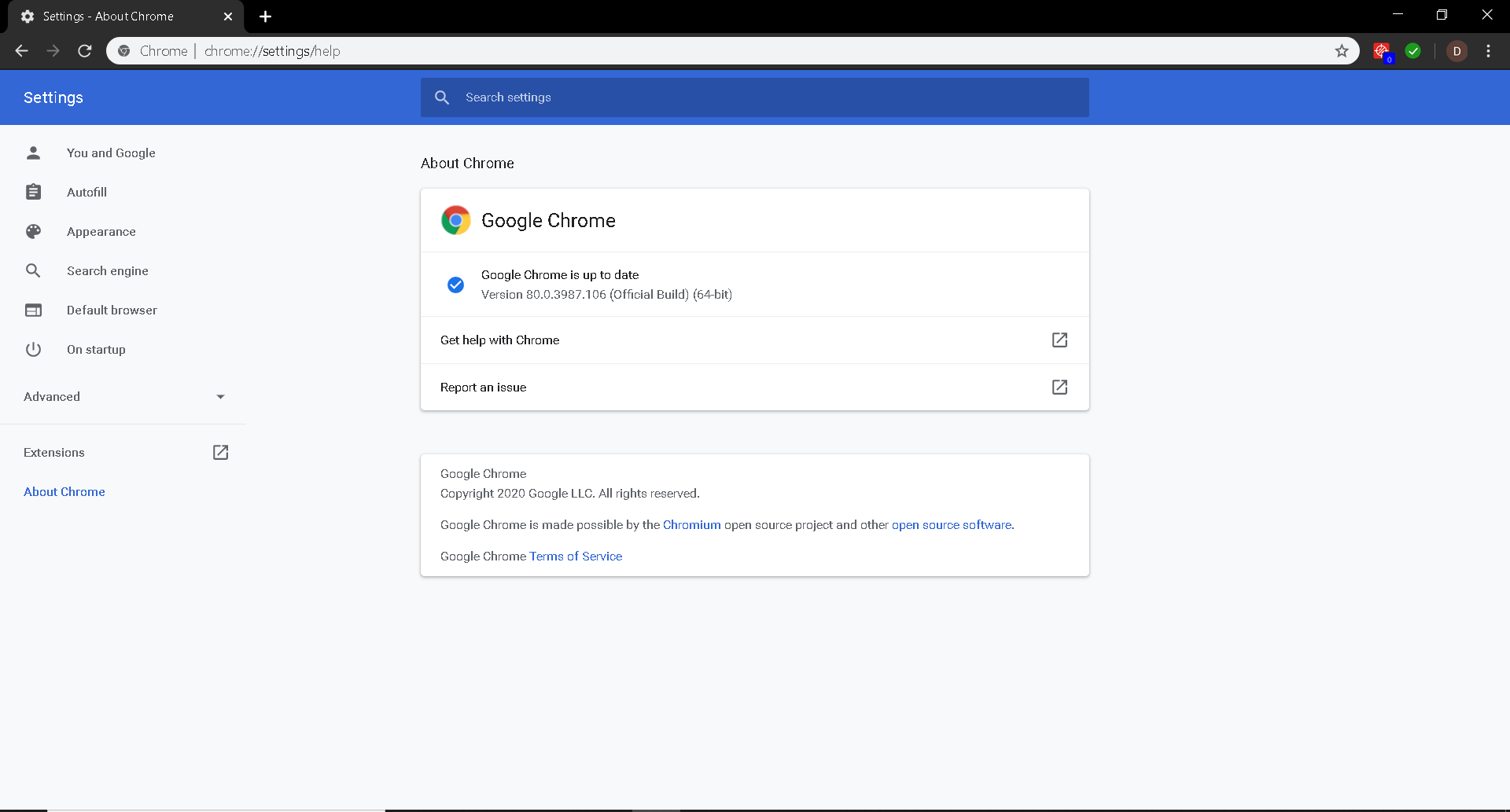
How to check/update Google Chrome version Data 17/02/2020 Autor digulescu gabriel ionut Categorie Soluții -9 509 Configurare noua (How To) Situatie Solutie 1.Open Google Chrome 2.Select Customize and control Google Chrome 3.Go to Help 4.Select About Google Chrome 5.You can now check the Google Chrome version or you can check for updates Tip solutiePermanent Voteaza Up Down (13 din 35 persoane apreciaza acest articol) ShareTweetShare Despre Autor digulescu gabriel ionut Solutii Asemanatoare Repair commands to run before you reinstall Windows 3 Ways to insert a Command or Code Block in Microsoft Word -2 Microsoft Word is making a big change to web links 4 ESP32 Offline Text-to-Speech 4 ESP32 Offline Voice Recognition 3 Cum dezinstalam eficient aplicatii in Windows 0 Leave A Comment? × Cancel Reply Save my name, email, and website in this browser for the next time I comment. − three = 3
Leave A Comment?
