
Situatie
Solutie
The spinning or flashing green light means you have a shipping notification. If a light bulb just went off over your head as it did ours, ask Alexa to “play your messages,” and the green ring should disappear.
Until next time. Let’s manage our notifications or stop the flashing green ring entirely. If you’d like to turn shopping notifications off, click the three lines (More) in the bottom left corner and go to Settings > Notifications > Amazon Shopping. While you’re here, be sure to check all of the settings, especially if you shop on Amazon frequently, to quiet Alexa down.
While our screenshots are from an iPhone, yours should be similar.
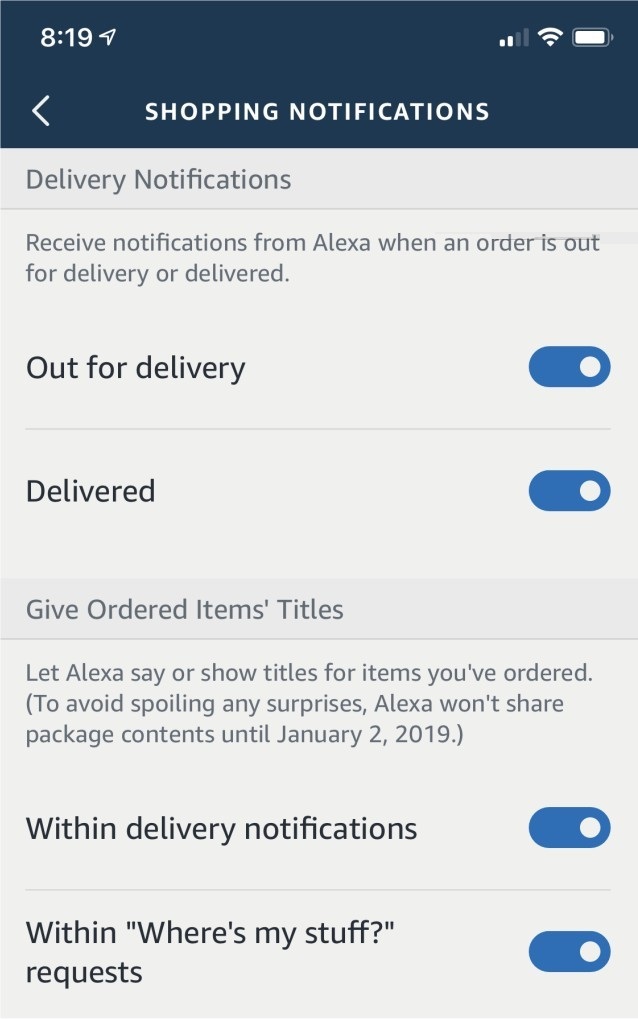
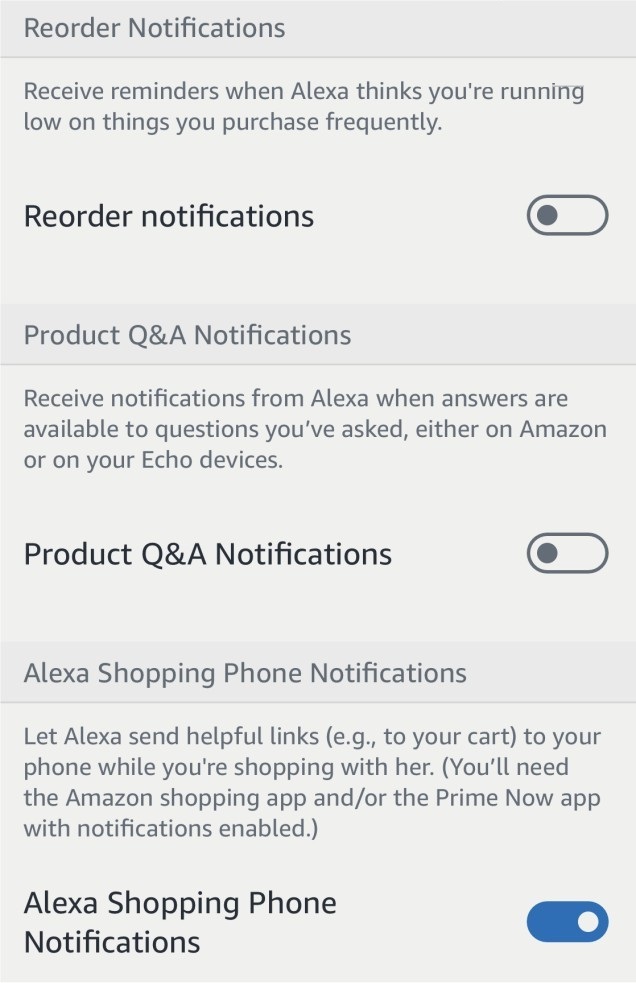
Notifications you can turn on or off include:
Out for delivery
Delivered
Order updates
Reorder notifications
Recommandations & deals
Answer to your product questions
Request products you’ve purchased
Follow updates (books, brands, influencers)
Hopefully, you now have Alexa Notifications the way you like and are enjoying a better experience.
Leave A Comment?