Situatie
Turn on Narrator Windows 10
Solutie
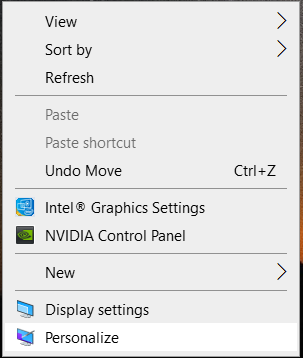
1.Right click on Desktop
2.Click on Personalize
3.On Related Settings select High contrast settings:
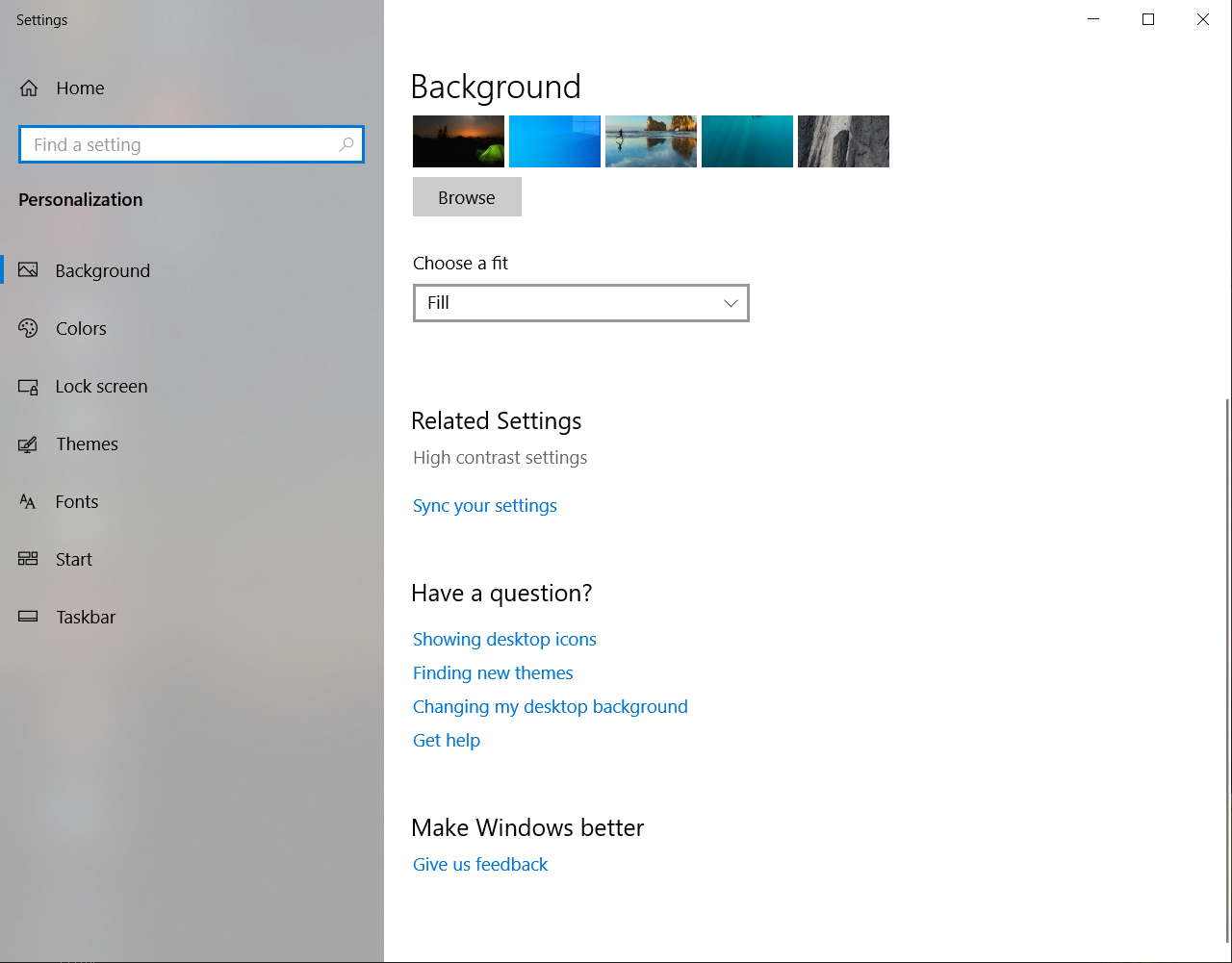
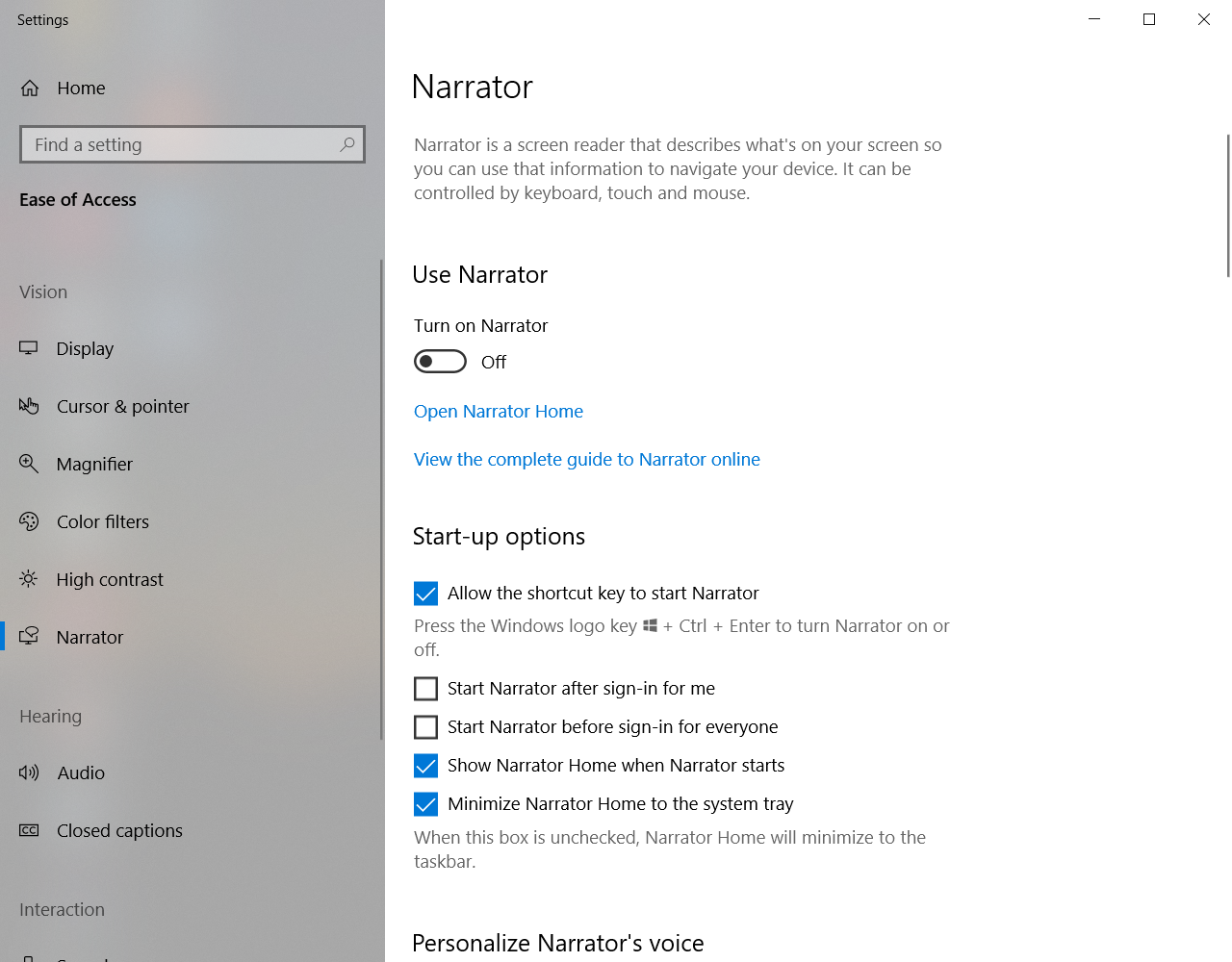
4.Select Narrator from the left panel
5.Turn on Narrator

Soluții pentru problemele tale IT
Turn on Narrator Windows 10
1.Right click on Desktop
2.Click on Personalize
3.On Related Settings select High contrast settings:
4.Select Narrator from the left panel
5.Turn on Narrator
Leave A Comment?