
Situatie
If you notice possible data issues, or you’ve done the research and suspect data damage, you can fix most of these issues with the Rebuild Data tool.
Solutie
1. Go to the File menu, then hover over Utilities and select Rebuild Data.
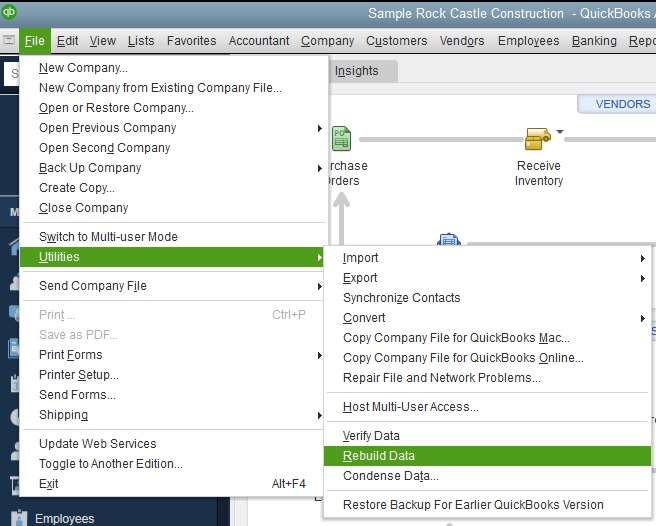
2. On the QuickBooks Information window, select OK. Follow the onscreen steps to save a backup.
3. Let the tool repair your file. It may take some time. QuickBooks may seem stuck, but as long as you can move your mouse, the tool is working.
4. When the tool finishes, select OK.
5. Go to the File menu. Then hover over Utilities and select Verify Data.
6. Let the tool check your file for data issues.
Leave A Comment?