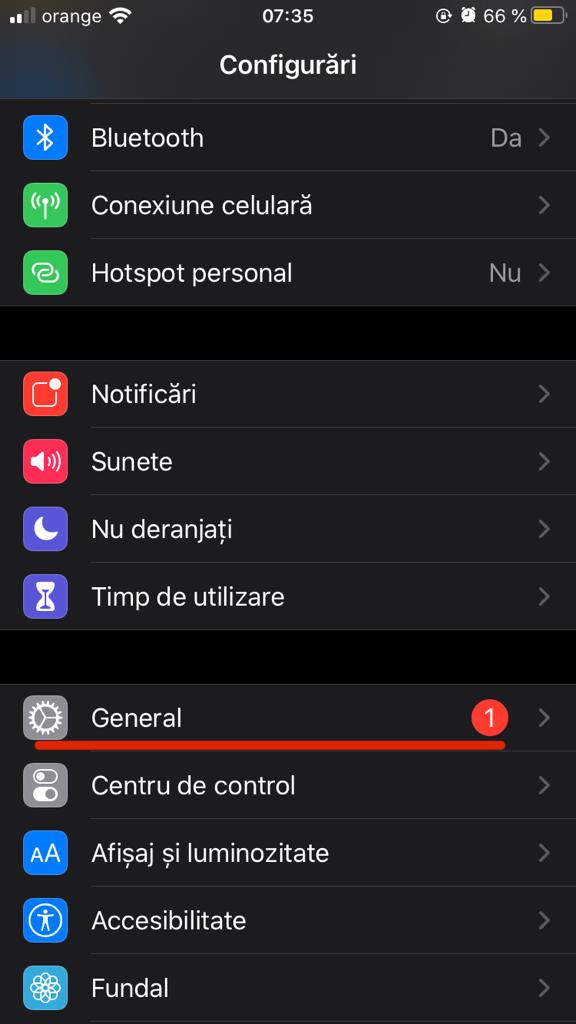
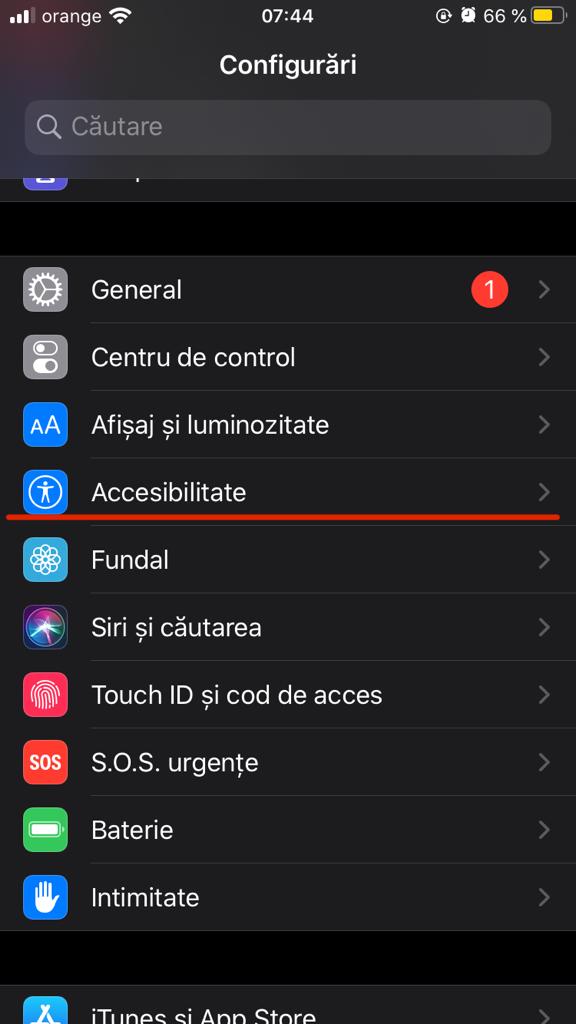
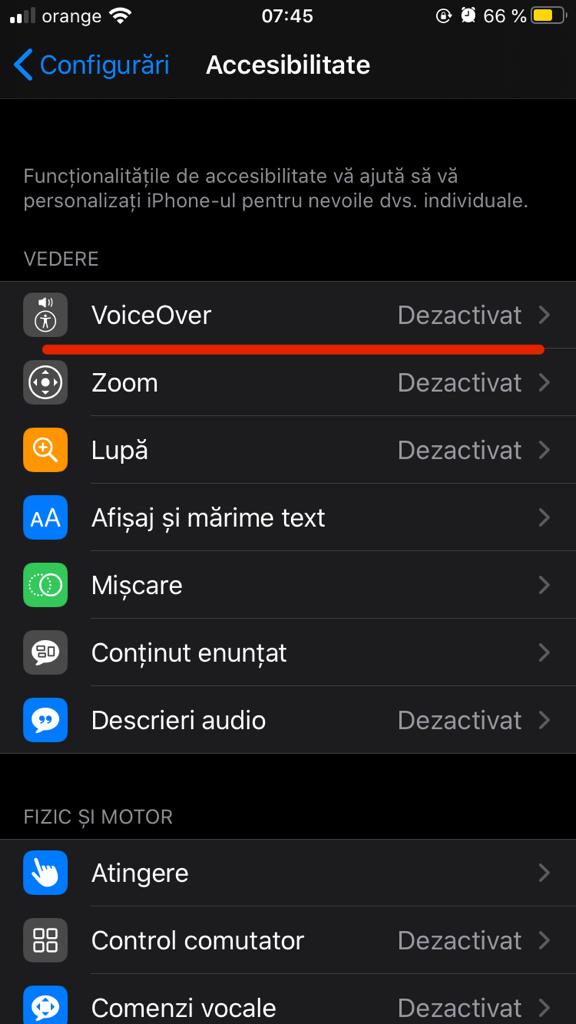
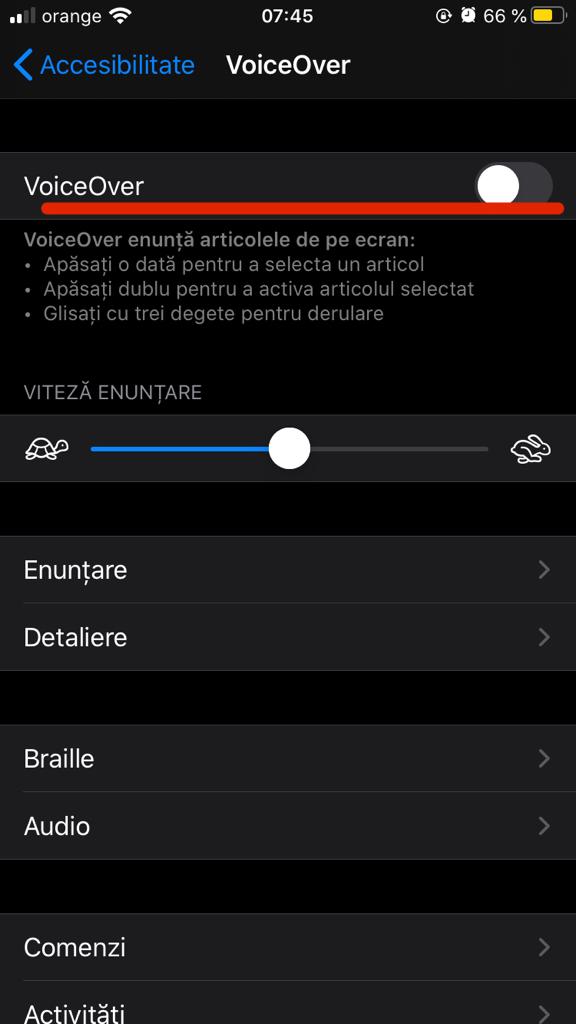
Cum sa activezi VoiceOver la Iphone Data 11/12/2020 Autor Dragos Popescu Categorie Soluții -2 418 Configurare noua (How To) SituatieCum sa activezi VoiceOver la Iphone Solutie 1. Accesati Configurari 2. Accesati General 3. Accesibilitate 4. Accesati VoiceOver 5. Glisati casuta din dreptul “VoiceOver”. Tip solutiePermanent Voteaza Up Down (14 din 30 persoane apreciaza acest articol) ShareTweetShare Despre Autor Dragos Popescu Solutii Asemanatoare Cum selectezi si editezi text dintr-o imagine pe Windows 11 1 How to enable Windows Sandbox in Windows 11 2 Repair commands to run before you reinstall Windows 6 Ways to insert a Command or Code Block in Microsoft Word 0 Microsoft Word is making a big change to web links 6 Importanța testării automate în dezvoltarea software modernă 2 Leave A Comment? × Cancel Reply Save my name, email, and website in this browser for the next time I comment. − 2 = six
Leave A Comment?
