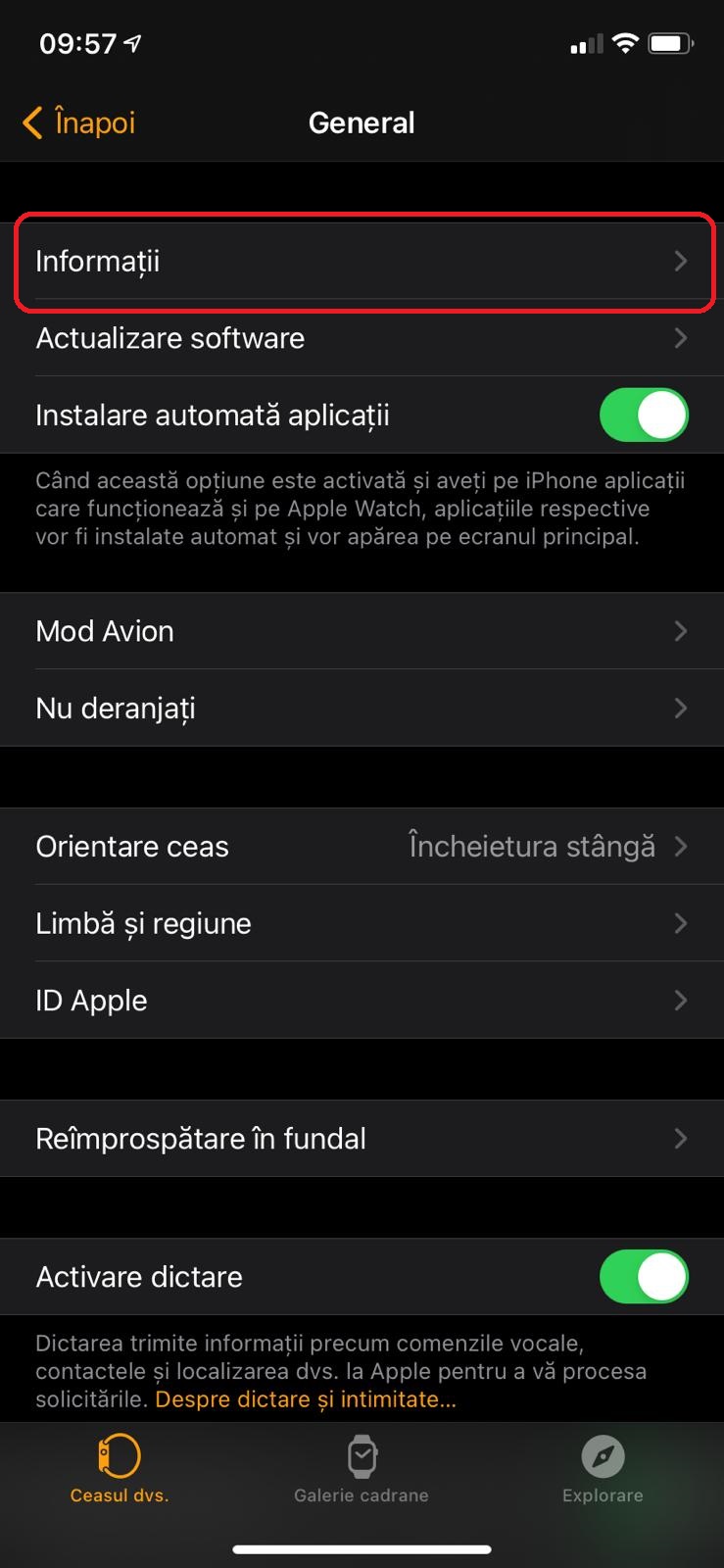
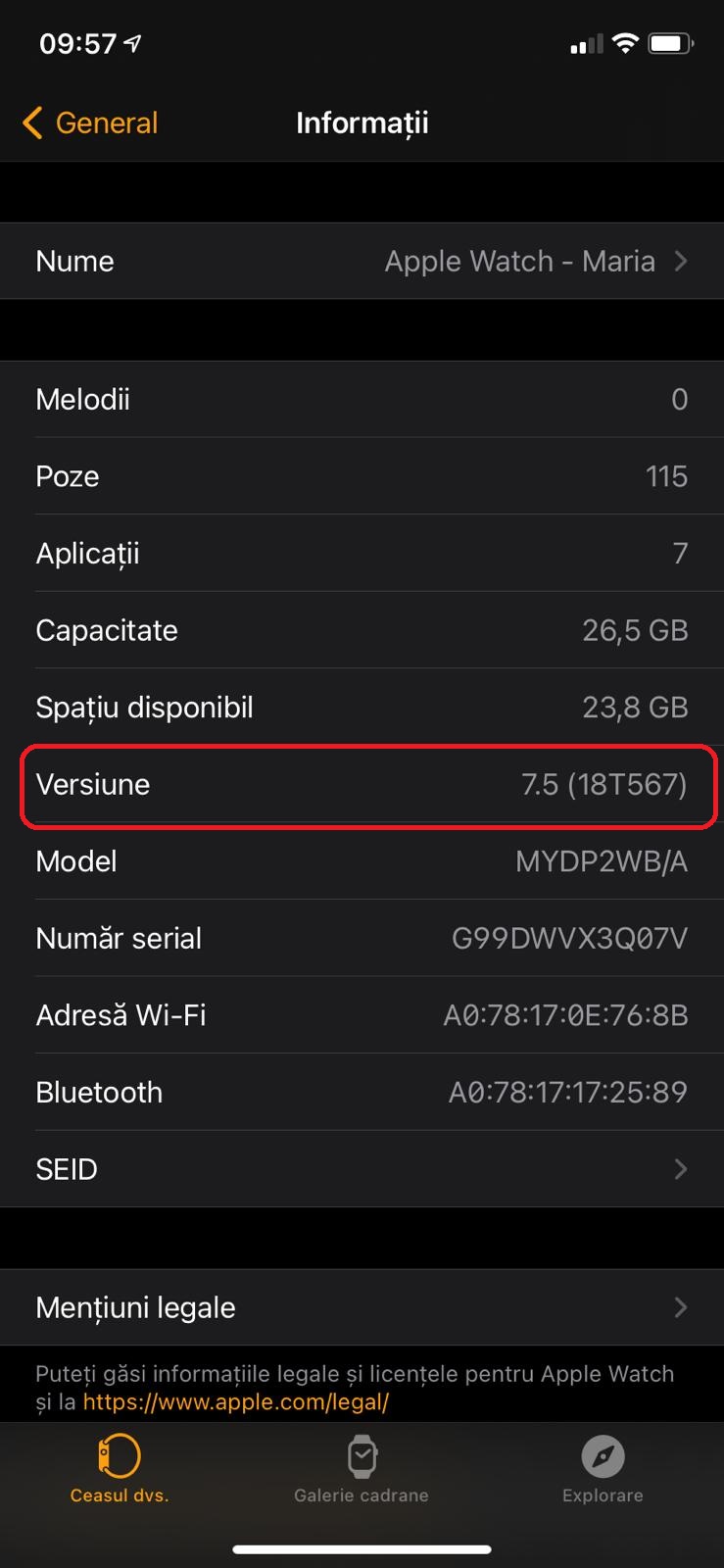
Cum afli versiunea de software de pe AppleWatch Data 15/06/2021 Autor vlad damian Categorie Soluții, Mobile -2 560 Configurare noua (How To) Situatie Apasam pe aplicatia Watch de pe desktop Aici selectam General Atingem butonul de Informatii In continuare, pentru a vedea versiunea de soft instalat, ne uitam in campul de Versiune. Solutie Tip solutiePermanent Voteaza Up Down (25 din 52 persoane apreciaza acest articol) ShareTweetShare Despre Autor vlad damian Solutii Asemanatoare Windows 11’s predictive text is the hidden typing tool 6 How to quickly fix CSV files in Excel using Power Query -1 How to turn old Galaxy phone into a pocket Linux server with Termux 2 How to give your old Android tablet a second life as an Android Auto display 1 Auto-Excluding Folders from Time Machine via Terminal 5 Personal Digital Vault with an Encrypted .dmg File — no extra encryption Apps 1 Leave A Comment? × Cancel Reply Save my name, email, and website in this browser for the next time I comment. × 9 = fifty four
Leave A Comment?