
Situatie
Solutie
Do not disturb mode
More productivity on your desktop
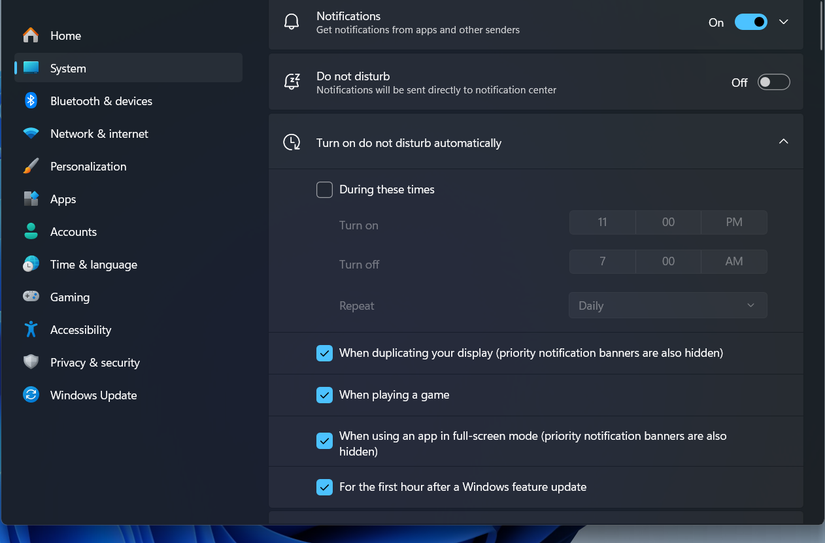
For folks who don’t want any distractions in the middle of serious work, Do not disturb mode is a nice way to turn off all the pesky notifications. Many of you might already use it on your phone. But you also have it on your Windows desktop.
One related setting in that menu is the Set priority notifications. If you want to ensure you don’t miss urgent alerts while keeping everything else muted, you can use this to let specific apps, alarms, or calls break through the silence.
If you want to take your productivity game to the next level, you should also look into Focus Sessions and the Pomodoro timer on Windows.
Leave A Comment?