
Situatie
You can now download the Windows 11 26H2 enablement package and upgrade compatible 24H2 and 25H2 installations without performing a full installation.
Solutie
The latest preview of Windows 11 26H2 (2026 Update) has been available for testing since August 27, 2026. If you prefer a manual installation, you can now download the final version using direct links to the enablement package (eKB). These downloads are available for standard x64 systems running AMD and Intel processors, as well as for ARM64 devices, including Copilot+ PCs and other supported hardware.
Download Windows 11 26H2 Enablement Package (KB5121794)
The Enablement Packages are available in the form of “.msu” files for both X64 and ARM64, and you can download them with these direct download links from the Microsoft Delivery Optimization Download Server:
- Download Enablement Package (KB5121794) for AMD and Intel (x64)
- Download Enablement Package (KB5121794) for ARM64
To install the update, simply double-click the “Windows11.0-KB5121794-x64.msu” (173 KB) file and select the option to apply the enablement package. Windows 11 24H2 will reach the end of support on October 13, 2026, so you can use this package to quickly upgrade to version 26H2.
Before you can install the enablement package (KB5121794), the device must have the Windows 11 update KB5120998 (builds 26200.9278 and 26100.9278) already installed. If not, you can use this link to download the update manually for versions 25H2 and 24H2 (x64 and ARM64) from the Microsoft Update Catalog website.
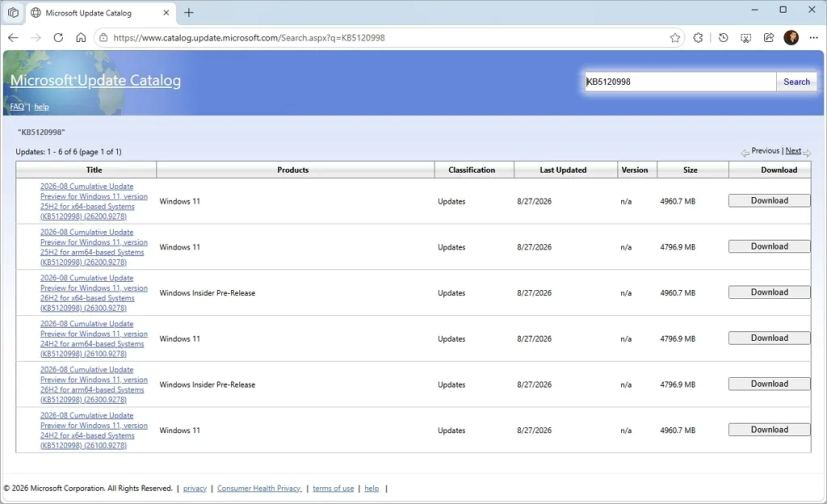
Once you download the package to your device, double-click it to apply the update. After installing KB5120998, you can run the “.msu” file to install the KB5121794 enablement package and upgrade to Windows 11 26H2.