
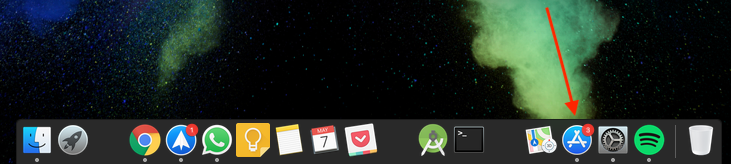
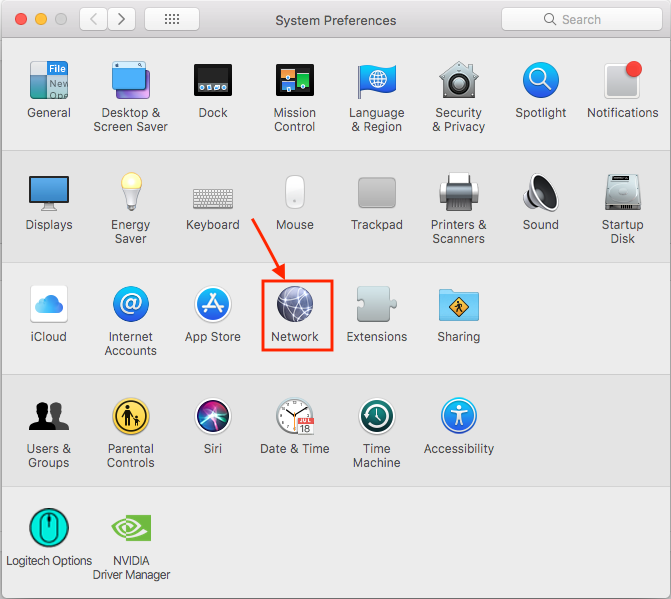
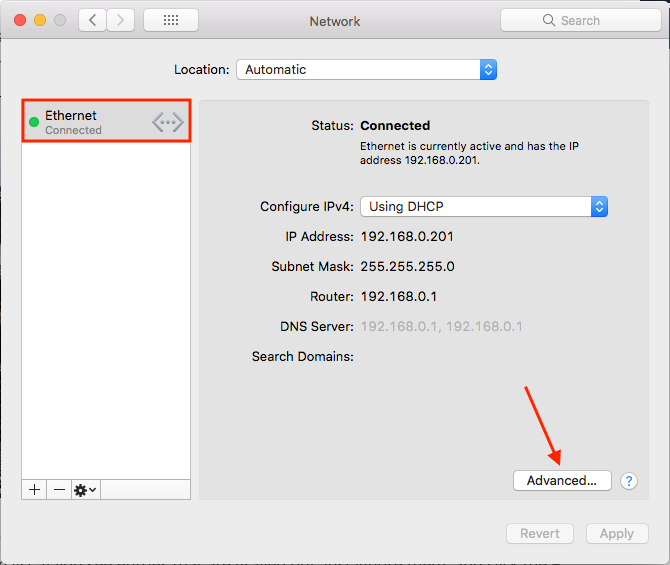
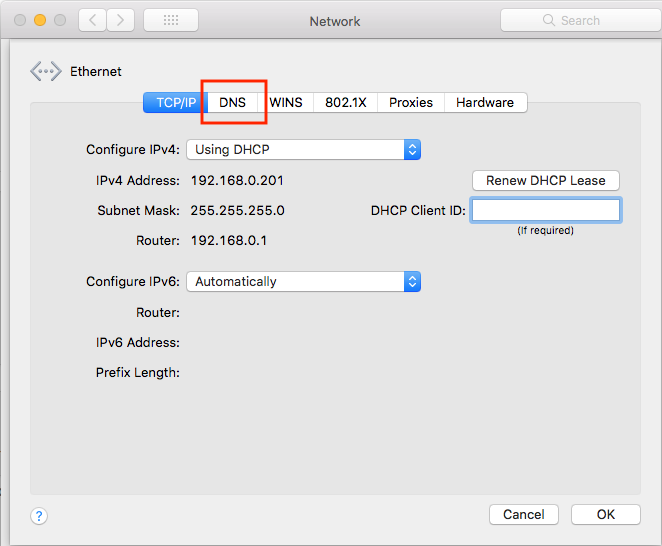
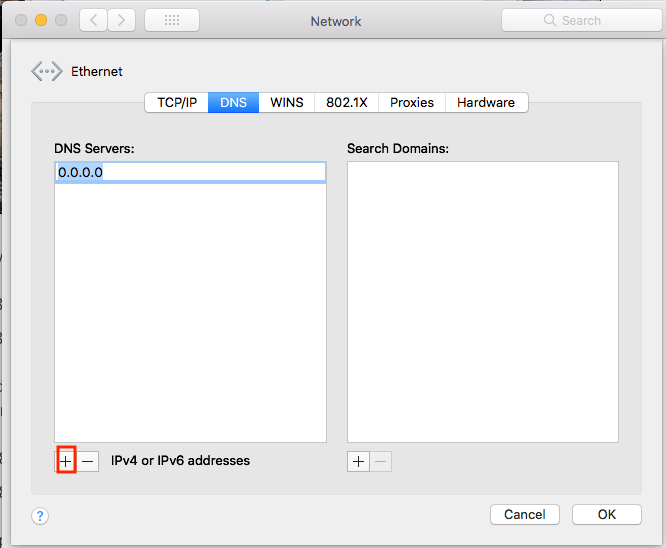
Cum sa folosesti Google DNS in macOS Data 07/05/2018 Autor Valentin Pifu Categorie Soluții 2 687 Configurare noua (How To) SituatieCum putem sa folosim Google DNS in macOS. Solutie Pasi de urmat Deschideti in “System Preferences”. Intrati in “Network”. Selectati placa de retea folosita si dati click pe “Advanced…”. Click pe “DNS”. Dati click pe “+” si adaugati DNS-ul de la Google: 8.8.8.8 / 8.8.4.4 Tip solutiePermanent Voteaza Up Down (15 din 28 persoane apreciaza acest articol) ShareTweetShare Despre Autor Valentin Pifu Solutii Asemanatoare How to run Microsoft Defender full virus scan on Windows 11 1 Cum customizati raspunsurile oferite de AI-ul Leo in browser-ul Brave 2 How to combine multiple storage drives in Windows -1 How to fix a Tombstoned Domain Controller -1 NTLDR lipsește din Windows 10 -3 Combina nume+prenume in Excel 4 Leave A Comment? × Cancel Reply Save my name, email, and website in this browser for the next time I comment. five × = forty
Leave A Comment?