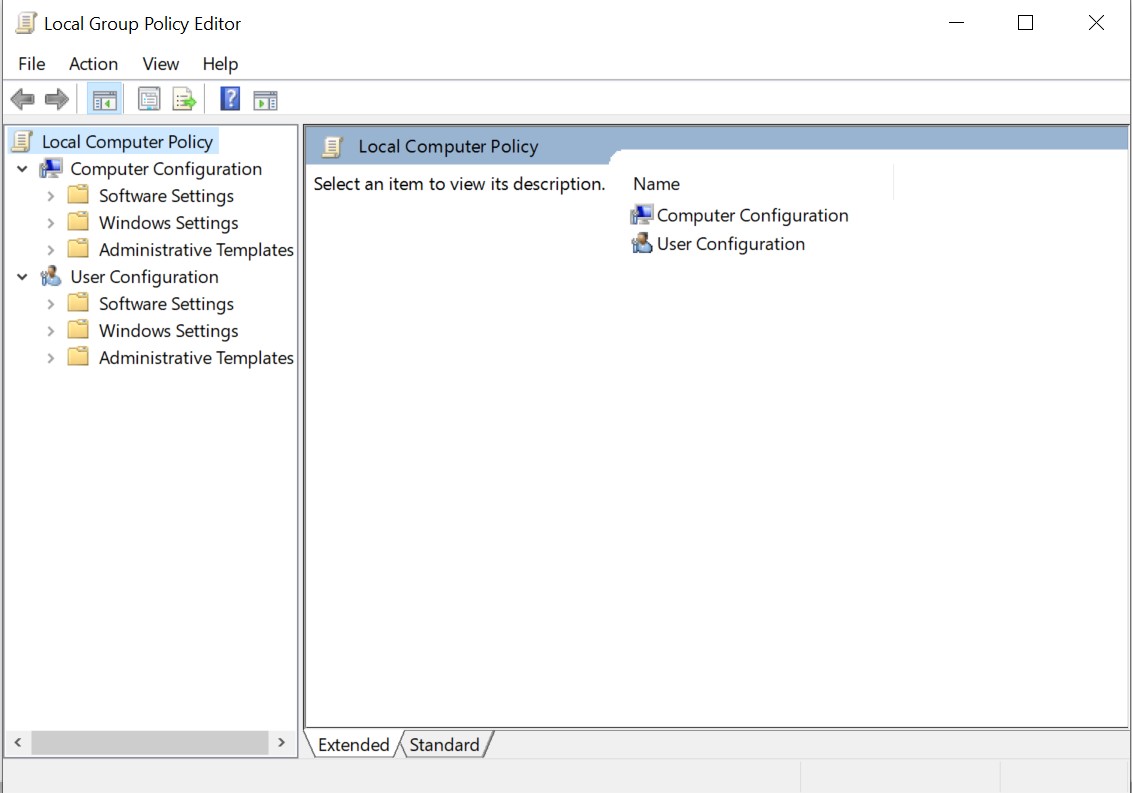
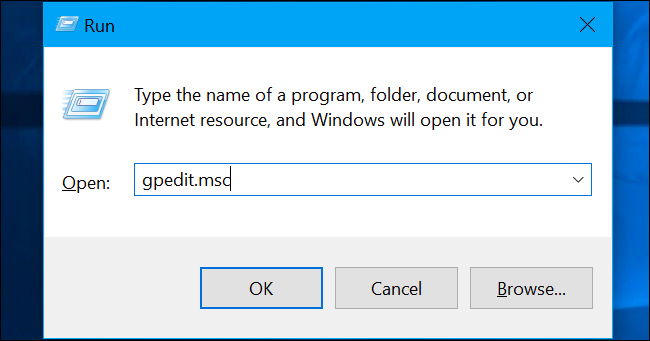
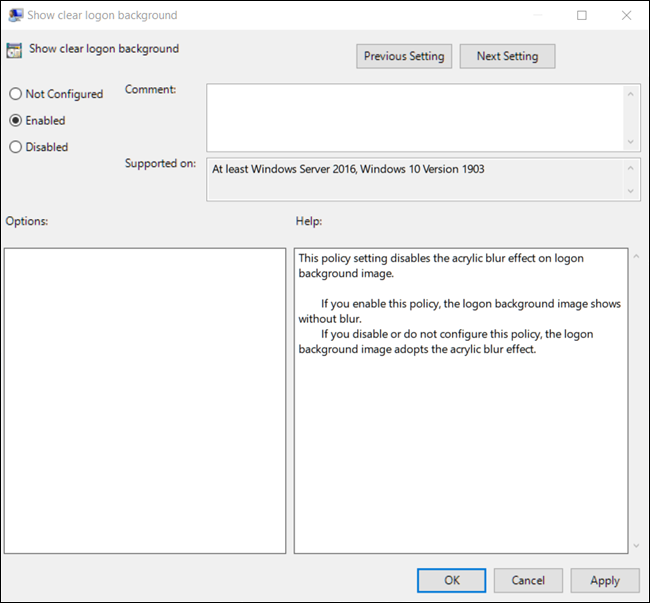
Dezactivare estompare ecran Login Windows folosind Group Policy Data 11/07/2019 Autor Catalin Patulea Categorie OS - Windows -7 510 Configurare noua (How To) SituatieDezactivare estompare ecran Login Windows folosind Group Policy. Solutie Pasi de urmat Se acceseaza group policy editor apasand tastele Windows+R. Se scrie gpedit.msc si se apasa enter. Se acceseaza calea Computer Configuration > Administrative Templates > System > Logon. Se identifica Show clear logon background si se da dublu click. Se selecteaza optiunea “Enabled” si se da click pe OK. Trebuie repornit calculatorul. Tip solutiePermanent Voteaza Up Down (11 din 29 persoane apreciaza acest articol) ShareTweetShare Despre Autor Catalin Patulea Solutii Asemanatoare Remediere Eroare: 0xc00000ba 0 Raspberry Pi Music jukebox 2 6 Excel UI changes you need to make before starting your next spreadsheet 7 How to remap Copilot Key to launch Search in Windows 11 4 How to enable Efficiency Mode on Windows 11 7 How to disable Efficiency Mode on Windows 11 1 Leave A Comment? × Cancel Reply Save my name, email, and website in this browser for the next time I comment. six − 2 =
Leave A Comment?