
Disbanding the family group can help you disable Family Safety on your PC. You can disable services in order to prevent this feature from starting.
[mai mult...]How to Remove Instagram Reel Video from Profile Grid
Instagram has gotten so good at launching new, exciting, and engaging trends that all marketers around the world could learn a thing or two from them. However, do you feel like not every setting or feature on the platform resonates with you completely? Take the reel placement, for instance.
[mai mult...]How to Listen to YouTube for free when your iPhone is locked
On iPhone, listening to YouTube audio in the background usually requires paying for a YouTube Premium subscription, but there is a workaround that allows you to keep listening to a video when your iPhone is locked. As YouTube has grown in popularity, Google has opted to park several features of the video hosting service behind a paywall, such as ad-free viewing, SharePlay on iOS, and the ability to listen to YouTube audio on your iPhone when the app is closed.
[mai mult...]How to Get an Alert From Your HomePod If a Smoke Alarm Goes Off
Thanks to Apple’s Sound Recognition feature, the HomePod mini and second-generation HomePod can send you notifications when they recognize smoke or carbon monoxide alarm sounds.
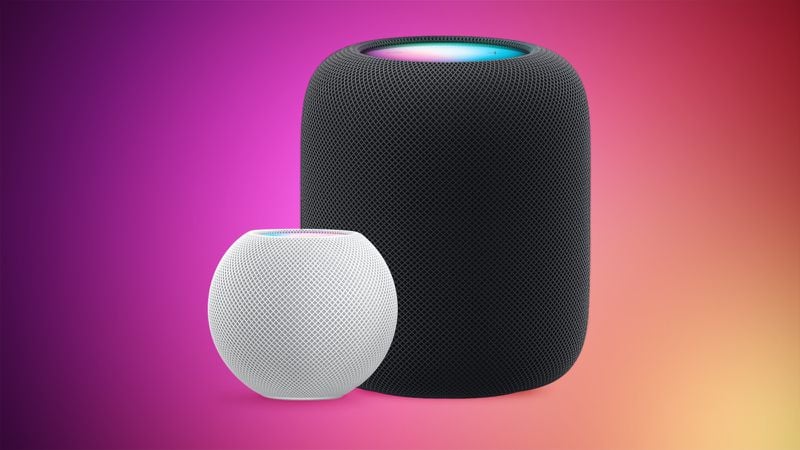
With Sound Recognition, HomePod can detect the sound of a smoke or carbon monoxide alarm in your home, and alert you by sending a notification to your iPhone, iPad or Apple Watch.
It’s a neat addition if you don’t own a smart detector, although Apple warns that the feature should not be relied upon “in circumstances where users may be harmed or injured,” or in “high-risk or emergency situations.” The Sound Recognition feature is accessible in the Home app. If your Home system is connected to a smart camera, it will also display live video of your home, so you can see what’s happening in real time.
Here’s how to enable the feature. Note that Sound Recognition on HomePods requires Apple’s updated Home app architecture that was introduced in iOS 16.4 and iPadOS 16.4.
[mai mult...]How to Use the Photos Repair Library Tool in MacOS
If your Photos library won’t open or the Photos app is exhibiting odd behavior on your Mac, the Photos Repair Library tool may fix the issue.
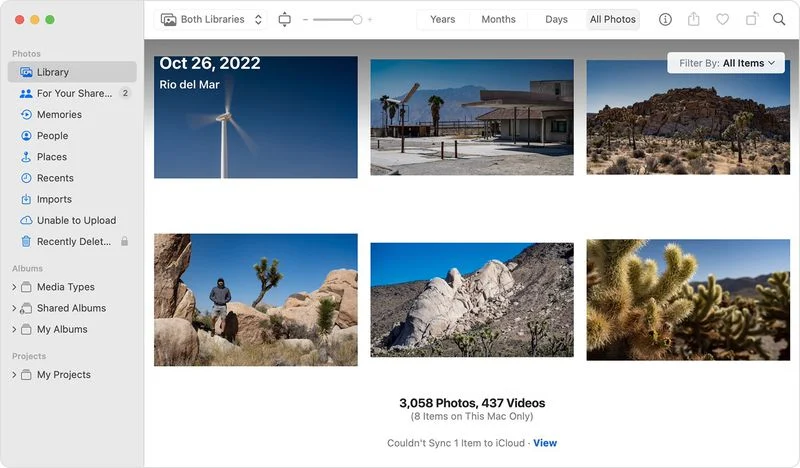
The Repair Library tool is a hidden utility in macOS that analyses your photo library’s database and repairs any inconsistencies it detects. The tool isn’t guaranteed to fix all problems that can arise with photo libraries, but it is worth giving it a go before contacting Apple Support.
Before you use the Photos Repair Library tool, make sure you have a local backup of your photo library, either by using Time Machine or a third-party backup solution, ideally with an external drive. By default, your photo library is stored in the Pictures folder within your home folder.
If you’re repairing a library that’s used with iCloud Photos, iCloud will check the library after the repair process has completed to ensure everything has synced correctly.
[mai mult...]How to Connect Nintendo Switch to Bluetooth Headphones
How to Turn a Video into a GIF on iPhone and iPad
Animated GIFs have become a staple of the internet. Invented in 1987, the looping, soundless video clips can be found everywhere online, from social media networks to messaging platforms, and are often used to express emotions, communicate ideas, or just make people laugh.
Because they are so short, GIF files are quick to load and they play automatically, so they communicate what you want pretty instantaneously and without effort on the viewer’s part. What’s more, thanks to Apple’s Shortcuts app, you can turn video clips into GIFs quickly and easily on your iPhone and iPad without even having to download anything.
The following steps show you how it’s done.
[mai mult...]How to Capture PC VR App Screenshots in Oculus Dash
Want to take screenshots of your VR PC games? Here’s how you can by using Oculus Dash.
Users who hook up their Quest 2 headsets with their Windows desktops or laptops can play some great PC VR (virtual reality) games from the Oculus Rift Store. Some players also like to capture screenshots when they play VR games. However, users can’t capture screenshots from PC VR apps with the Oculus/trigger button method.
Oculus Dash is the home environment for launching PC VR apps in Quest 2 headsets. That home environment includes two different tools with which you can capture snapshots. This is how you can capture screenshots from PC VR apps in Quest 2 within Oculus Dash. You can capture PC VR game screenshots with that tool like this:
[mai mult...]How to Keep Your Twitter Account Secure Without Having to Pay for the Privilege
Twitter in February 2023 announced that text message two-factor authentication (2FA) is set to become a premium feature for Twitter Blue accounts.
Twitter has said that it will soon be removing text message-based 2FA from non-paying accounts and turning it into a feature that will only be available to subscribers of its premium Twitter Blue offering, which costs $8 per month. This means that any users who don’t pay for a Blue subscription and rely on Twitter to send them an SMS text message code to complete the login process will have the feature turned off and removed from their accounts by March 20. Their account password will become the only barrier to access.
Aside from purely financial reasons (presumably it costs Twitter to send you a text), making text-based 2FA a paid-for perk is an odd decision on Twitter’s part.
Twitter has justified the policy change by saying, rightly, that SMS 2FA can be abused by bad actors. And there have indeed been “SIM swap attacks” where hackers convinced cell providers to assign a victim’s phone number to a device they control, and by taking control of a person’s phone number, the hacker can impersonate the victim, as well as receive text message codes to their account. But making SMS 2FA available only to Twitter Blue subscribers simply makes them more susceptible to attacks of this nature.
Twitter says that it is “committed to keeping people safe and secure on Twitter,” and it’s true that SMS 2FA is better than no 2FA at all, but its policy does nothing to encourage users to switch to a more secure form of 2FA – perhaps because doing so means paying Twitter absolutely nothing.
Switching to App-Based 2FA is the Solution.
[mai mult...]How to Set Up a Stronger Passcode on Your iPhone
Your iPhone’s passcode is the first line of defense when it comes to protecting your private data. Here’s how to set up a stronger one than the default six-digit passcode that you’re likely already using.
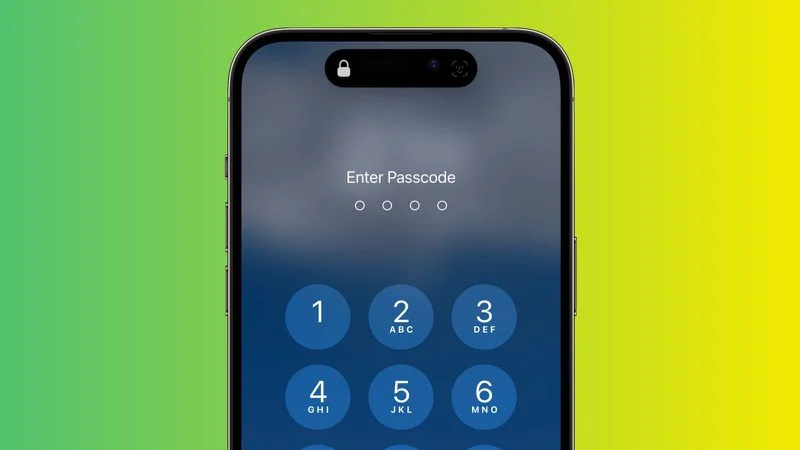
If someone with malicious intentions finds out the passcode for your iPhone, they could end up causing you all sorts of trouble. With passcode access to your iPhone’s contents, they could change your Apple ID password, allowing them to disable Find My so that you can no longer locate your device. They could make contactless payments with Apple Pay, and gain access to your iCloud Keychain passwords. They could even wipe your iPhone for resale.
That’s why you should never share your passcode with anyone who isn’t a trusted family member. If something out of the ordinary happens and you need to loan your iPhone to someone who isn’t family, you can at least temporarily change the passcode to something different, then change it back when the phone is back in your hands. (The following steps show you how to do that.)
If you’re worried about strangers seeing you enter your iPhone passcode in public, then the best solution is to use Face ID or Touch ID whenever possible. Your biometric information is stored on your device’s Secure Enclave, which is a lot more secure than your passcode.
If you can’t or don’t want to use Face ID or Touch ID for whatever reason, another option is to set up a stronger passcode. By default, iPhone passcodes are six digits, but Apple includes options to create a four-digit passcode, or a longer numeric or alphanumeric passcode.
The default six-digit passcode is obviously more secure than any four-digit one, while the strongest passcodes use a combination of letters and numbers. Just bear in mind that the longer and more complex the passcode, the harder it will be to memorize and the longer it will take to type in. If you don’t have a great memory for passcodes, it might not be the best idea to make it any longer than six digits. With all that in mind, here’s how it’s done.
[mai mult...]