How to remove icon shadows in Windows 10 Data 03/05/2022 Autor eduard stanciu -2 627 By default, the Windows 10 desktop icons have a drop shadow around the labels that makes the icon labels blurry and difficult to read. [mai mult...]

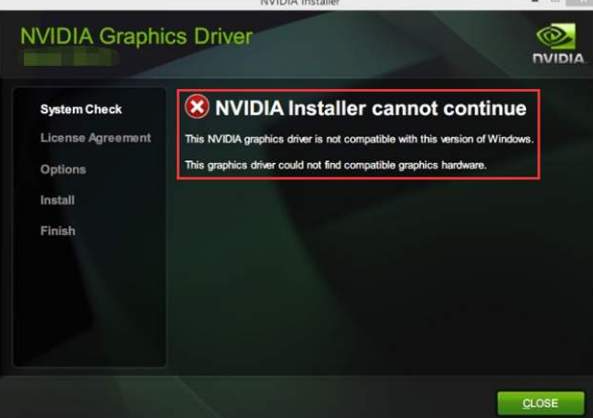
Fix GeForce GTX 1070 Driver Issue on Windows 10 Data 18/04/2022 Autor Tiberiu Iordan 5 574 Does this look familiar? [mai mult...]
Cum se actualizeaza software-ul pe un TV Bravia utilizand un stick USB ? Data 15/04/2022 Autor Tiberiu Iordan 2 650 [mai mult...]
Actualizare de firmware pentru TV sony Bravia Data 15/04/2022 Autor Tiberiu Iordan -3 569 [mai mult...]
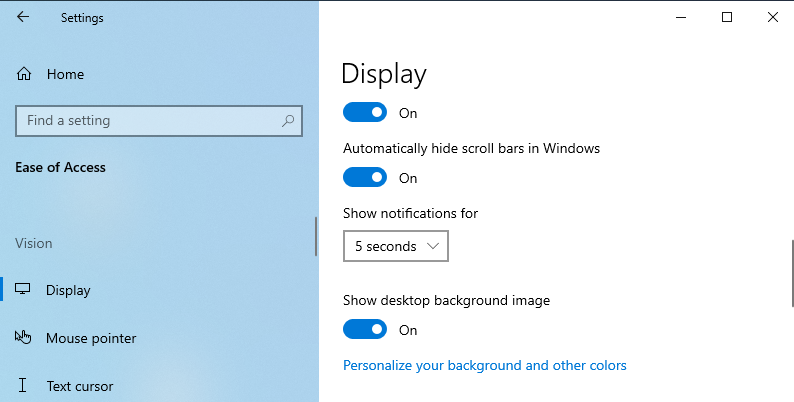
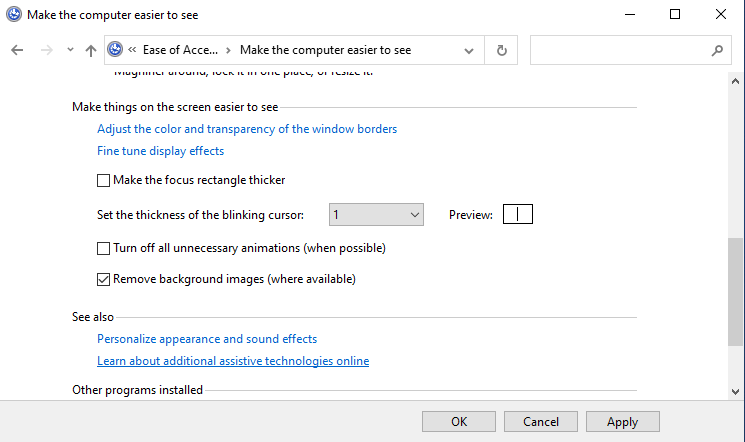
How to enable Desktop Background Image Data 12/04/2022 Autor Iulian gheorghe -18 623 Start by enabling the “show desktop background image” option. Here are the steps for enabling the desktop wallpaper: Press Win + I to open the System Settings. Click the Ease of Access option from the menu items. Next, click the Display option on the left-hand side pane. Locate the Show desktop background image button and then switch it on. 5. Restart your device to save these new changes. Configure the Display Settings via the Ease of Access Center You can also resolve the “black desktop background display” issue by configuring the Ease of Access settings. Here’s how: Press Win + R to open the Run command dialog box. Type Control Panel and click Enter. Next, click the View by drop-down menu and select Small icons. Select the Ease of Access Center from the menu items. Scroll down and click the Make the computer easier to see option (below the Explore all settings option.) Next, scroll down and uncheck the Turn off all unnecessary animations and the Remove Background images options. Click Apply, click OK, and then restart the device to save these changes. [mai mult...]