Cum resetezi cartusul la imprimanta Brother DCP-L2622DW
Daca ai inlocuit cartusul la imprimanta Brother DCP-L2622DW si inca iti apare mesajul “Inlocuire Toner”, urmeaza acesti pasi pentru a rezolva problema:
[mai mult...]
Soluții pentru problemele tale IT

Daca ai inlocuit cartusul la imprimanta Brother DCP-L2622DW si inca iti apare mesajul “Inlocuire Toner”, urmeaza acesti pasi pentru a rezolva problema:
[mai mult...]Download the CSV template – Go to the Google Admin Console and download the blank CSV file
Do you want to find out all the user accounts that exist on your Windows 11 PC? If so, you have both graphical and command-line methods to list existing accounts. I’ll show you the various ways to do that.
[mai mult...]Microsoft just announced a few changes coming to WSL, including a new getting started experience. The first time someone installs and runs WSL, a new window appears explaining what WSL is and some of its key features. The window will also be accessible from the “Welcome to WSL” button in the WSL settings app.
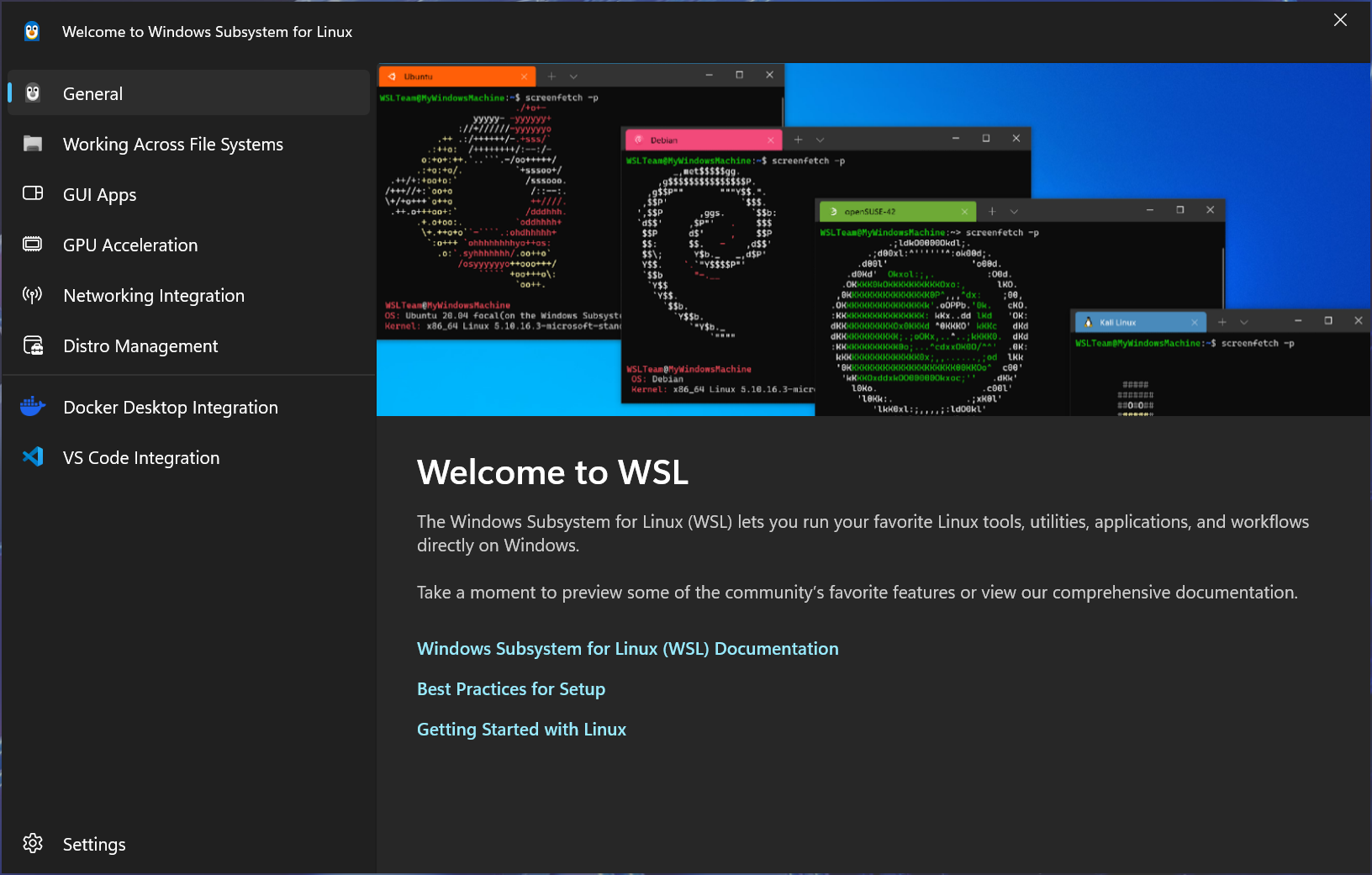
The Windows Subsystem for Linux can be a bit difficult to understand, so any improvement there is welcome. WSL works a lot like a virtual machine (WSL2 is actually just a Hyper-V container), but the Linux VM doesn’t have its own desktop environment, and it shares access to files and other resources from the host Windows PC. Even if you have used Linux before, there can still be a learning curve with accessing and moving files, incomplete USB support, and other important differences.
Microsoft also announced a few other changes coming to WSL. There’s a new way to create WSL distros with simple configuration files and .tar archives, which will mostly be helpful for Linux distro developers and sharing configurations in enterprise settings. You can configure a custom icon, startup command, and name, then package it as a simple file for other people to install.
Finally, Red Hat is now an official WSL distro, so Red Hat Enterprise Linux can be set up from the usual install command. Most people will probably still want the typical Ubuntu or Debian distro, but for developers and companies using Red Hat and Fedora, it’s a helpful improvement.
The new setup experience and distribution packaging formats are available for testing in WSL Preview 2.4.4, and they should roll out to the stable WSL experience once any bugs are ironed out.
[mai mult...]Designul tău „arată greșit”, deși ai culori ok, fonturi bune și toate elementele sunt acolo. Totuși, pare dezorganizat, nefinisat, greu de urmărit. De ce? De cele mai multe ori, problema vine din aliniere incorectă și spațiere inegală între elemente. Aceste detalii fac diferența.
[mai mult...]Ai legat ecranele în modul Prototype, ai setat interacțiunile, dar când dai Play, prototipul nu funcționează cum te așteptai. Butoanele nu răspund, animațiile nu apar, iar flow-ul pare blocat.Ce faci?
[mai mult...]