
Soluții

How to disable JavaScript in PDF documents in Firefox

How to disable JavaScript in PDF documents in Firefox

The security and feature update for the organization’s Firefox web browser introduced a major change in the native PDF viewer of the browser. Up until now, JavaScript was ignored by Firefox when PDF documents were viewed in the browser. The execution displayed the JavaScript document in the browser but ignored any JavaScript code that it contained.

Mozilla enabled the execution of JavaScript in PDF documents in Firefox 88; this means that JavaScript code will be executed if it is present in a PDF file that is viewed in Firefox. There are legitimate reasons for supporting JavaScript in PDF documents, for instance to verify the input in form fields or to make changes to a document based on data when it is opened or when certain events happen.

Unfortunately, JavaScript in PDFs may also be used to execute malicious code. In other words: JavaScript is a security risk when it is executed in PDF documents. Most Firefox users may not need the feature, and it is a good idea to disable the execution of JavaScript in PDF documents in the browser to protect the system against JavaScript-based attacks.

Disable JavaScript execution in PDF documents
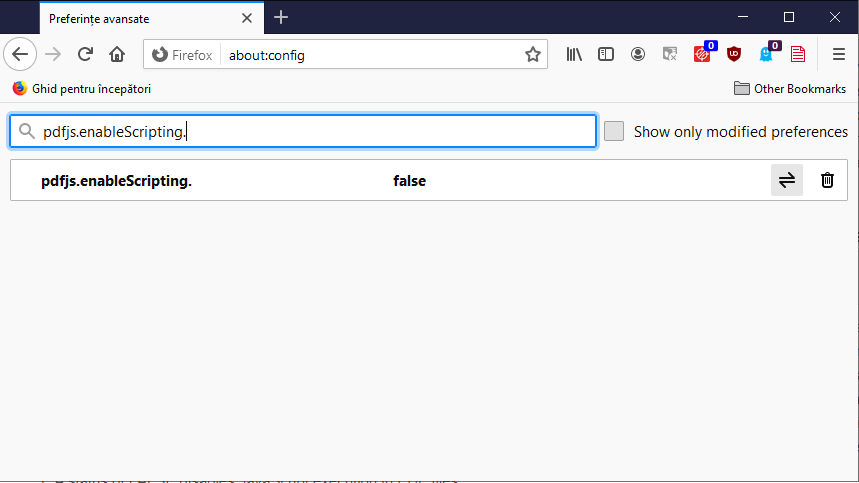
Firefox users may disable the execution of JavaScript by the browser’s native PDF viewer in the following way. Note that there is no option to turn it off in the main settings of the browser.

  1. Load about:config in the web browser’s address bar.
  2. Confirm that you will be careful to proceed.
  3. Use the search at the top to find pdfjs.enableScripting.
  4. Set the preference to FALSE with a click on the toggle button at the end of the line.
    1. A status of FALSE disables JavaScript execution in PDF files.
    2. A status of TRUE enables the execution of JavaScript in PDF documents (default)

Firefox will ignore JavaScript in PDF documents if the preference is set to FALSE.

Testing

You can test the effect by loading PDF documents that include scripting from a site like PDF Scripting. Just download the sample PDF documents and check them in the native PDF viewer of Firefox to see if the execution is blocked.

[mai mult...]
All Windows 10 upgrade safeguards have been lifted

All Windows 10 upgrade safeguards have been lifted

Microsoft resolved the last long-standing upgrade issues in Windows 10 version 2004 and 20H2 this week. The company uses upgrade safeguards to block updates to newer versions of its Windows 10 and Windows Server operating systems to prevent issues during or after the installation of the updates.

Downside to the safeguards is that some devices are not offered the upgrade to a new version of Windows 10. In this particular case, it meant that affected devices running Windows 10 version 1909 could not be upgraded to newer versions of Windows 10 using Windows Update.

Windows 10 version 1909 consumer editions — Home, Pro, Education and Workstations — reach end of life in May 2021. Microsoft plans to release a last batch of security patches for Home versions of the operating system on May 11, 2021, the May 2021 Patch Tuesday before support ends.

Microsoft lifted the last safeguards on May 7, 2021 which prevented the upgrade to newer Windows 10 versions using Windows Update for devices with certain Conexant audio drivers and Conexant ISST audio drivers.

The safeguard hold with safeguard IDs 25702617, 25702660, 25702662, and 25702673 has been removed for all devices as of May 7, 2021, including devices with affected drivers. If updated drivers are not available for your device and you are offered Windows 10, version 2004 or Windows 10, version 20H2, a small number of devices might roll back to the previous version of Windows 10 when attempting to update. If this occurs, you should attempt to update to Windows 10, version 2004 or Windows 10, version 20H2 again.

The issues were opened a year ago in May 2021. Microsoft published a workaround but the issue was not fixed until this month. Some devices may be rolled back according to the resolution and Microsoft asks administrators to run the update again when that happens.

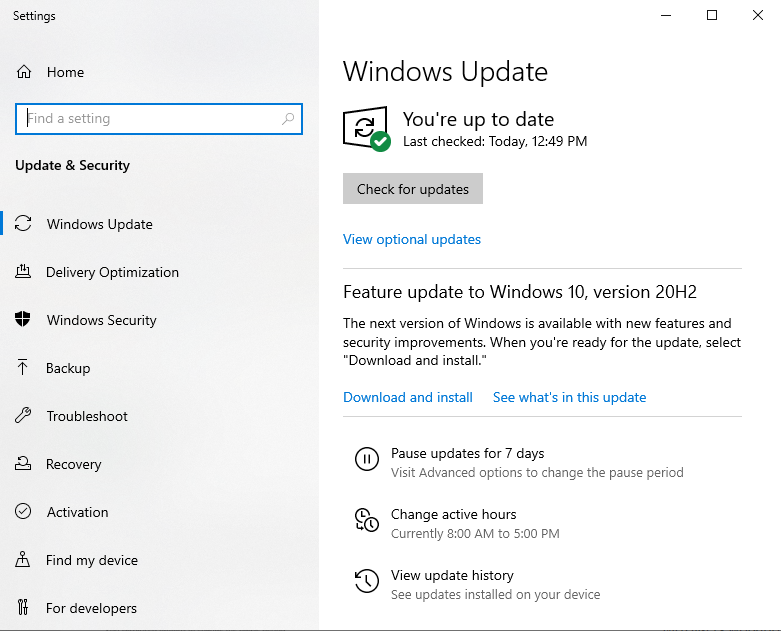
Windows 10 administrators may select Start > Settings > Update & Security to find out if new feature updates are available. Other updating options include using Microsoft’s Windows Media Creation Tool to upgrade a PC or create installation media.

The two upgrade safeguards were the last two listed by Microsoft on the known issues pages of Windows 10 version 2004 and 20H2. Affected devices should receive update options within 48 hours of the lifting of the safeguard.

[mai mult...]