Soluții

How to Export and Delete Saved Passwords in Microsoft Edge

The Microsoft Edge web browser can save and sync your usernames and passwords across all your devices using your Microsoft account. But if you’re moving away from Edge, it’s best to first export and delete all your saved passwords.

While Microsoft Edge’s built-in password management is convenient, it’s only limited to the browser. We recommend that you use a dedicated password management tool that offers cross-device sync support and can work across multiple platforms and browsers.

Moving to a new password management service is not that difficult. All you have to do is export a CSV file from Microsoft Edge and import it into the password management tool. Services like Bitwaren make it quite easy to import your data.

[mai mult...]

How to Create a Guide of Your Favorite Places on Instagram

Instagram logo on a smartphone surrounded by travel gear

If you’re looking to publicly document all the places you’ve visited, look no further than Instagram. It allows you to curate your travel locations, media, and details of your experiences into guides. Here’s how to compose a new Instagram guide. Launch the Instagram app on your Android device or iPhone. Tap your display picture icon in the bottom-right corner to head into your profile page.

[mai mult...]

Cum sa adaugati un status in Microsoft Teams

Acum ca Microsoft Teams a devenit tot mai polular, colegii se asteapta sa stie cand sunteti sau nu disponibil. Puteti seta un mesaj (status) astfel incat colegii dumneavoastra sa stie ce faceti.

Iata cum puteti face acest lucru:

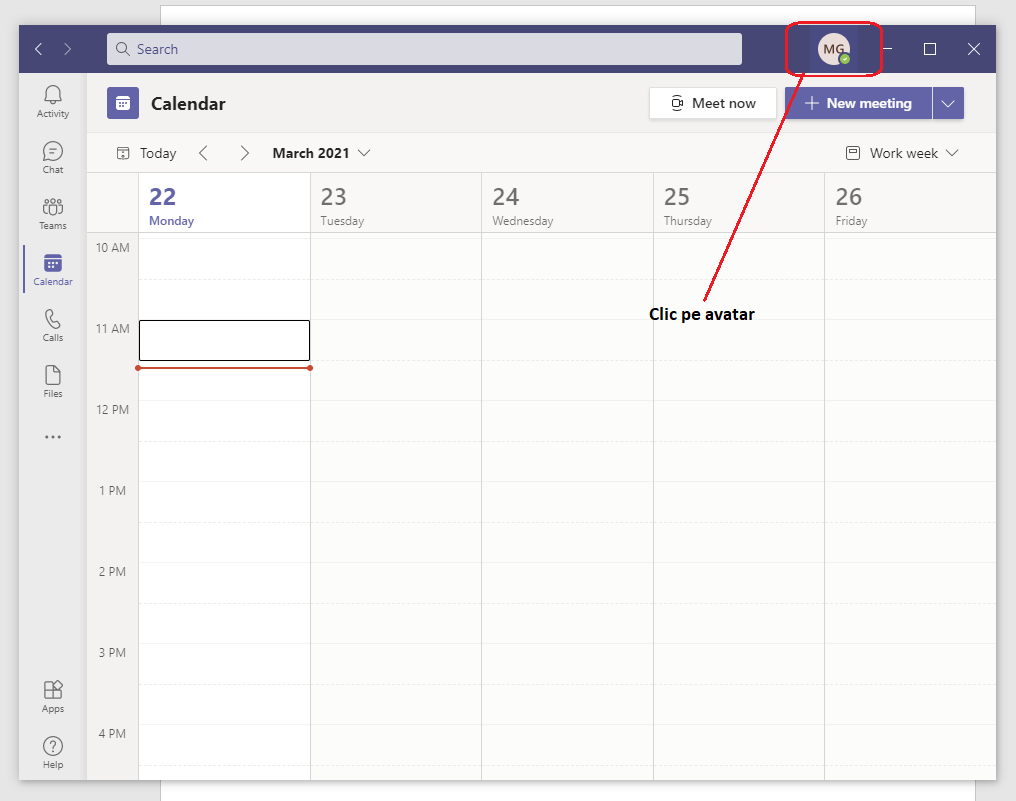
  • Dati click pe avatarul dumneavoastra:

  • Dupa afisarea meniului dati click pe ,,Set status message’’

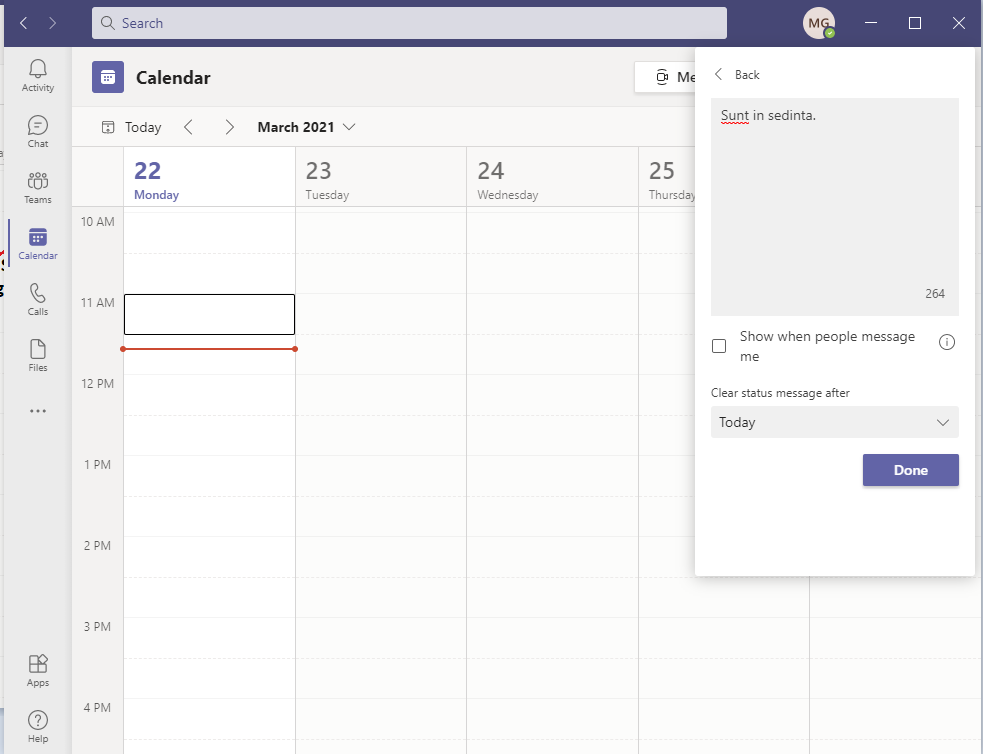
  • Aici puteti pune ce mesaj doriti dumneavoastra si il puteti seta cat timp sa fie valabil.

[mai mult...]