Soluții

Cum sa remediati erorile STOP 0x0000005C

Erorile STOP 0x0000005C sunt probabil cauzate de probleme legate de hardware sau de dispozitive si, cel mai probabil, vor aparea mereu pe un mesaj STOP, mai des numit un ecran albastru. Orice sistem de operare Windows NT bazat pe Microsoft ar putea intampina eroarea STOP 0x0000005C.

[mai mult...]

Cum sa instalam aplicatii care nu se gasesc in Google Play folosind APKMirror

Se intampla sa iti doresti sa instalezi o aplicatie pe telefonul tau si care nu se gaseste in Google Play. In acest caz ai optiunea sa cauti aplicatia pe site-ul producatorului. In cazul in care nu stii cine este producatorul aplicatiei poti cauta aplicatia dorita pe site-ul APKmirror.com – site de aplicatii create pentru Android. Inainte sa instalezi pe telefon o aplicatie de pe un un anumit sit este foarte important sa verifici mai intai acel site inainte de instalarea aplicatiei.

[mai mult...]

Cum adaugam semnatura in mesajele trimise din Gmail

In cazul in care folosim o licenta de email de la Microsoft putem adauga semnatura pentru fiecare mesaj trimis.In scopuri personale folosim de cele mai multe ori contul Gmail pentru a trimite mesaje. Daca dorim sa adaugam o semnatura pentru mesajele trimise din Gmail trebuie mai intai sa cream una din setarile contului.

[mai mult...]

How to Download NVIDIA’s Drivers Without GeForce Experience

GeForce Experience is  a heavier application that requires you sign in with an account. You even have to sign in with an account just to get driver updates. If you’d like to install your drivers the classic way—just the drivers themselves and the NVIDIA Control Panel tool—you can.

You can download the drivers from NVIDIA’s website. Either head to the newer GeForce Drivers page and use the “Manual Driver Search” section or use the classic NVIDIA Driver Download page. Whichever page you use, you’ll have to know the model of your graphics card, whether you’re using a 32-bit or 64-bit version of Windows, and which type of driver you want.

The “Game Ready Driver (GRD)” features optimizations for the latest games and is intended for gamers, while the “Studio Driver (SD)” prioritizes stability and is intended for creative professionals .Use the fields to select your drivers and click “Search.” When you’re done, click the “Download” button to get the drivers.

Download the driver’s EXE file and double-click it to install like any other application. Let the installer extract its files and begin installation.

After the installer extracts its files and starts, you’ll be prompted to choose the kind of installation you want. By default, it will try to install the “NVIDIA Graphics Driver and GeForce Experience” software.

Be sure to select “NVIDIA Graphics Driver” instead to avoid installing NVIDIA GeForce Experience.

[mai mult...]

How to Watch Videos with Friends in Facebook Messenger

First, open the Facebook Messenger app on your iPhone, iPad, or Android device. Select the person or group chat you want to watch videos with. You can also tap the “Create Room” button, and invite people to join.

Next, start a voice or video call by tapping the “Phone” or “Video” icon in the top-right corner of the app.

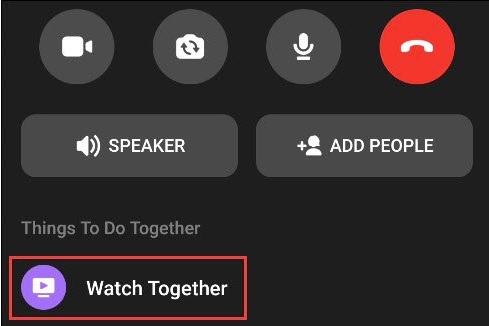
Once you’re in the call, drag the bottom toolbar up to reveal more options.Select “Watch Together” to start watching a video.

You’ll see a “Suggested” video tab and a “TV & Movies” tab. Select something to watch and it will begin playing.

[mai mult...]