Soluții

How to Enable Attendee Registration for Zoom Meetings

Zoom gives users the option to require attendees to register for Zoom meetings. You can ask for things like name and email, and set custom questions. This also increases your meeting’s security. Here’s how to enable attendee registration for Zoom Meetings.

Here’s aa few notes, however, before we get started. First, this option is only available to licensed users, which makes sense because you’d only use this feature in business meetings anyway. Also, you can’t use your Personal Meeting ID (PMI) for meetings that require attendee registration, though we recommend you never use your PMI for business meetings.

[mai mult...]
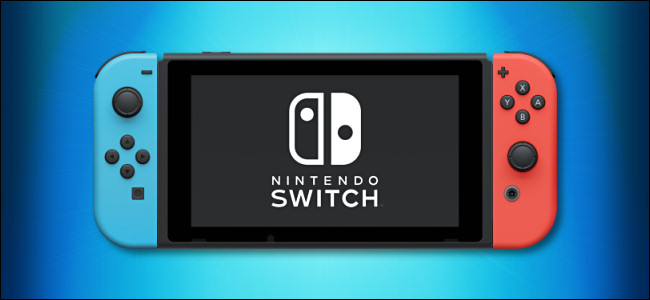
Cum să actualizați jocurile Nintendo Switch

De-a lungul timpului, majoritatea jocurilor Nintendo Switch primesc actualizări online gratuite care remediază erorile și adaugă noi funcții. Uneori, actualizările adaugă chiar și funcții majore jocului, cum ar fi niveluri noi sau personaje. Iată cum să vă asigurați că jocurile dvs. sunt actualizate.

[mai mult...]

How to Use Windows 10’s “Fresh Start” on the May 2020 Update

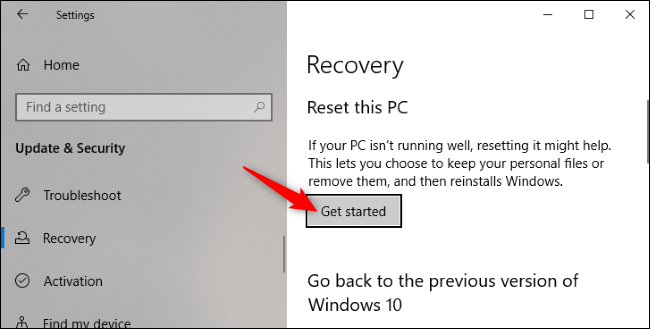
Windows 10’s May 2020 Update moves the “Fresh Start” feature that lets you reinstall Windows while removing any manufacturer-installed bloatware on your laptop or desktop PC. It’s no longer part of the Windows Security application. To get started, head to Settings > Update & Security > Recovery. Click “Get started” under Reset This PC.

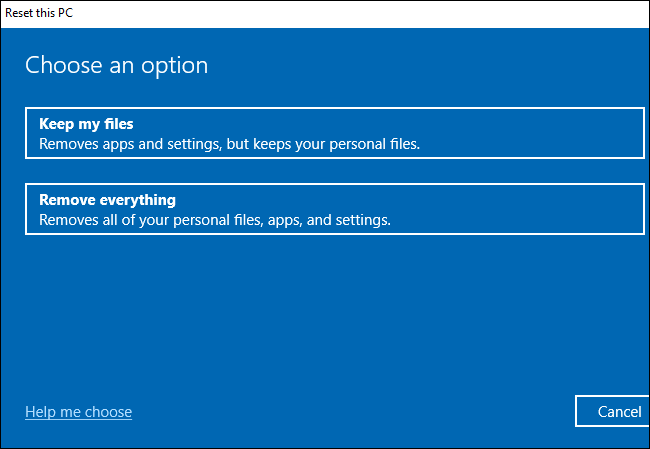
Select “Keep my files” to keep the personal files on your PC or “Remove everything” to remove them. Either way, Windows will remove your installed applications and settings.

Warning: Be sure you have your important files backed up before clicking “Remove everything.”

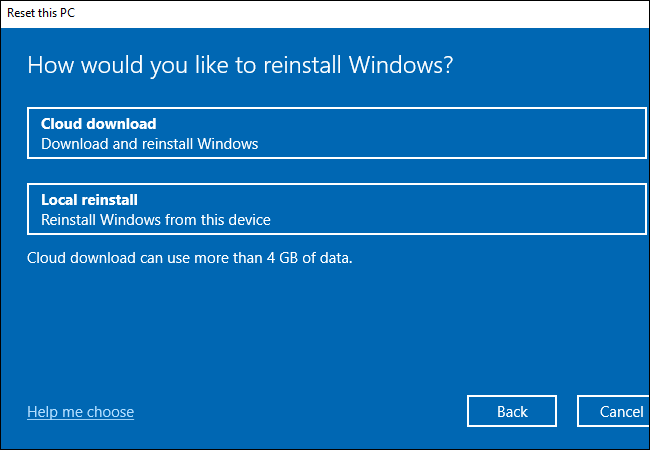
Next, select “Cloud download” to download the Windows 10 installation files from Microsoft or “Local reinstall” to use the Windows installation files on your PC. Cloud Download may actually be faster if you have a speedy internet connection, but your PC will have to download several gigabytes of data. Local Reinstall doesn’t require a download, but it may fail if your Windows installation is corrupted.

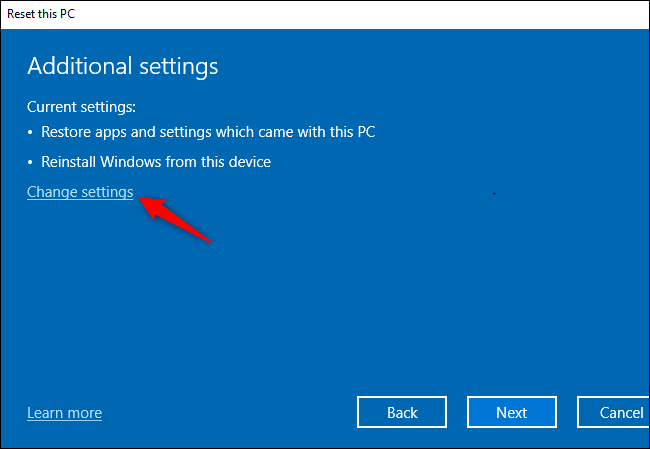
On the Additional settings screen, click “Change settings.”

Set the “Restore preinstalled apps?” option to “No.” With this option disabled, Windows won’t automatically reinstall the applications your PC manufacturer provided with your PC.

Note: If the “Restore preinstalled apps?” option isn’t present here, your PC doesn’t have any preinstalled apps. This can occur if you installed Windows on your PC yourself or if you have previously removed the preinstalled apps from your PC.

Click “Confirm” and continue through the Reset This PC process.

You’ll get a clean Windows installation without any manufacturer-installed apps cluttering up your system afterward.

[mai mult...]