Immersive Mode on Android
How to Enable Immersive Mode on Android
[mai mult...]
Soluții pentru problemele tale IT

How to Enable Immersive Mode on Android
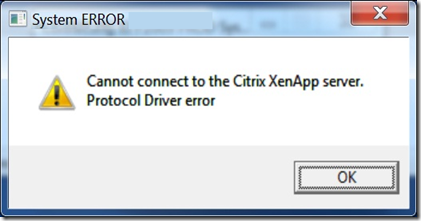
[mai mult...]Când încercați să lansați un server de aplicație, este afișat următorul mesaj de eroare:”Nu se poate lansa aplicația. Contactați biroul de asistență cu următoarele informații: Nu se poate conecta la serverul Citrix XenApp. Eroare a driverului de protocol.”
CMD-ul este un tool pe care il folosim des in activitatea noastra. Daca dorim sa oprim o comanda in timp ce ea ruleaza si ne intoarce rezultate trebuie doar sa apasam combinatia de taste Ctrl+C.
Ca exemplu vom folosi comanda sfc /scannow care va scana toate fisierele de sistem protejate si va înlocui fisierele deteriorate cu o copie memorată în cache (care se afla într-un folder comprimat din C:\Windows\System32\dllcache). Pentru a rula aceasta comanda trebuie deschis un command prompt cu drept de administrator. In exemplul de mai jos am instalat pe PC Windows 8.1. Daca aveti alt sistem de operare s-ar putea sa aveti interfata un pic diferita, dar pasii sunt aceeasi.
[mai mult...]Dorim sa oferim unui User drepturi de a instala anumite programe pe statie sa de lucru.
[mai mult...]Microsoft lansează periodic noi update-uri care se presupun să rezolve bug-urile de securitate și glitch-urile, dar uneori când încercăm să instalăm aceste update-uri dăm peste eroarea 0xe0000100. Această eroare apare de obicei atunci când întâmpinăm o problemă cu distribuirea fișierelor sau fișierele de instalare devin corupte. Dacă această eroare îți dă bătai de cap, am pregătit mai jos câțiva pași pentru a rezolva această problemă.
[mai mult...]Înainte de a putea muta fișierele private sau fotografiile în folderul securizat, trebuie să îl configurați.
[mai mult...]