
Situatie
NVIDIA Instant Replay is a feature in GeForce Experience or NVIDIA App, allowing you to continuously record your gameplay in the background without manually starting and stopping recording.
Solutie
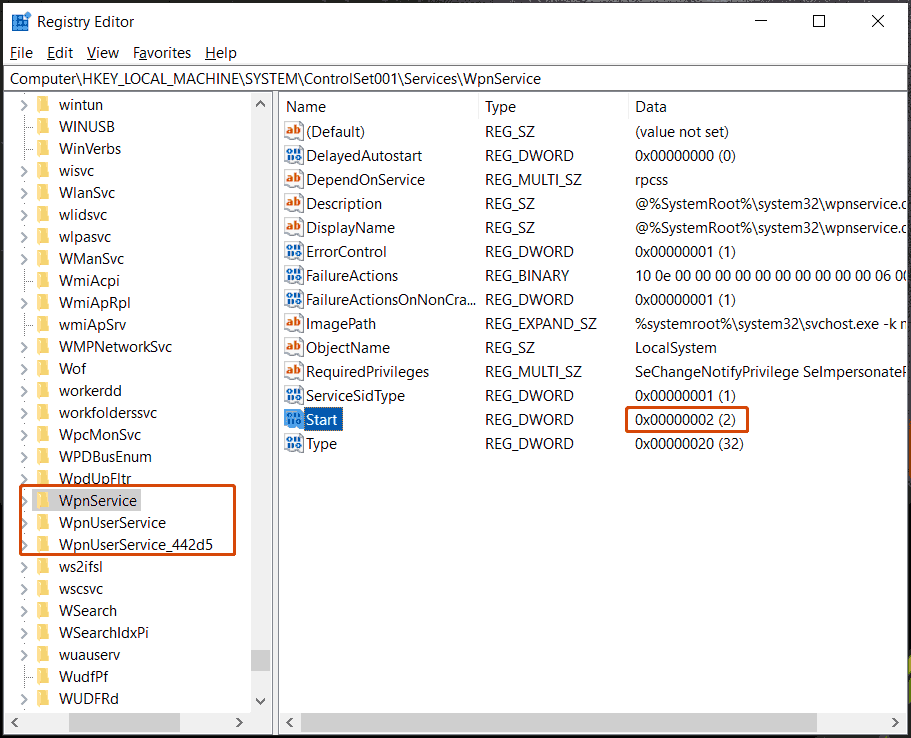
Open Registry Editor and access:
Computer\HKEY_LOCAL_MACHINE\SYSTEM\ControlSet001\Services.
Locate WpnService, WpnUserService, & WpnUserService_xx one by one, then make sure the Start value of them is set to 2.
Leave A Comment?