

Soluții
How to use rainmeter to make a stunning Windows Desktop
[mai mult...]5 Reasons I’m still using Windows 10 on my main PC
While I’ve been using Windows 11 for almost a year on my ROG Ally, my main PC is still on Windows 10, and I don’t plan on switching to Windows 11 anytime soon.
[mai mult...]8 Things you should do after Purchasing a New Windows laptop
Once you’ve unboxed your laptop and charged it for the first time, there are a few essential setup steps you should take. Some of these steps will ensure your computer operates efficiently, while others help keep your data secure. They’ll make sure your laptop is properly set up from the get-go.
[mai mult...]Can’t delete Files on your Mac? Use this Trick to unlock them
MacOS is arguably the most user-friendly desktop OS, but it’s not perfect. There are a few things that can trip up users new and old, and one of them is unlocking multiple files in a folder so that they can be deleted.
[mai mult...]How to get the New Windows Copilot on any device
Windows 11 24H2 has a new Copilot interface, designed to be used in a larger window instead of a side panel on your desktop. You can actually use it on any device or web browser, though.Microsoft already has a web app version of its Copilot AI chat assistant, available at copilot.microsoft.com in the web browser.
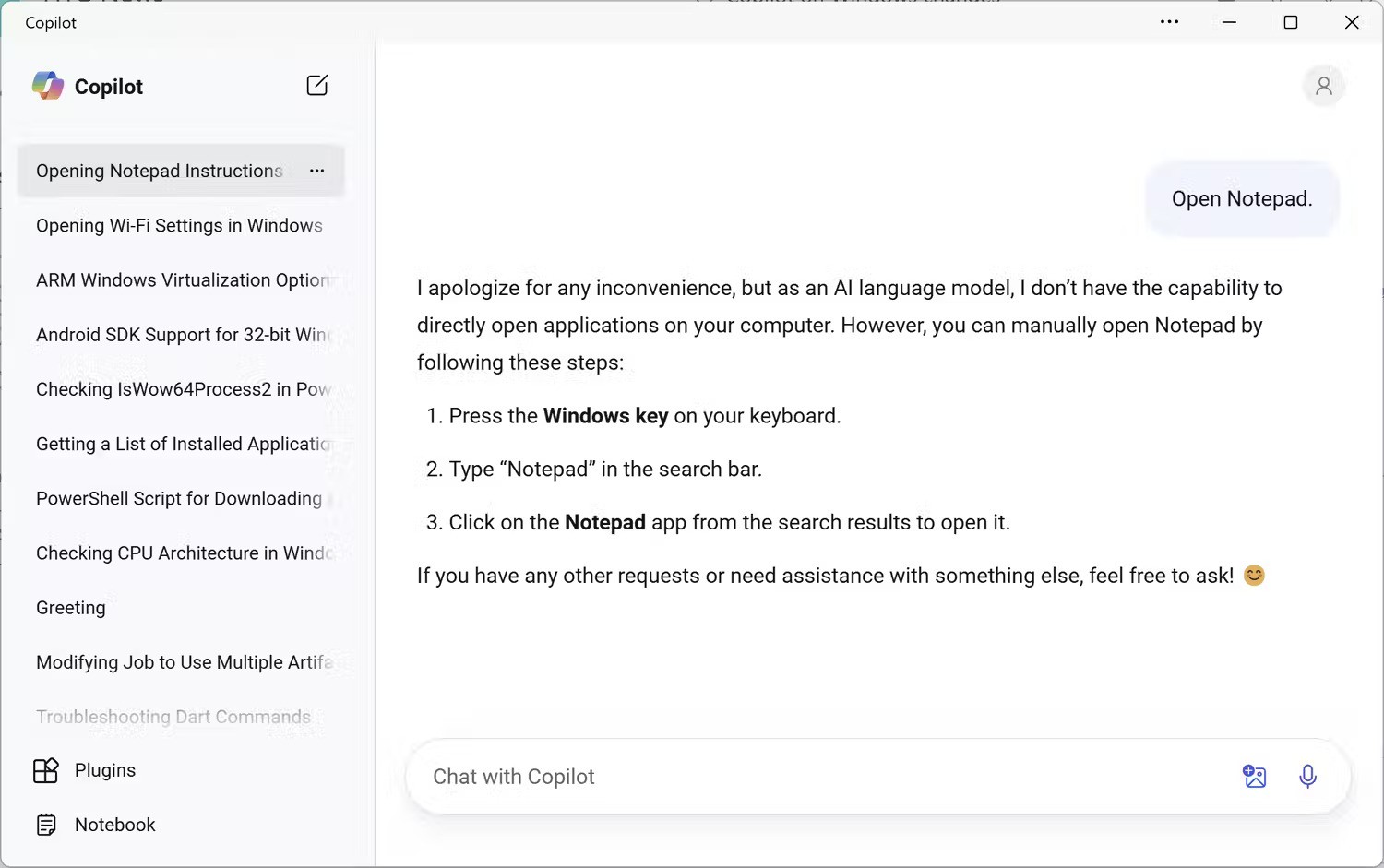
The custom web app more closely mirrors the Fluent UI used in other Windows 11 applications. Your previous conversations are listed in the left sidebar, which collapses when you shrink the window. The new Windows Copilot feels a lot more polished than the standard web app, with more fluid animations. It’s not clear why Microsoft won’t just make the new Windows Copilot the regular Copilot web app, but maybe that will happen eventually.
There’s both a light and dark mode in the Copilot web app, as well as the option to synchronize with your device’s current theme. You can click the profile icon at the top-right corner and select ‘Appearance’ to change the visual theme.
[mai mult...]