
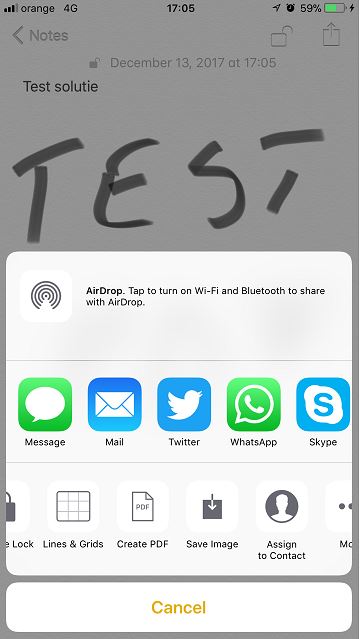
Afla cum poti transforma notitele in PDF pe Iphone Data 13/12/2017 Autor Valentin Bozanchi Categorie Mobile -2 1234 Configurare noua (How To) SituatieAtunci cand doresti ca notitele pe care le-ai creat pe Iphone sa fie de forma PDF. Backup Nu necesita! Solutie Pasi de urmat Se intra in “Notes” si se alege o notita spre a fi transformata in PDF. Se alege “Create PDF” Iar acum accesam fisierul transformat in PDF Tip solutiePermanent Etichetare: Afla cum poti transforma notitele in PDF pe Iphoneaskitaskit.ronotite pdfpdf Voteaza Up Down (33 din 68 persoane apreciaza acest articol) ShareTweetShare Despre Autor Valentin Bozanchi Solutii Asemanatoare Cum folosim Calendly? 2 Cum asculti Youtube in fundal fara premium 3 Changing these 3 settings instantly makes your Android phone more private 4 Spyware-ul pe înțelesul tuturor: cum îl eviți? 2 Samsung S25 Ultra – overview 0 Cum sincronizam setarile de accesibilitate pe alte device-uri in iOS 26.4 -1 Leave A Comment? × Cancel Reply Save my name, email, and website in this browser for the next time I comment. five + = nine
Leave A Comment?