
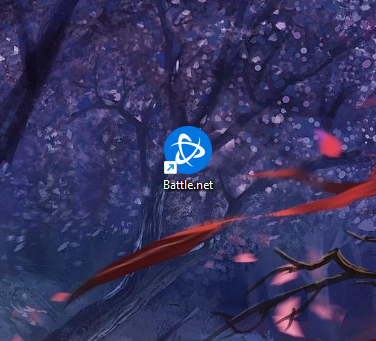
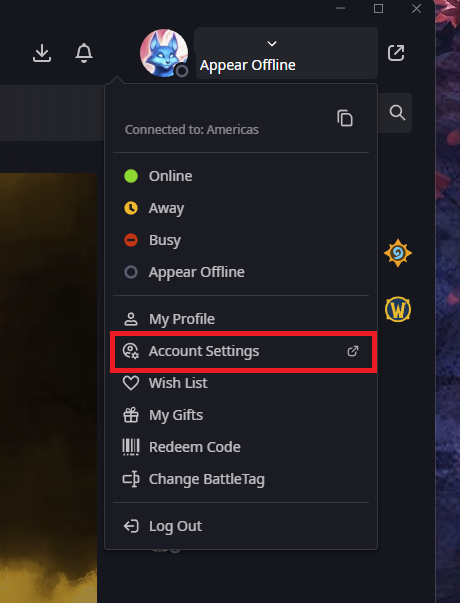
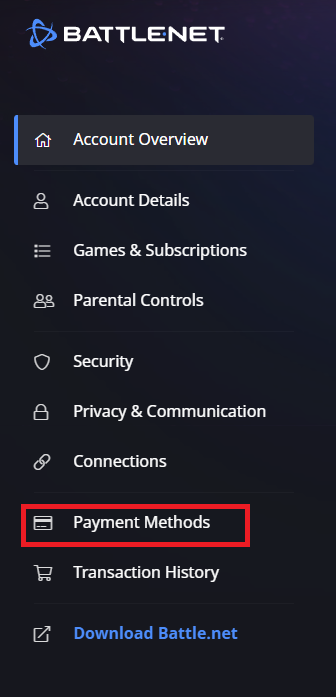
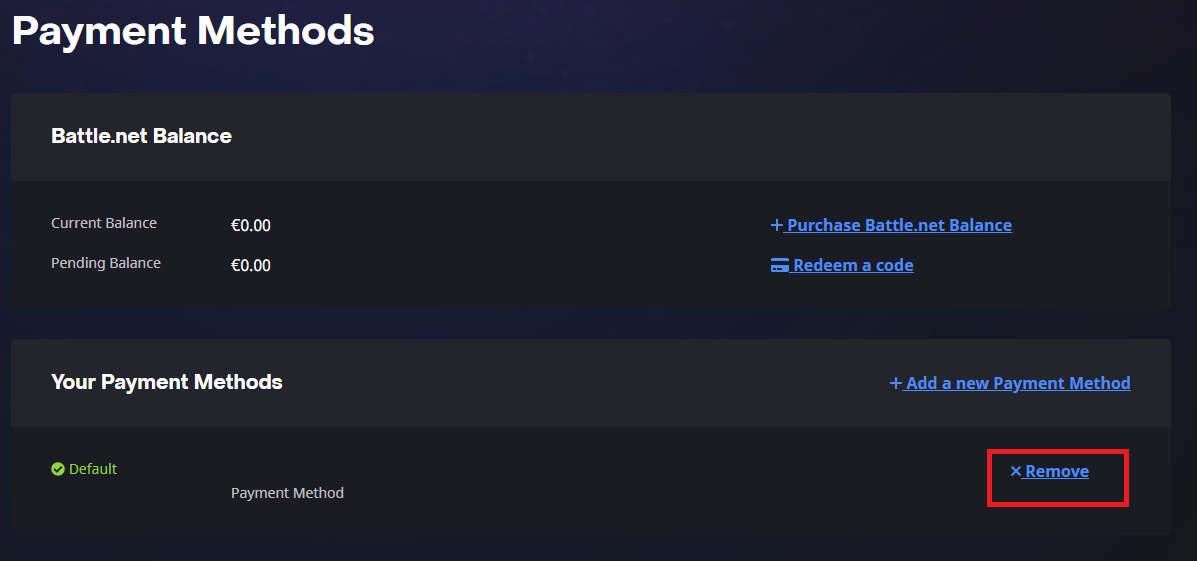
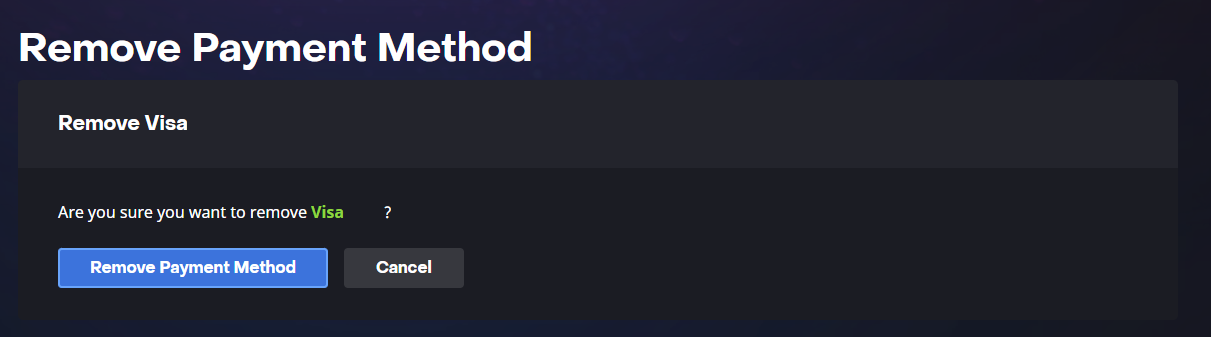
Cum eliminati o metoda de plata din contul de Battle.net Data 30/04/2026 Autor preda silviu Categorie Soluții -1 177 Configurare noua (How To) Situatie Solutie Pasi de urmat Prima data deschideti aplicatia “Battle.net” Dupa care din meniul de setari din partea dreapta sus, selectati “Account Settings” Se va deschide o pagina web cu optiunile contului, din meniul din partea stanga alegeti “Payment methods” Aici, click pe butonul “Remove” din dreptul metodei de plata pe care doriti sa stergeti In final confirmati eliminarea acesteia. Tip solutiePermanent Voteaza Up Down (15 din 31 persoane apreciaza acest articol) ShareTweetShare Despre Autor preda silviu Solutii Asemanatoare Your Android phone’s battery has a limited lifespan -1 5 Samsung settings you should change on every new Galaxy -3 Your Android Status Bar is cluttered with Icons? -3 How to export your installed Apps and reinstall them on another PC with winget -1 How to set up SSH Key Authentication and disable Password Login on Linux 2 How to find which program is using a Port in Windows and stop it 0 Leave A Comment? × Cancel Reply Save my name, email, and website in this browser for the next time I comment. two × = ten
Leave A Comment?