
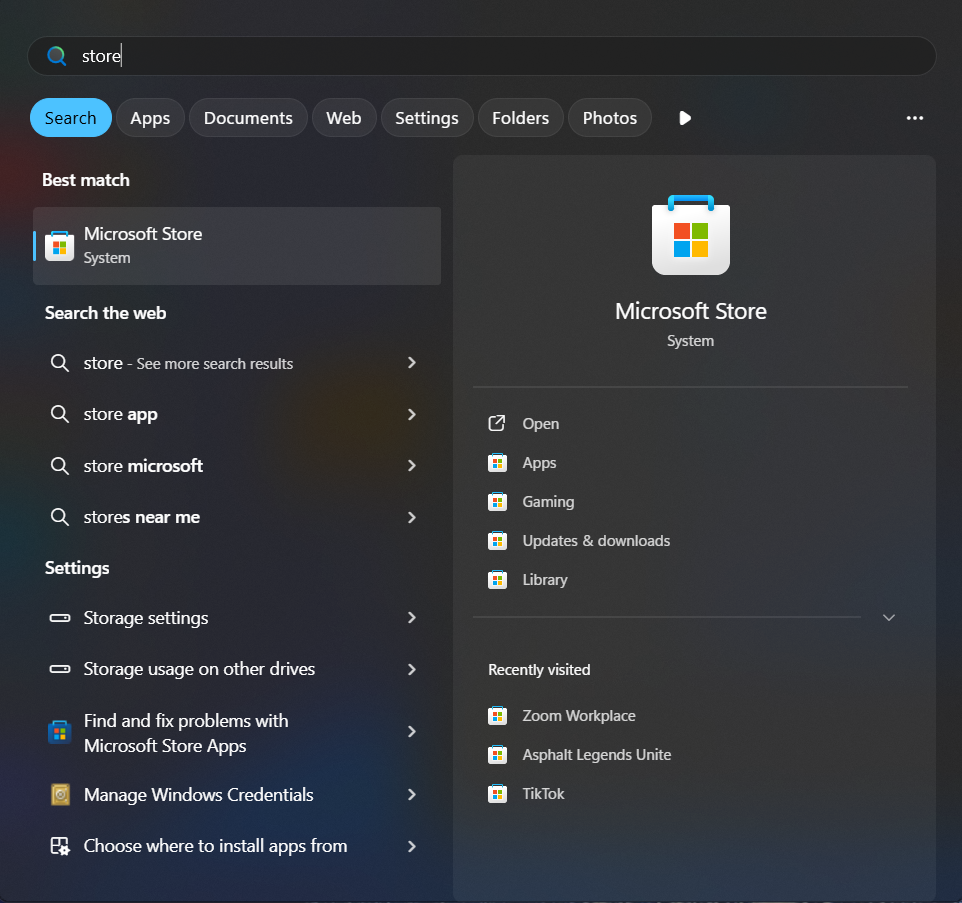
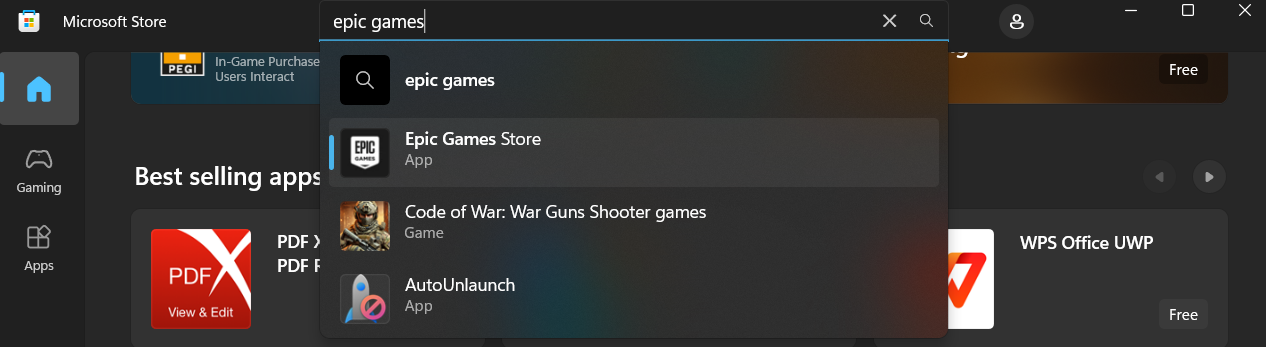
Cum instalăm Epic Games Store pe Windows 10/11 Data 20/07/2025 Autor Florin Olariu Categorie Soluții 2 105 Configurare noua (How To) SituatieDorim să instalăm aplicația Epic Games Store direct pe laptop/PC pentru acces mai rapid. Solutie Navigăm în microsoft store din bara de jos sau de pe lupă, unde scriem store și va apărea microsoft store. Căutăm din bara de “search” aplicația Epic Games Store și dăm click ca în imagine pe “Epic Games Store” Apoi apăsăm “Get”, iar aplicația va începe să se instaleze. După instalare o vom putea deschide din bara de start. Tip solutiePermanent Voteaza Up Down (4 din 6 persoane apreciaza acest articol) ShareTweetShare Despre Autor Florin Olariu Solutii Asemanatoare Cum schimbati “Initiator Name” in iSCSI 5 ESP32 Web Server guide 1 Fix Windows without losing your Files 5 6 ways to speed up email management in Outlook 2 Cum selectezi si editezi text dintr-o imagine pe Windows 11 -2 My iPhone kept running out of storage—this was the only thing that fixed it -1 Leave A Comment? × Cancel Reply Save my name, email, and website in this browser for the next time I comment. + one = seven
Leave A Comment?