
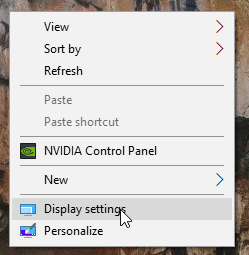
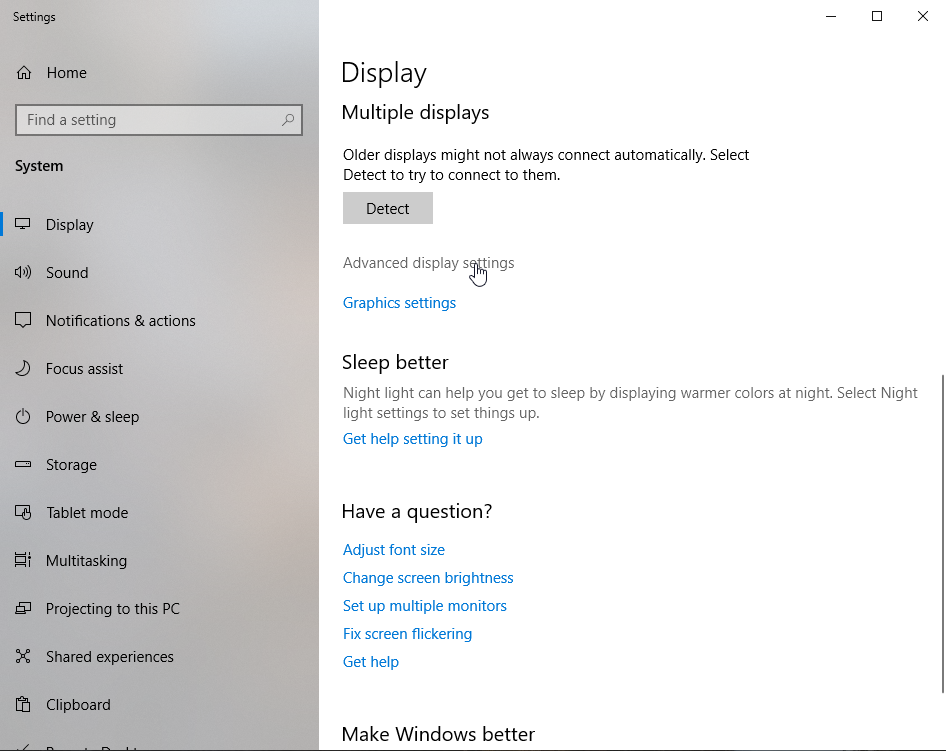
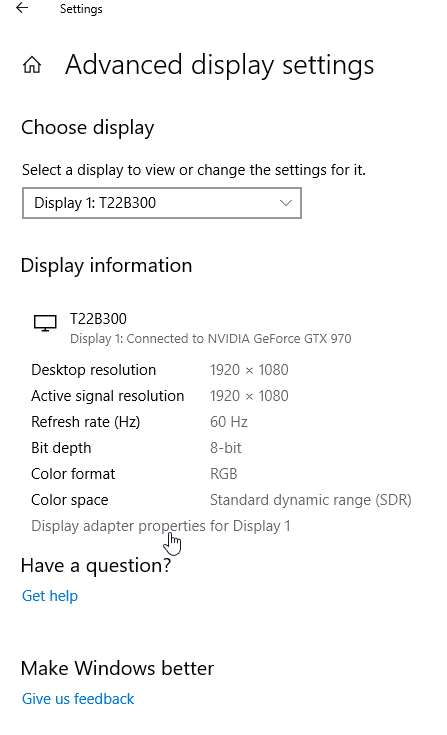
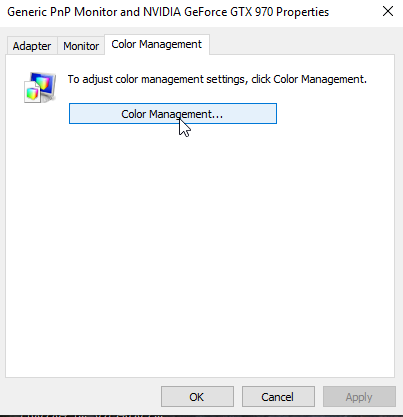
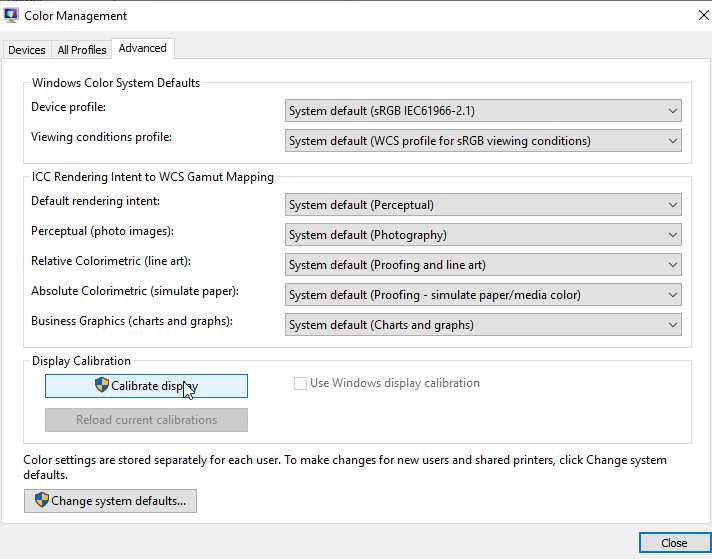
Cum sa calibrezi display-ul in windows 10 Data 26/09/2019 Autor Razvan Bur Categorie OS - Windows -10 613 Configurare noua (How To) SituatieAtunci cand doresti o ajustare automata a display-ului, poti urma procedura de mai jos. Solutie Pasi de urmat Click dreapta pe Desktop -> Display Settings. In fereastra de Settings, la sectiunea Display->Advance settings display Apoi apasati pe Display adapter properties for Display 1 Apoi in noua fereastra aparuta apasati pe butonul Color Management Iar in ultimul trebuie sa apasati butonul Calibrate display, iar display-ul se va calibra automat. Tip solutiePermanent Voteaza Up Down (17 din 43 persoane apreciaza acest articol) ShareTweetShare Despre Autor Razvan Bur Solutii Asemanatoare APC UPS – NAT mode 5 Microsoft error 7q6ch -2 Tailscale: The Easiest way to access your Homelab from Anywhere 3 How to use Winhance to debloat Windows 11 4 How to enable or Disable Font Smoothing in Windows 11 3 How to fix 0x800f0983 error on Windows 10/11 5 Leave A Comment? × Cancel Reply Save my name, email, and website in this browser for the next time I comment. five × = 30
Leave A Comment?