
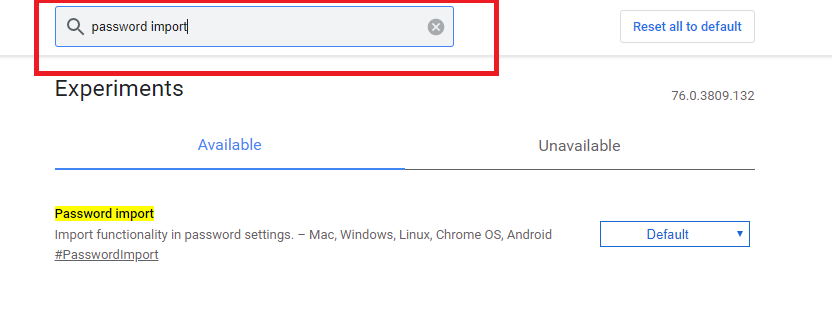
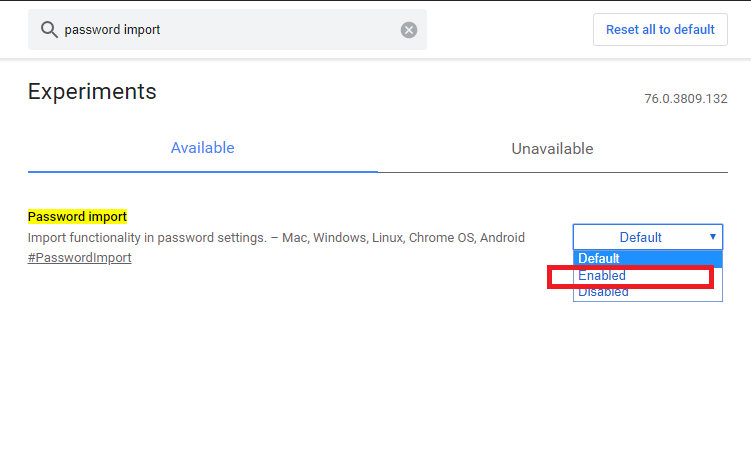
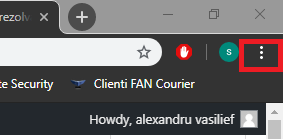
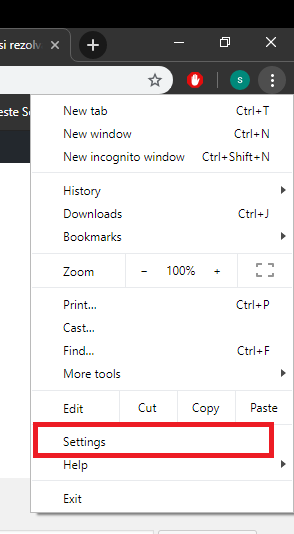
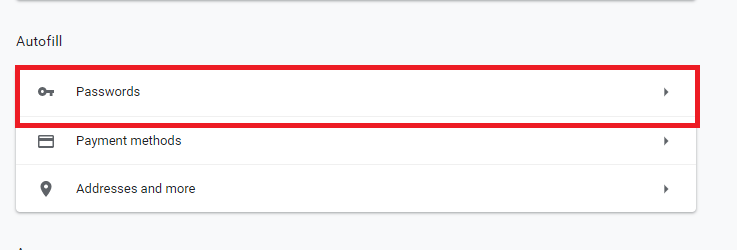
Cum să importați parolele în Google Chrome Data 05/09/2019 Autor alexandru vasilief Categorie Soluții -5 604 Configurare noua (How To) SituatieCum să importați parolele în Google Chrome Solutie Pasi de urmat Deschideti Google Chrome Tastam chrome://flags/ Tastam Password Import: Setam Enabled la Password Import: Redeschidem Google Chrome. Click pe cele 3 puncte (se afla in coltul din dreapta sus al ferestrei).Se va deschide un meniu: Selectam Settings: Selectam Passwords: Selectam Import: Alegem csv-ul si il importam. Tip solutiePermanent Voteaza Up Down (17 din 38 persoane apreciaza acest articol) ShareTweetShare Despre Autor alexandru vasilief Solutii Asemanatoare Configuring an Access Control Door Reader 3 Ventoy Linux bootable 4 PowerShell error code “1” 4 How to check ports on CISCO switch for beginners 0 APC UPS – NAT mode 6 Kill sessions APC UPS’s 3 Leave A Comment? × Cancel Reply Save my name, email, and website in this browser for the next time I comment. nine − = 5


Leave A Comment?