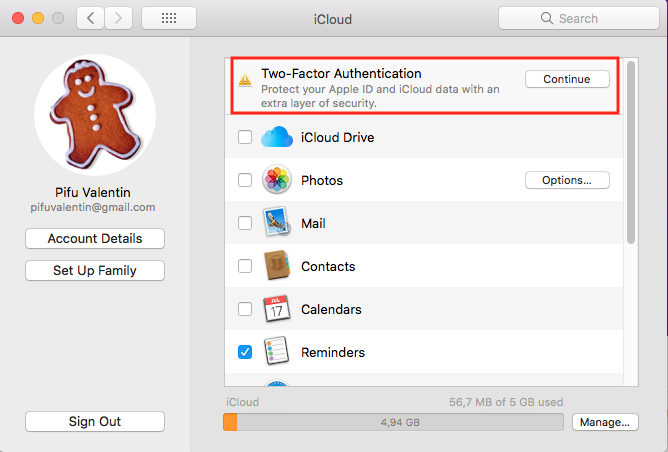
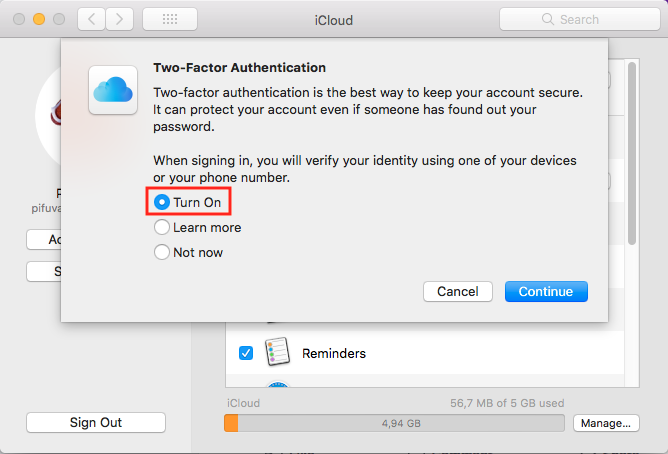
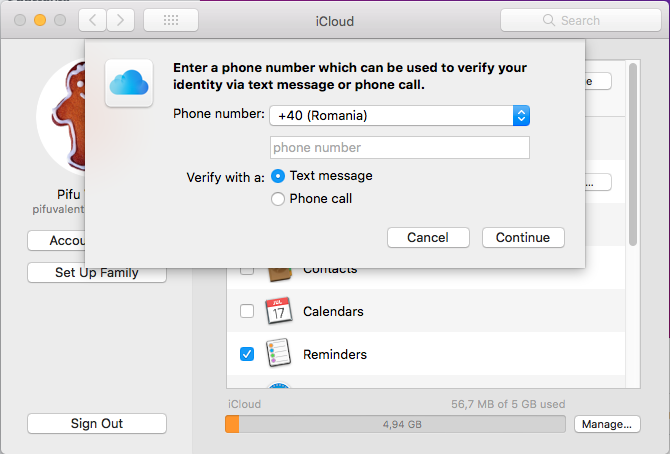
Cum se activeaza “Two-factor Authentification” in iCloud Data 24/02/2019 Autor Valentin Pifu Categorie OS - OS X, Stații de lucru 6 840 Configurare noua (How To) SituatieCum puteti sa activati “Two-factor Authentification” in iCloud. Solutie Pasi de urmat Deschideti “System Preferences”: Intrati in “iCloud”. Click pe “Continue”. Bifati “Turn On” si “Continue”: Introduceti numarul dvs de telefon in campul respectiv: De acum incolo veti avea contul securizat cu doua forme de autentificare. Tip solutiePermanent Voteaza Up Down (31 din 56 persoane apreciaza acest articol) ShareTweetShare Despre Autor Valentin Pifu Solutii Asemanatoare Framework Laptop — A new approach to personal computing -4 How to use LAMBDA in Excel to create scalable, reusable functions 3 Cum repari ecranul negru în OBS Studio 1 How to find BitLocker recovery key on Windows 11 -2 Error when downloading large Files from a WebDAV-Mapped SharePoint Library 4 How to manually Install Windows Updates using the Microsoft Update Catalog 2