
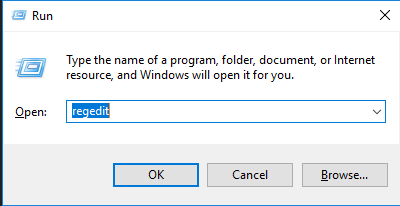
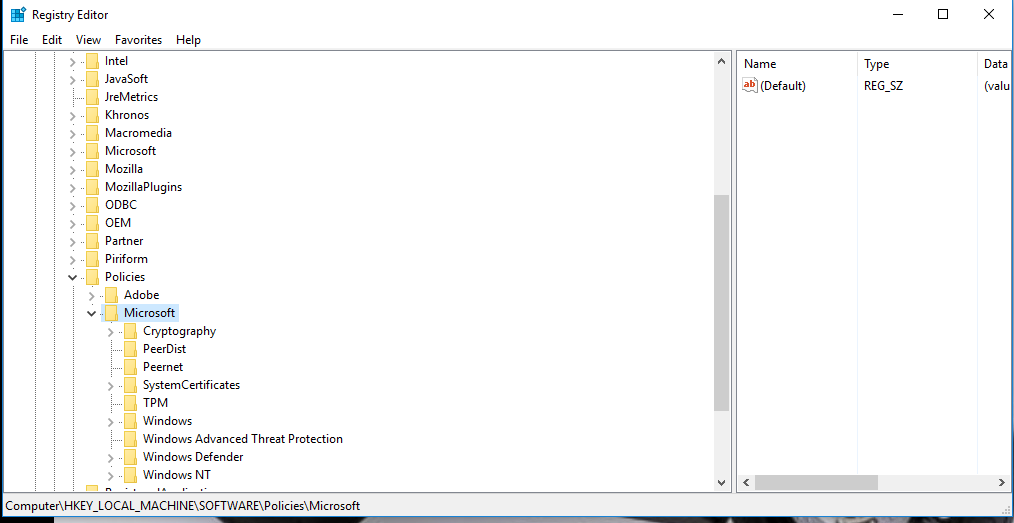
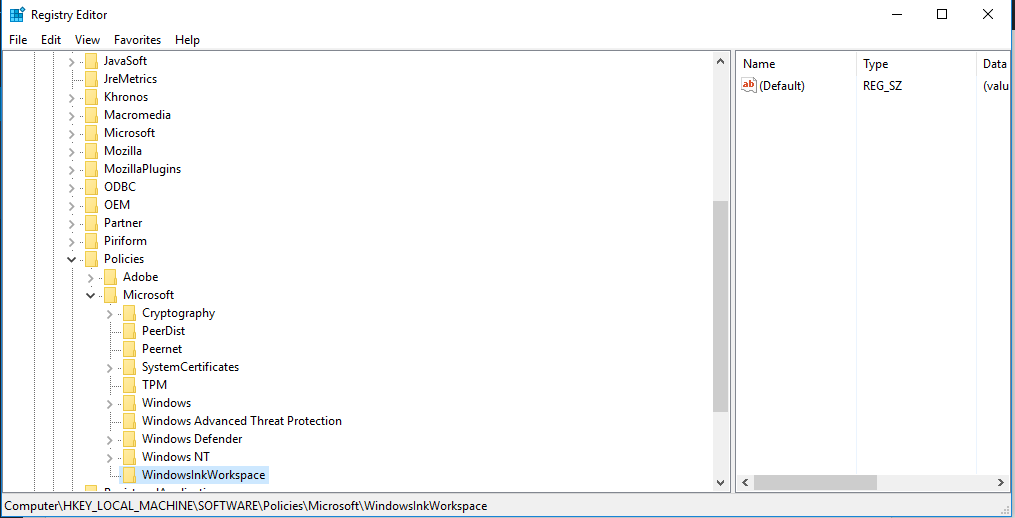
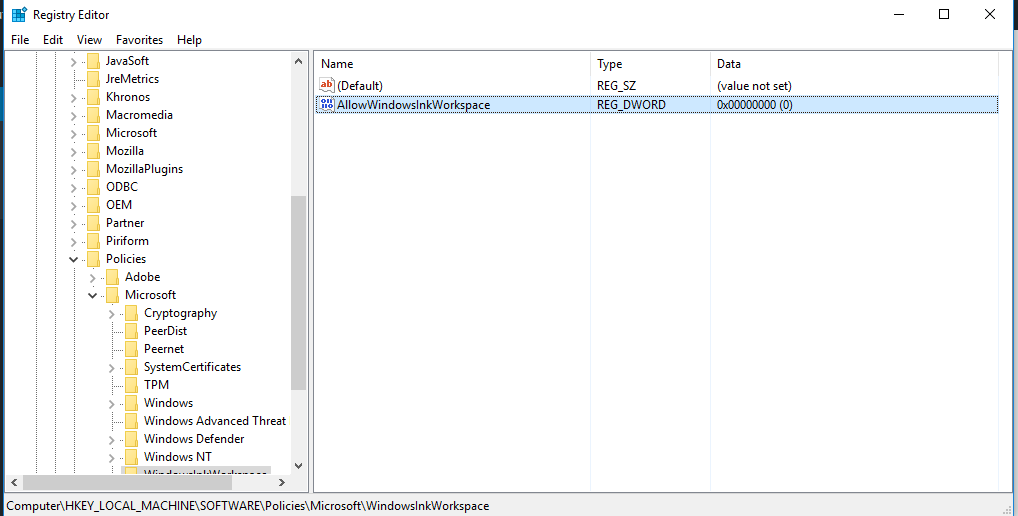
Cum se dezactiveaza Windows Ink Workspace din Regedit Data 11/09/2016 Autor Cristian V Categorie OS - Windows -12 1776 Configurare noua (How To) SituatieDorim sa dezactivam Windows Ink Workspace din Regedit Solutie Pasi de urmat Apasam WIN+R si scriem regedit Navigam HKEY_LOCAL_MACHINESOFTWAREPoliciesMicrosoft Cream o cheie de registri pe care o denumim WindowsInkWorkspace In partea dreapta, cream o cheie de registri de tip DWORD pe care o denumim AllowWindowsInkWorkspace si careia ii setam valoarea 0 Tip solutiePermanent Etichetare: askitaskit.roCum se dezactiveaza Windows Ink Workspace din RegeditDWORDregeditwindowsWorkspace Voteaza Up Down (27 din 67 persoane apreciaza acest articol) ShareTweetShare Despre Autor Cristian V Solutii Asemanatoare Remediere Eroare: 0xc00000ba 3 Raspberry Pi Music jukebox 1 6 Excel UI changes you need to make before starting your next spreadsheet 3 How to remap Copilot Key to launch Search in Windows 11 3 How to enable Efficiency Mode on Windows 11 6 How to disable Efficiency Mode on Windows 11 1 Leave A Comment? × Cancel Reply Save my name, email, and website in this browser for the next time I comment. 9 × = eighty one
Leave A Comment?