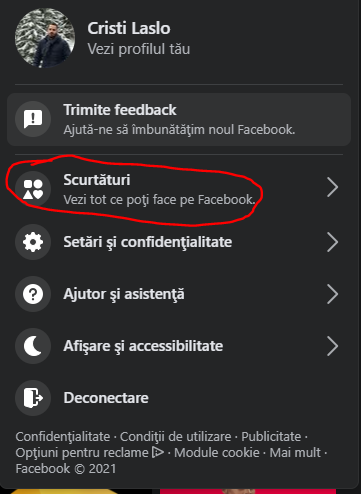
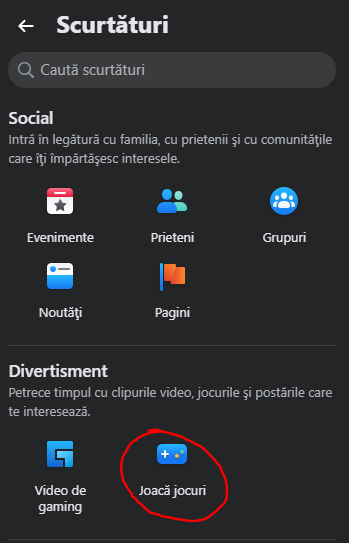
FACEBOOK: Cum accesezi jocuri pe noul Facebook Data 18/05/2021 Autor Cristian Laslo Categorie Soluții 1 714 Configurare noua (How To) Situatie Solutie 1.Accesam https://www.facebook.com 2.Pe bara de sus, in partea dreapta, selectam sageata 3.Selectam “Scurtaturi” 4.Selectam “Joaca Jocuri” 5.Selectam jocul dorit Tip solutiePermanent Etichetare: Configurare Facebook Voteaza Up Down (13 din 25 persoane apreciaza acest articol) ShareTweetShare Despre Autor Cristian Laslo Solutii Asemanatoare Cum poti sa rezumi un video lung de pe YouTube cu ajutorul AI 3 Cum decupezi imagini in forme creative direct in Figma 1 Prototipare rapida cu ajutorul componentelor in Figma 3 How to sync your Android and Windows devices seamlessly 4 How to Install the Google Play Store on an Amazon Fire Tablet 3 How to disable the Drag Tray feature on Windows 11 using the Registry Editor 3 Leave A Comment? × Cancel Reply Save my name, email, and website in this browser for the next time I comment. nine × = seventy two


Leave A Comment?
