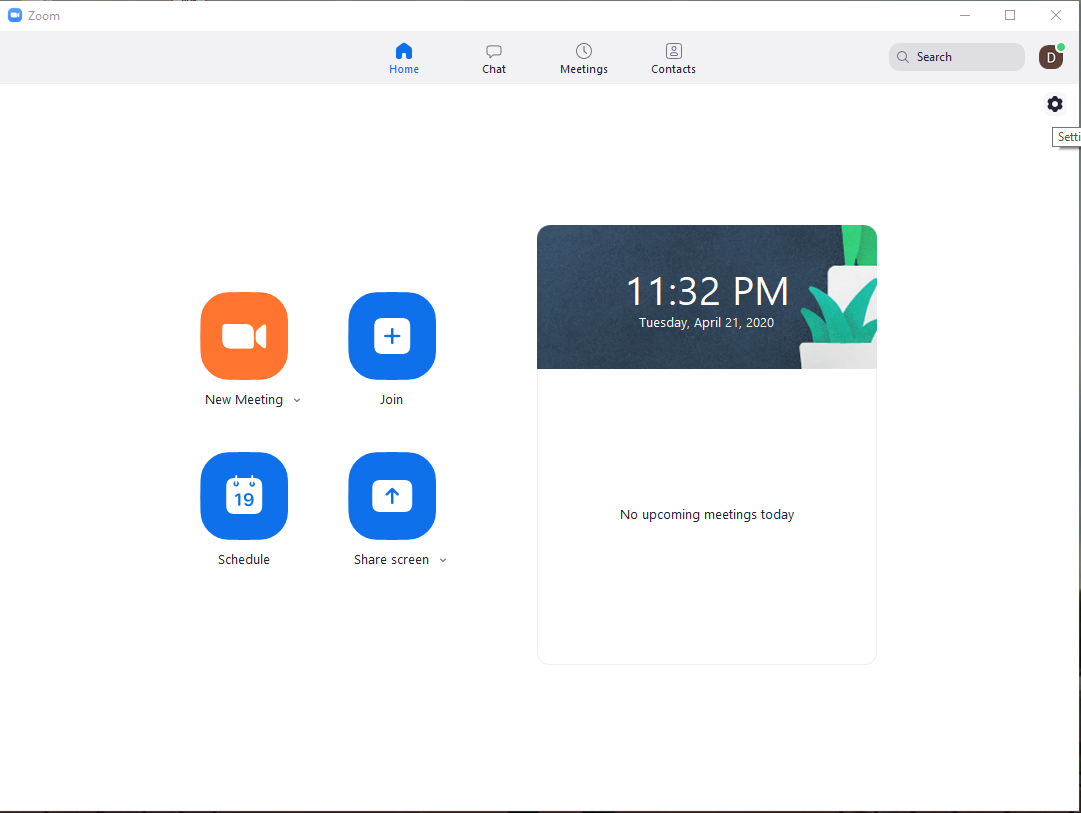
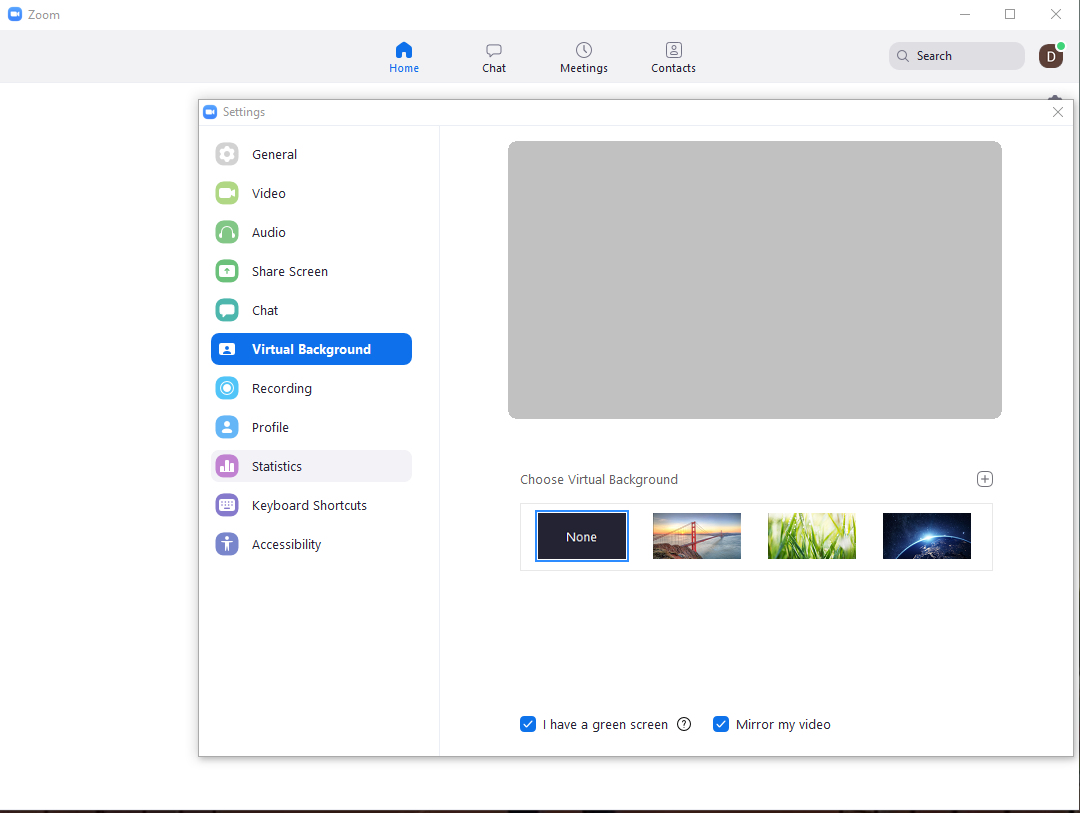
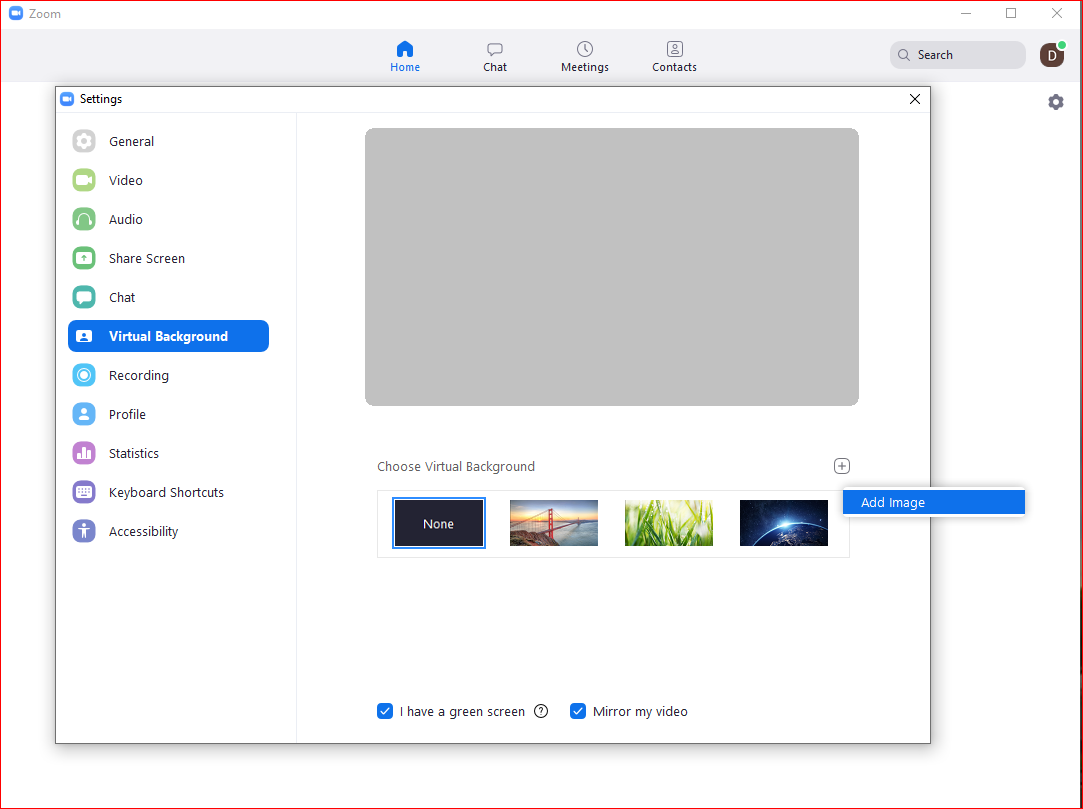
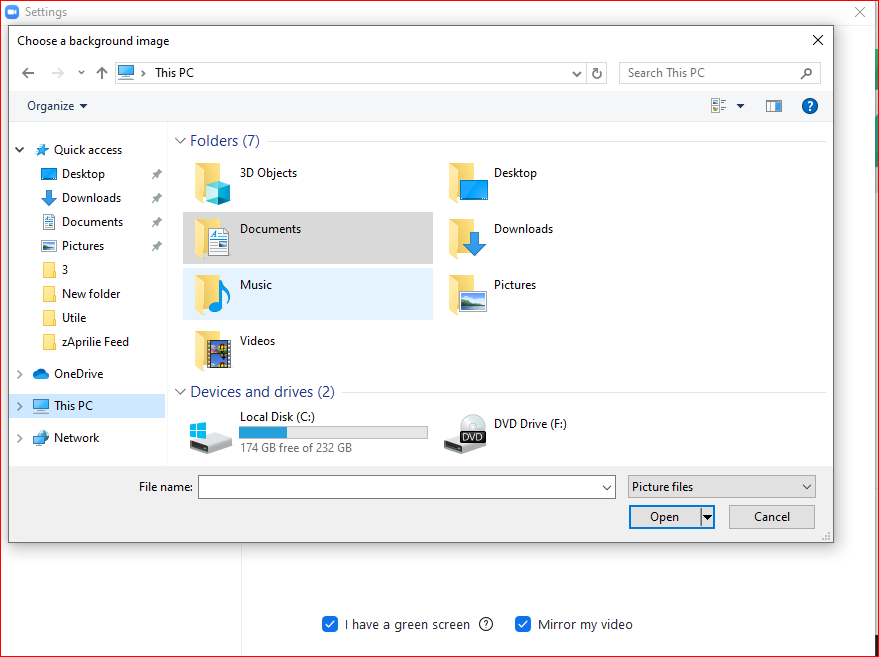
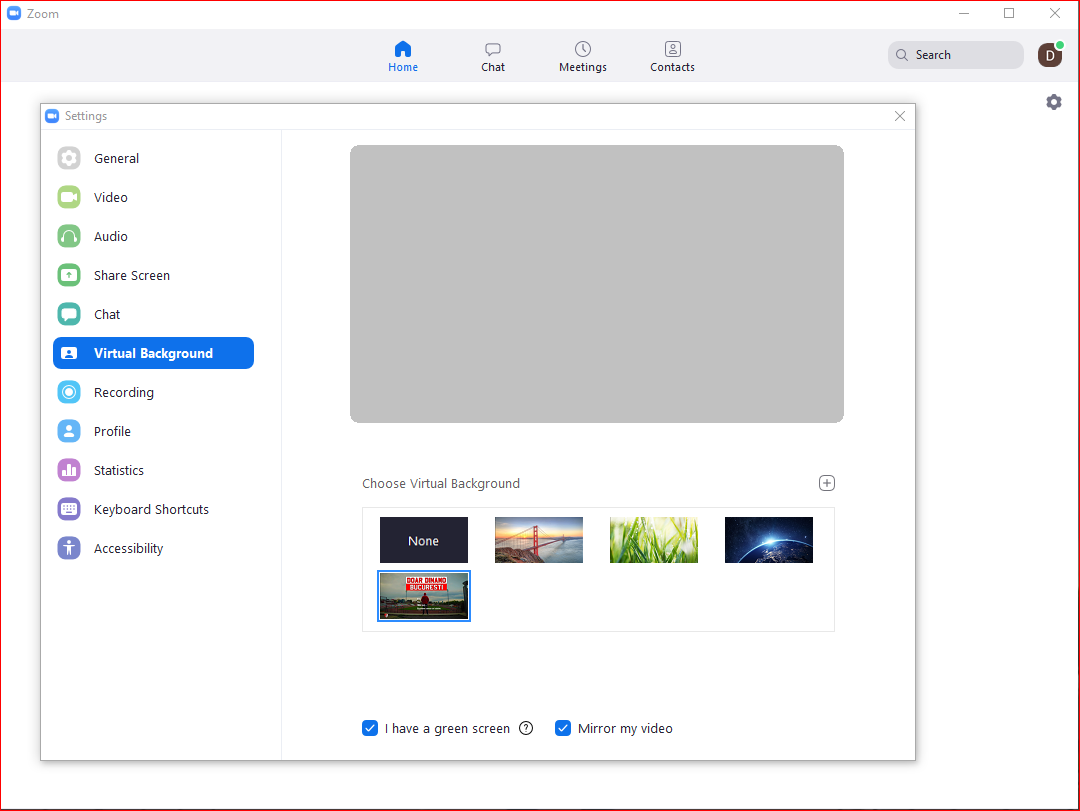
How to Add a Virtual Backround in Zoom Meetings Data 21/04/2020 Autor digulescu gabriel ionut Categorie Soluții 2 626 Configurare noua (How To) SituatieCustomize Virtual Backround Solutie 1.Go to Settings 2.Select Virtual Backround 3.Click on Add Image 4.Choose your backround image and click Open 5.Select your Backround Tip solutiePermanent Voteaza Up Down (21 din 40 persoane apreciaza acest articol) ShareTweetShare Despre Autor digulescu gabriel ionut Solutii Asemanatoare Diagnosticarea și rezolvarea erorii „Kernel panic – not syncing: Attempted to kill init!” 0 Diagnosticarea și rezolvarea erorii „Bus error (core dumped)” în Linux 3 3 Ubuntu versions different than the original 3 5 hidden terminal typos for Ubuntu 1 4 Excel tools you won’t find on the ribbon 0 How to use claude to build automations in Excel 4 Leave A Comment? × Cancel Reply Save my name, email, and website in this browser for the next time I comment. seven − six =
Leave A Comment?
