
Situatie
Let’s start with the basics. “DNS” stands for “Domain Name System.” An easy way to understand DNS is to think of the Contacts app on your phone. You simply search for a person’s name and click the “Call” button, but the phone number is what actually connects you to them.
A DNS server is the Contacts app – it acts as the middleman that translates simple domain names into the IP addresses that your phone needs. Your internet provider has its own DNS server, but it’s very simple to plug in a custom DNS server. There are several free, high-quality third-party DNS servers to choose from.
For most people, the standard ISP-provided DNS server is perfectly fine. However, there are some clear advantages to using a custom DNS. It boils down to speed, privacy, and security—three very important things.
Solutie
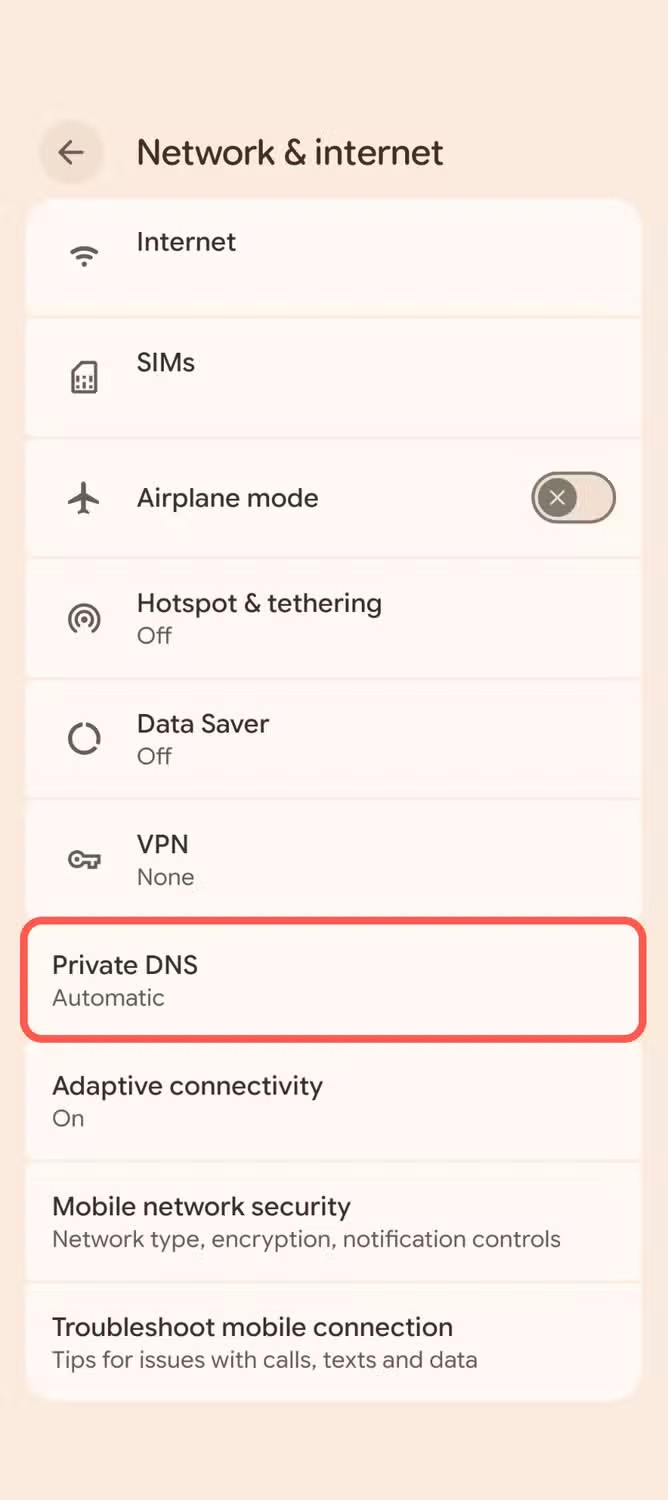
Changing the DNS server on an Android phone is slightly different than other devices, but it’s still very easy. You can find it at Settings > Network & internet > Private DNS. On Samsung Galaxy phones, go to Settings > Connections > More connection settings > Private DNS.
Switch to “Private DNS provider hostname” and enter the one you’ve chosen. Public servers like Google DNS and Cloudflare have universal hostnames. Private DNS, like NextDNS, will require some setup before you get a hostname. Here are the hostnames for a few popular servers:
- Google DNS: dns.google
- Cloudflare: 1dot1dot1dot1.cloudflare-dns.com
- Quad9: dns.quad9.net


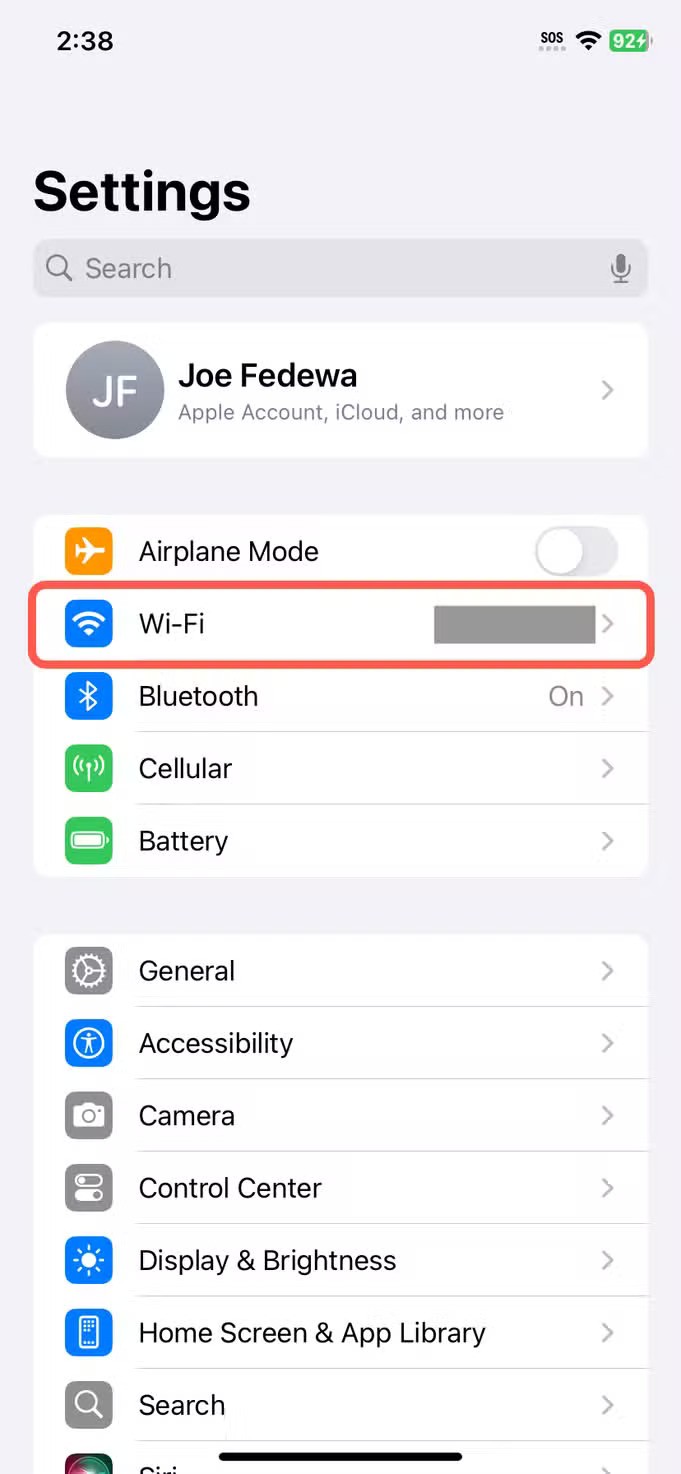
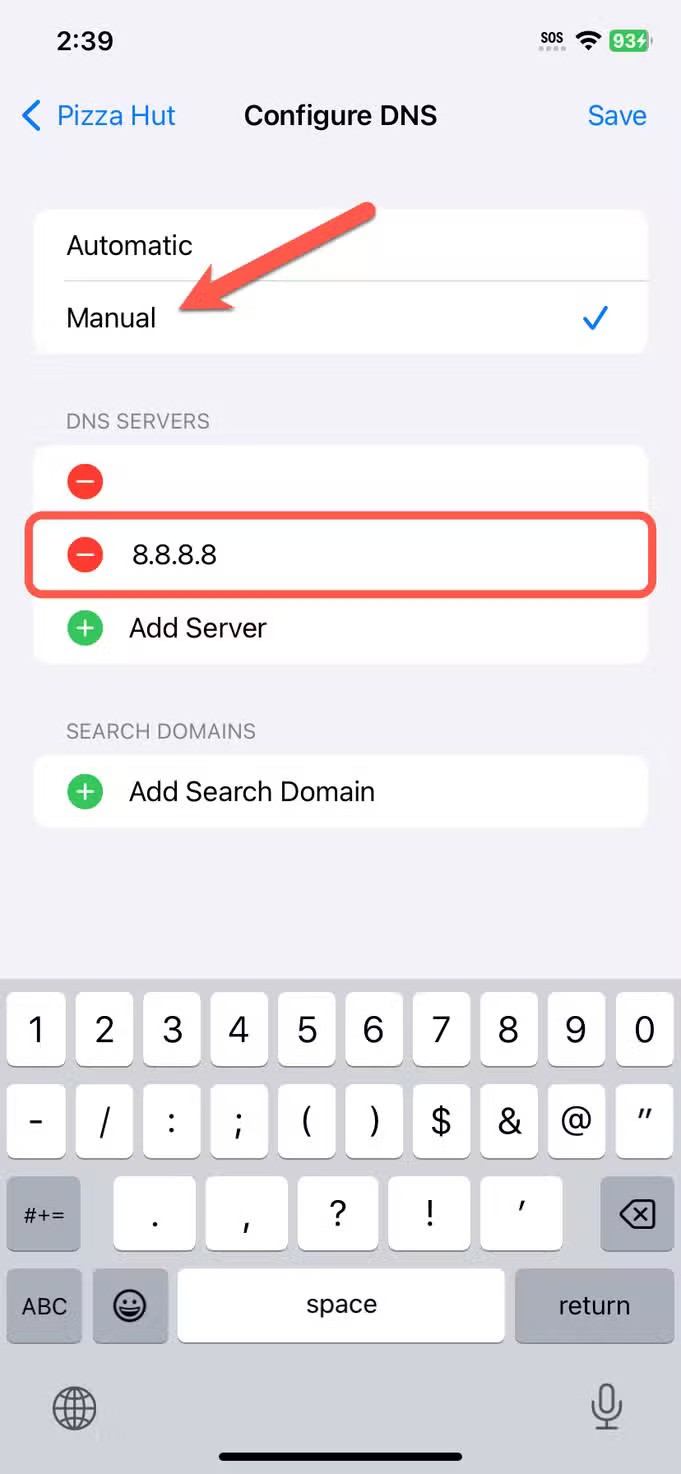
On an iPhone, it works more like every other device. Open the Settings app and go to the “Wi-Fi” section. Tap the “i” in a circle icon next to your Wi-Fi network, then scroll down and select “Configure DNS.” Switch to “Manual,” tap “Add Server,” and type the address for your custom DNS.
- Google DNS: 8.8.8.8 or 8.8.4.4
- Cloudflare: 1.1.1.1
- Quad9: 9.9.9.9


Now, one thing you may have noticed is I’ve only mentioned ISPs and public Wi-Fi networks. That’s because a custom DNS doesn’t have anything to do with mobile data—that’s your carrier’s DNS. However, it’s still worth changing your DNS, and you may even want to do it for other devices on your home network. In fact, if you change the DNS server on your router, it will apply to all devices connected to it.
The moral of the story is that custom DNS is almost always better than what your internet provider is using. It doesn’t matter if you’re simply plugging in a public hostname or setting up a custom configuration. Changing the DNS provider at all is a step above.
Leave A Comment?