
Situatie
Recall can track down any words, photos, or links you’ve forgotten, lost, or accidentally closed, as these can be retrieved with a simple search through the tool.
Solutie
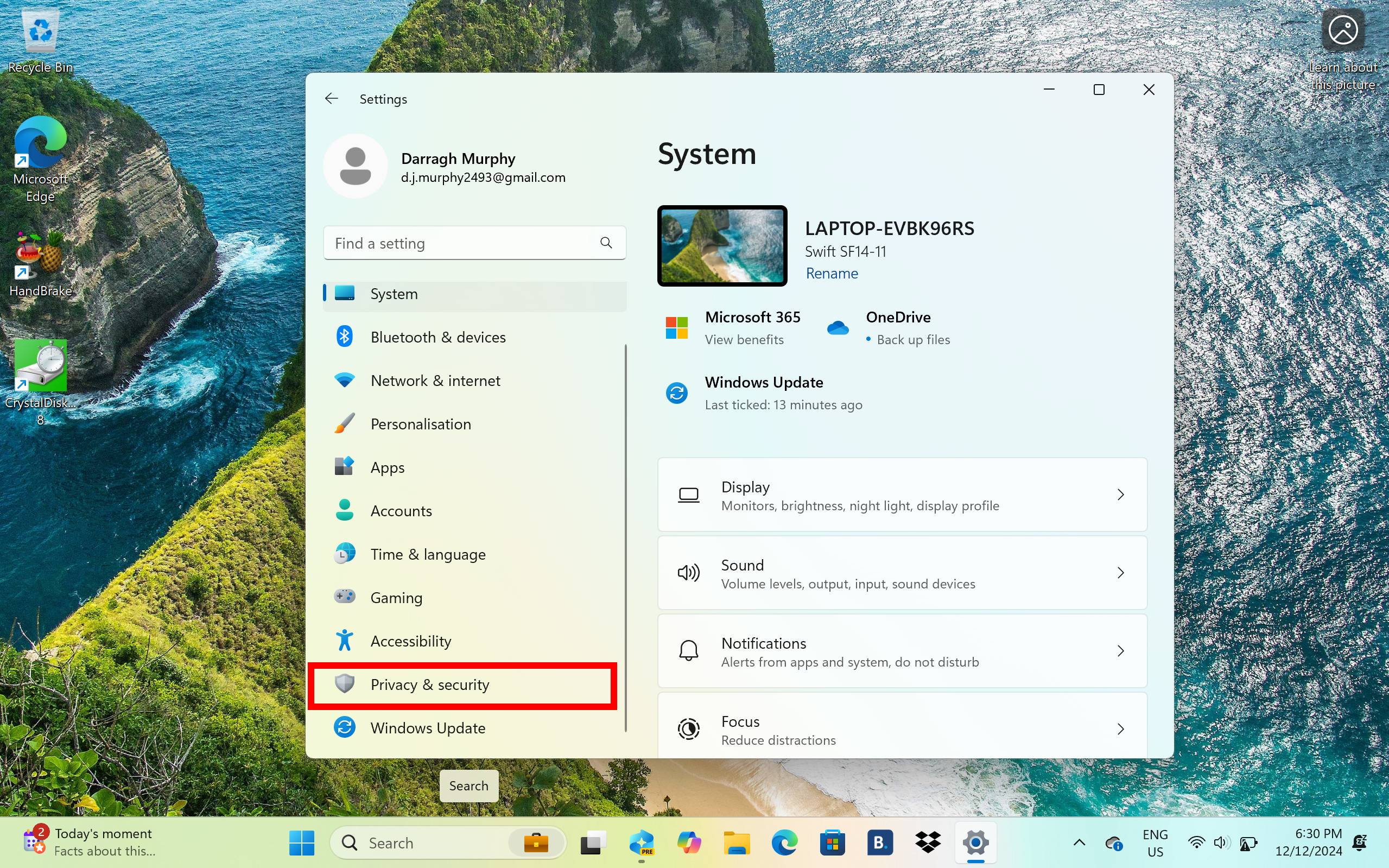
There are two ways to enable Windows Recall. The first is to opt in as soon as you boot up your PC, which will turn on the feature once you log in. Alternatively, you can also enable Recall by heading into Windows Settings.
Once you’re logged in, open Settings. You can find the Settings app by typing in “Settings” in the search box along the taskbar.
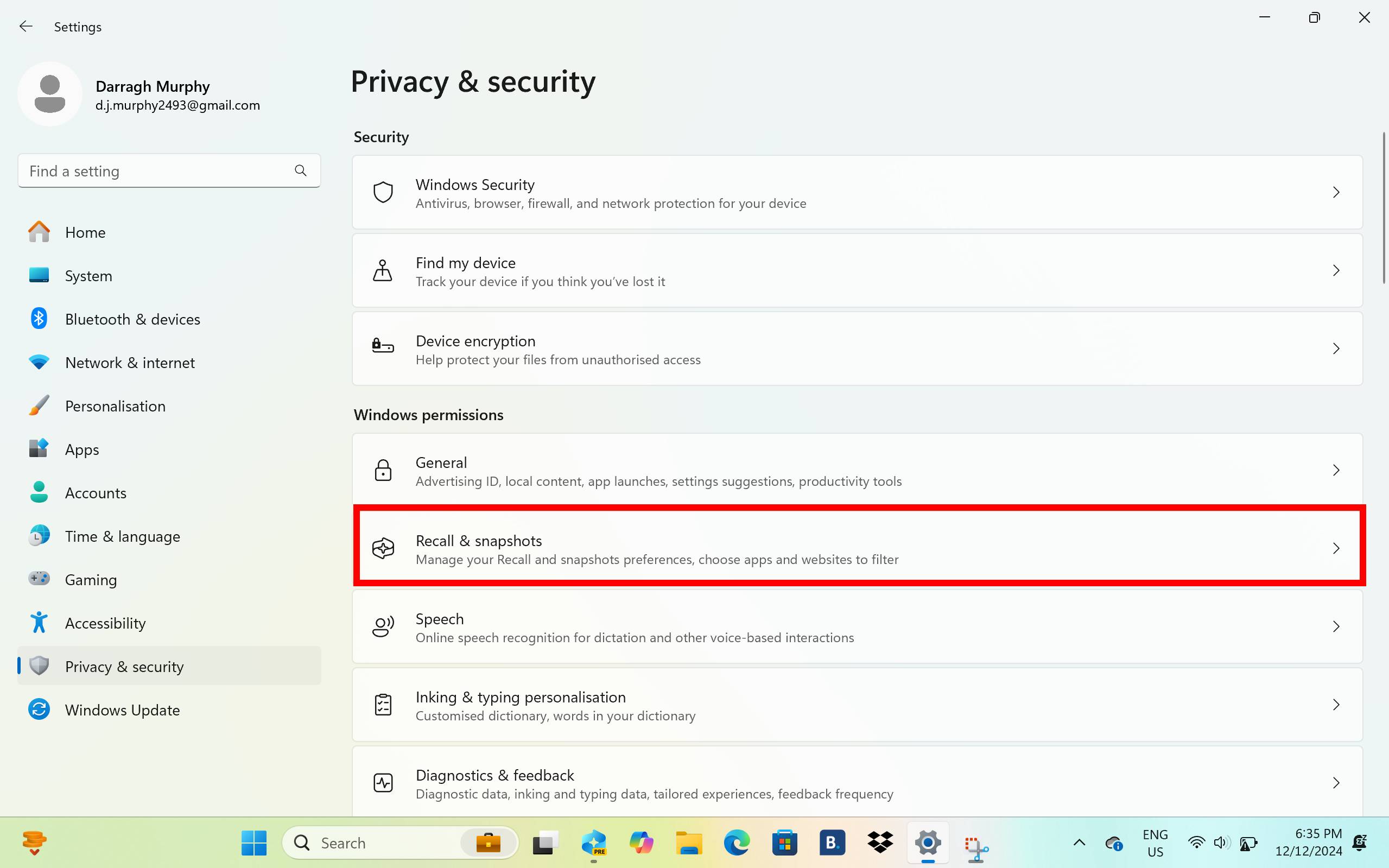
Next, head into Privacy & security by selecting it in the sidebar.
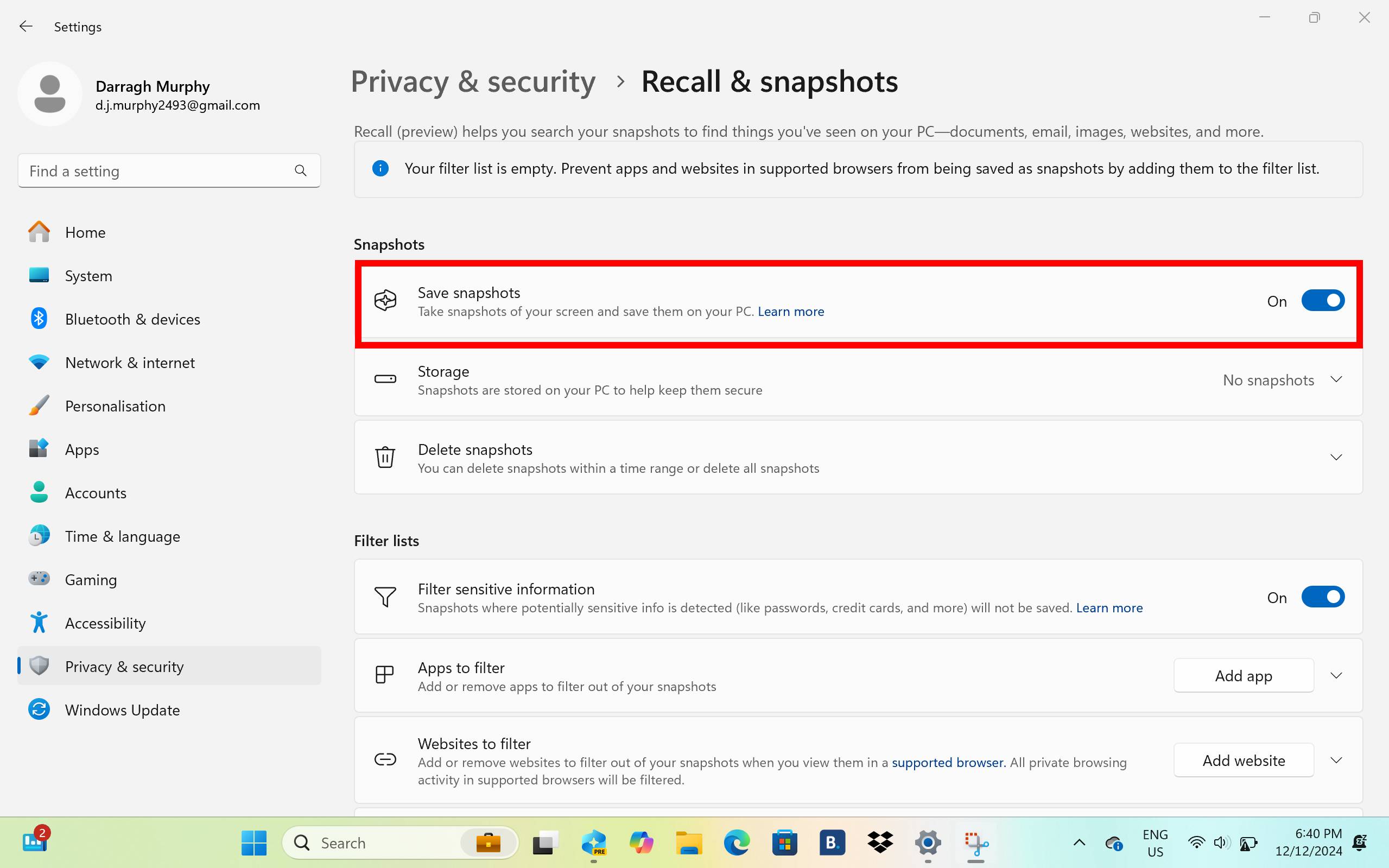
Once here, all you need to do is toggle the Save snapshot switch. Now, Windows Recall will be switched on. If you haven’t already, your PC will ask you to sign up to Windows Hello, which is essential to use the Recall feature. You can use facial recognition or a PIN, and these will be used every time you open the Recall app.
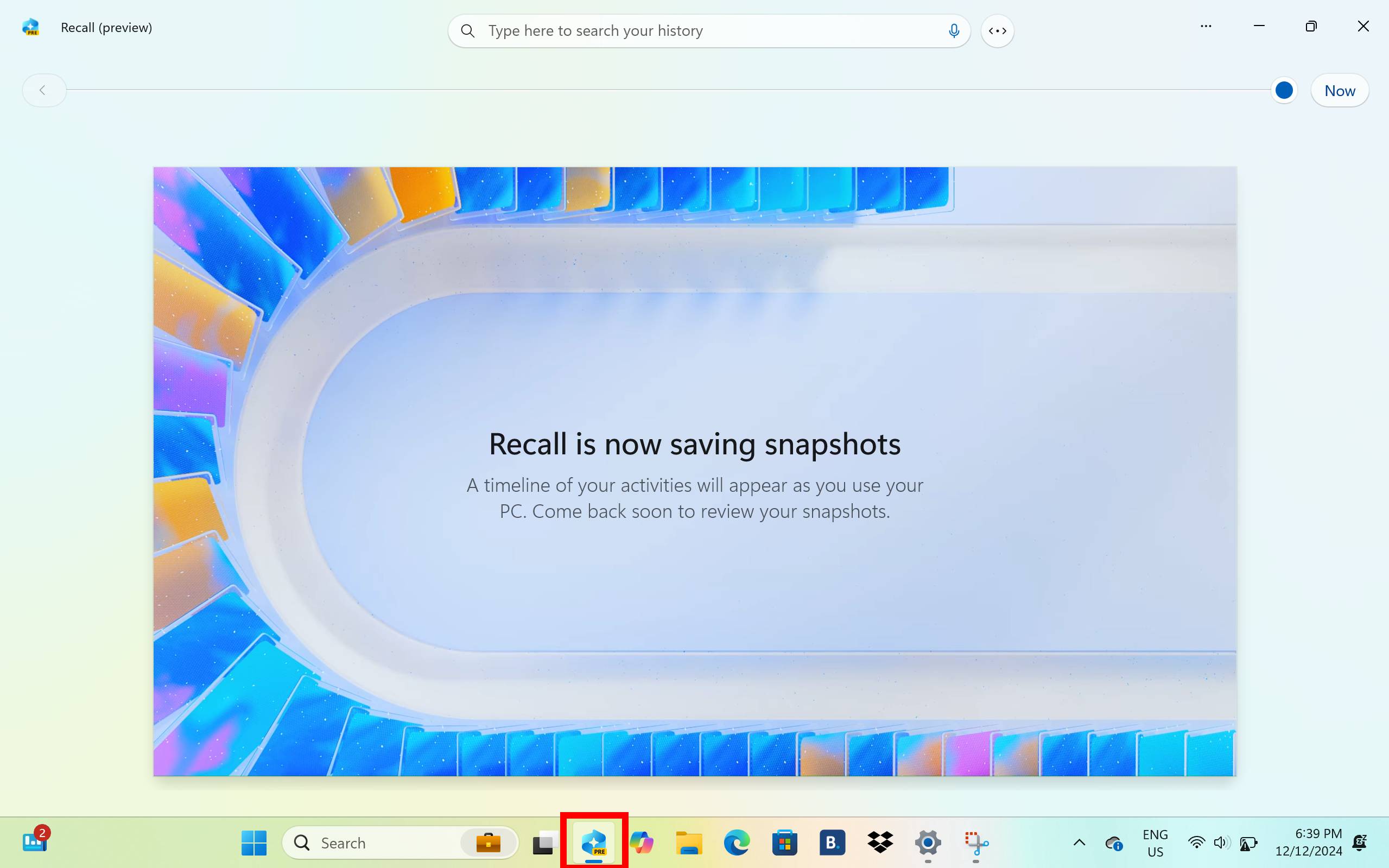
Now that it’s switched on, you can click on the Recall icon along the taskbar to open the app.
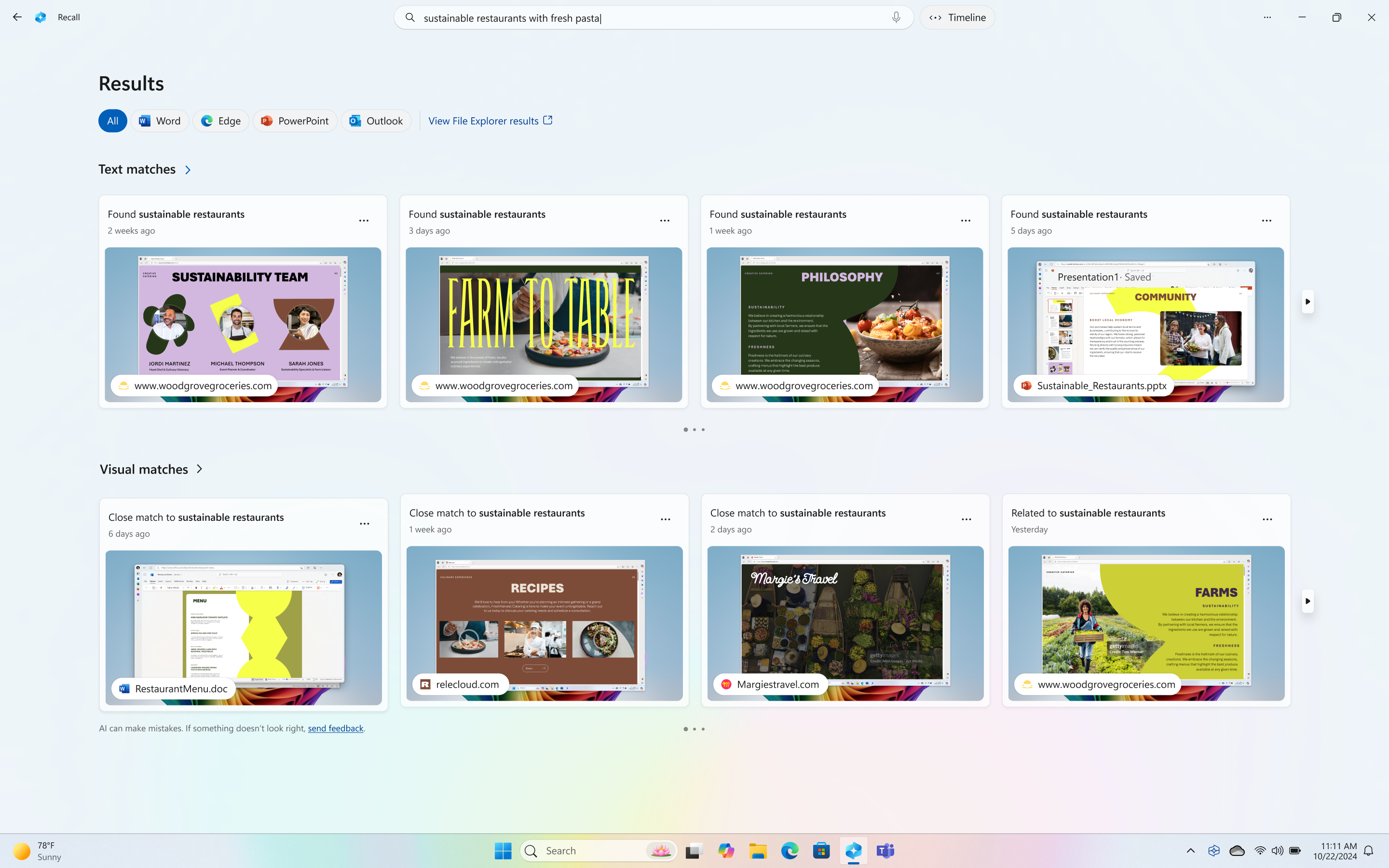
You can search for anything you remember doing on your PC that Windows Recall has taken snapshots of by typing in keywords or terms in the search box. The feature will then bring up snapshots that relate to the words searched, which can include websites you previously visited and more.
Leave A Comment?