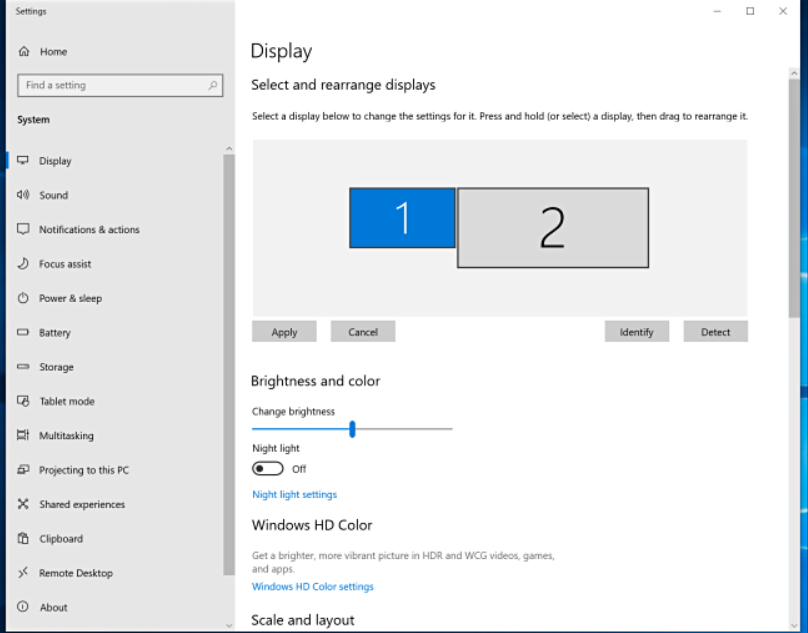
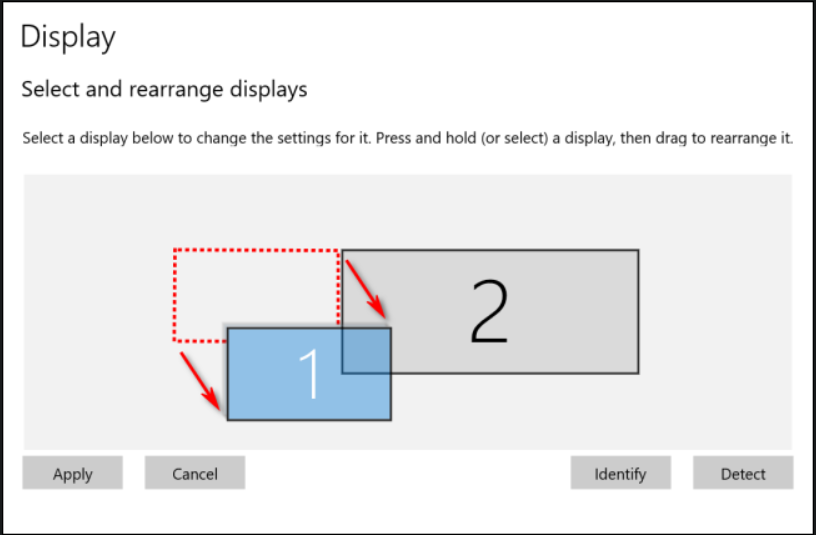
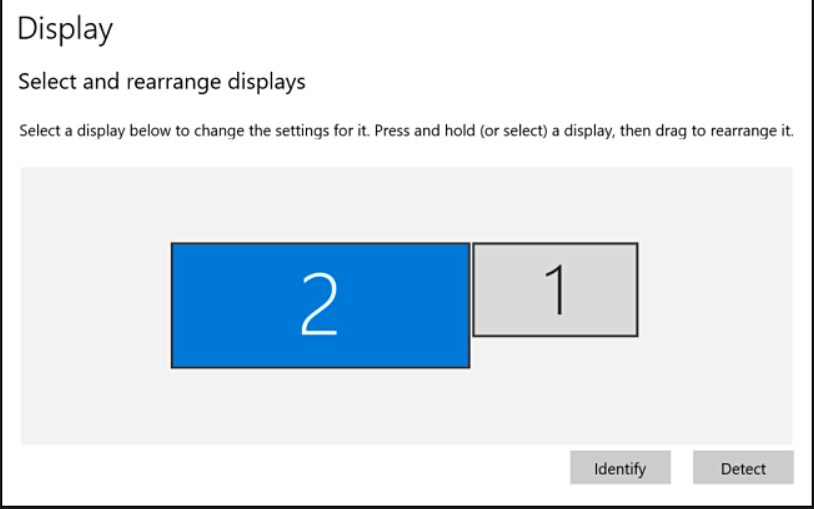
How to rearrange your displays and change primary monitor Data 24/04/2020 Autor Andrei Cristian Nicolae Categorie Soluții -4 565 Configurare noua (How To) Situatie Solutie Navigate to system settings Display Settings Reposition the display by drag and drop Select the display you want as default Click on “make this my main display” Tip solutiePermanent Voteaza Up Down (13 din 30 persoane apreciaza acest articol) ShareTweetShare Despre Autor Andrei Cristian Nicolae Solutii Asemanatoare How to resolve a Windows Update Install Error – 0x80070002 0 How to move Taskbar to top or side on Windows 11 2 Reparare eroare:”Trust Relationship Failed” fără scoatere din domeniu și fără restart (PowerShell) 3 You’ve been deleting files the wrong way in Windows 5 Arduino Soil Moisture Sensor 5 Instalare și rulare model AI local (Llama3) pe server Linux folosind Ollama 3 Leave A Comment? × Cancel Reply Save my name, email, and website in this browser for the next time I comment. four × 3 =
Leave A Comment?