
Situatie
Having a Microsoft account connected to Windows 10 or Windows 11 provides a smoother, more integrated experience across all the devices where you are signed in. It also allows you to download apps from the Microsoft Store and access other Microsoft services.
However, if you decide that you no longer want to use a Microsoft account on Windows 11, you can remove it after setting up a local account. Let’s explore a few ways to delete your Microsoft account from Windows 11.
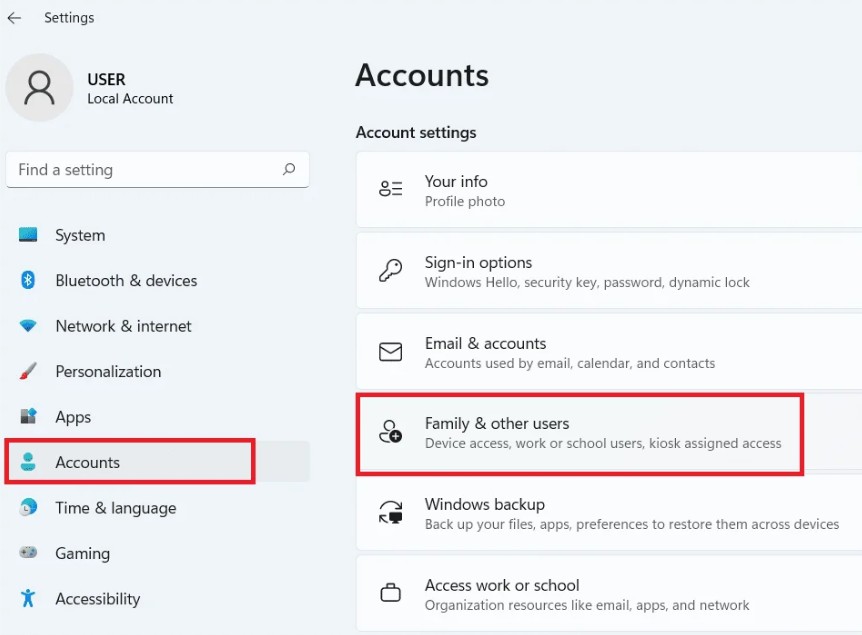
- Type Settings in the search box and open the Settings app
- Select Account > Family & other users
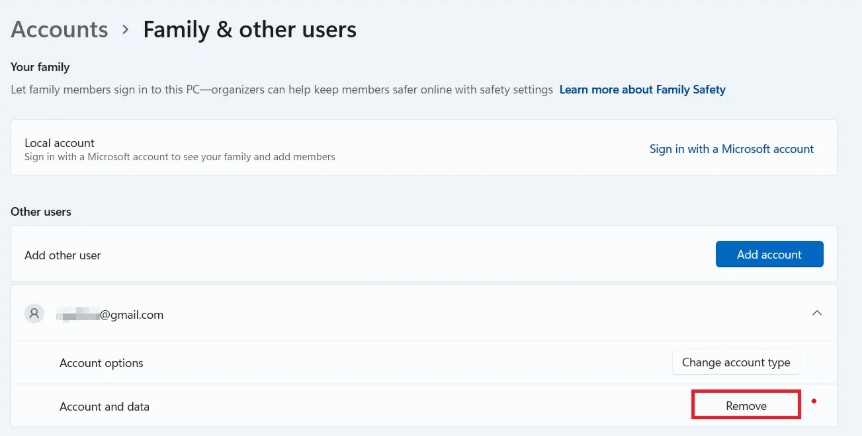
3. Click the drop-down arrow next to the Microsoft account you want to remove. Then, select the “Remove” button under Account and Data.
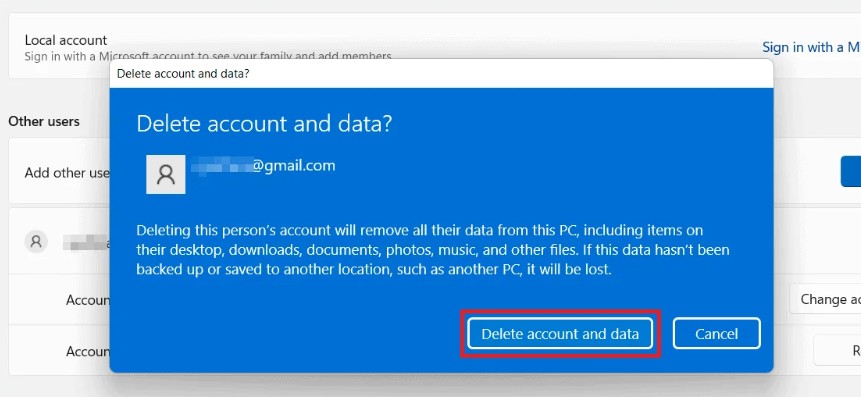
4. Click on Delete account and data
5. In the confirmation window, click “Delete account and data” to finish deleting the account and all associated data.
Leave A Comment?