
Situatie
We are going to use Android Studio for this tutorial.
The image captured gets stored on the external storage. Hence we need to request permission to access the files from the user.
Solutie
<?xml version="1.0" encoding="utf-8"?> <RelativeLayout android:layout_width="match_parent" android:layout_height="match_parent" tools:context=".MainActivity"> <!--Textview with title "Camera_Demo!" is given by --> <TextView android:layout_width="wrap_content" android:layout_height="wrap_content" android:text="Camera Demo!" android:id="@+id/tv" android:textSize="20sp" android:textStyle="bold" android:layout_centerHorizontal="true" /> <!-- Add button to take a picture--> <Button android:id="@+id/button1" android:layout_width="wrap_content" android:layout_height="wrap_content" android:layout_below="@id/tv" android:layout_marginTop="50dp" android:text="Take Picture" android:textSize="20sp" android:textStyle="bold" /> <!-- Add ImageView to display the captured image--> <ImageView android:layout_width="match_parent" android:layout_height="match_parent" android:id="@+id/imageView1" android:layout_below="@id/button1" /> </RelativeLayout>1.Launch the app

2.Capture the image

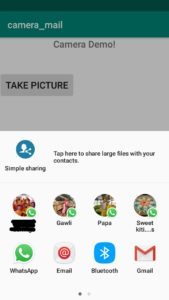
3.Select the app to be share the captured image. Here GMail is selected
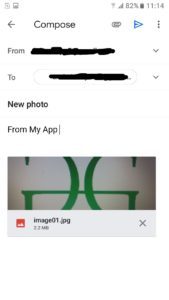
4.Send the captured image through mail
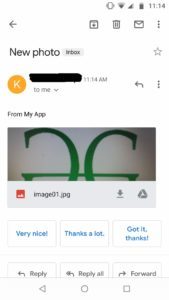
5.Image received
Leave A Comment?