
Situatie
Solutie
Good for sharing between your devices
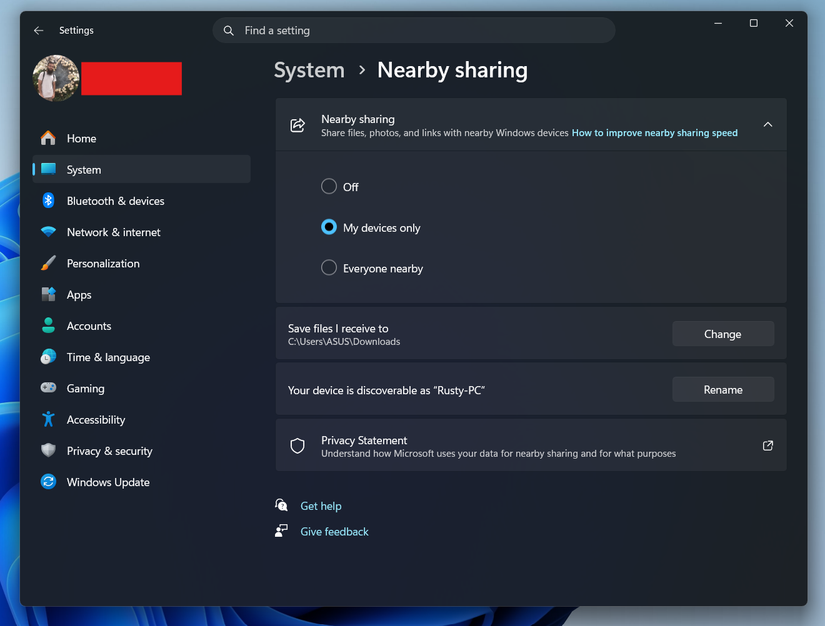
Sharing files between devices is one of the most trivial things you do every day. Yet, when it comes to the actual task, we fall into a dilemma. Should you message yourself the file? Or should you use a third-party app like Blip or Send Anywhere?
Windows has a neat solution just like your smartphone. Nearby share. Open Settings and go to System > Nearby sharing. If it’s turned off, turn it on by selecting My devices only, or Everyone nearby if you want to share files with others. You can also select the folder where you want to save the received files on your desktop.
If you want to share a file from the desktop, right-click the file and choose Share with.
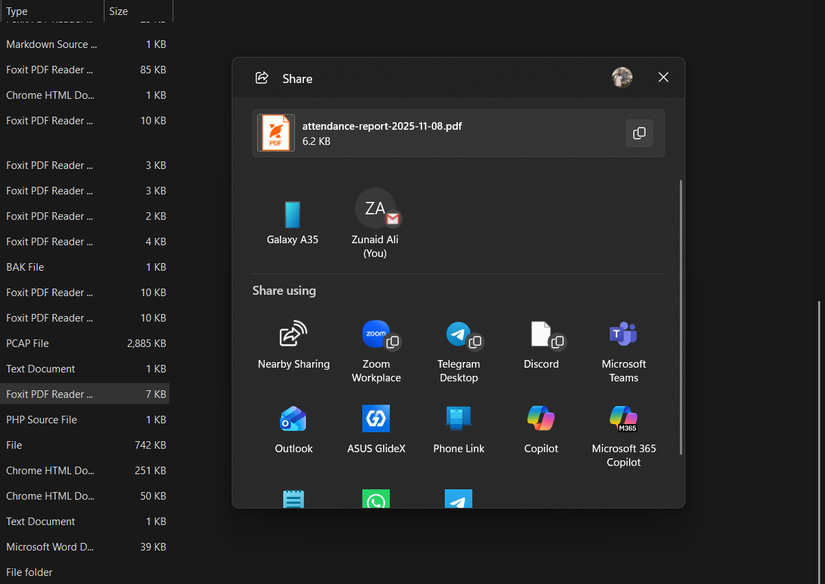
From the list, choose Nearby Sharing, and you’ll see the devices with which you can share the file. Nearby Sharing is particularly useful if you own both a desktop and a laptop, as it makes moving screenshots, documents, or downloaded files between them almost effortless.
Leave A Comment?