
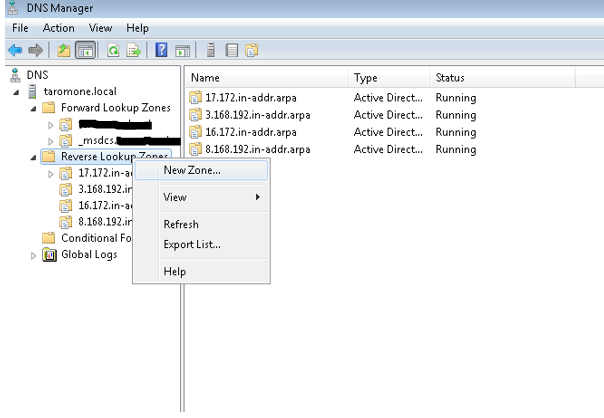
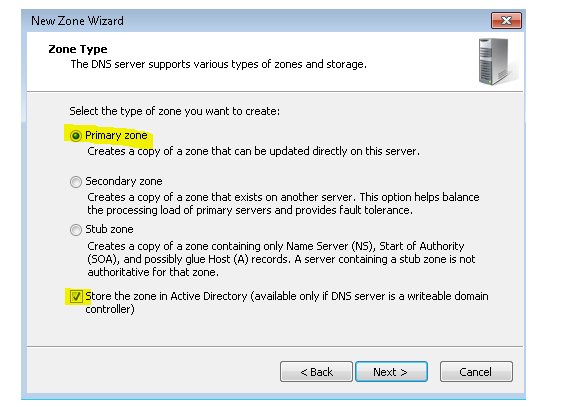
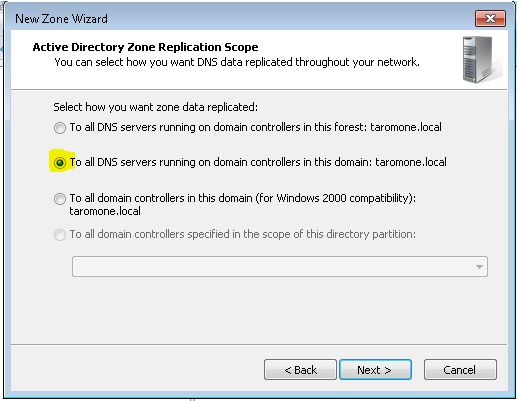
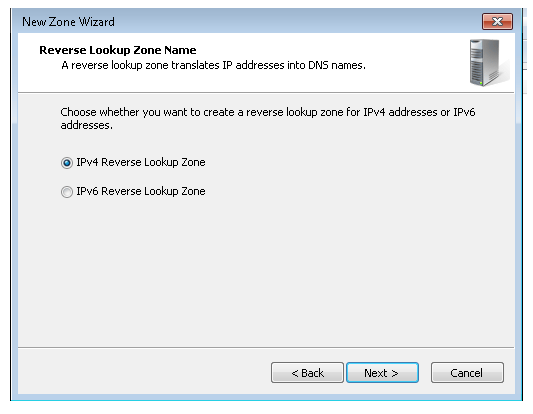
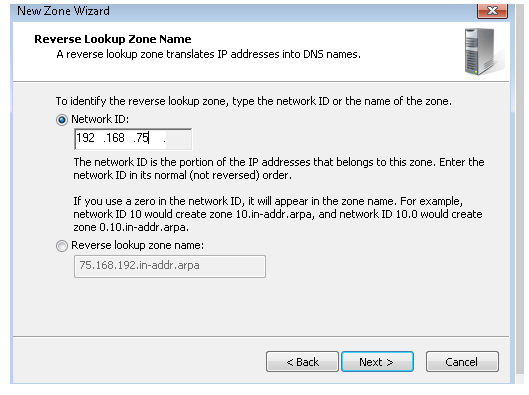
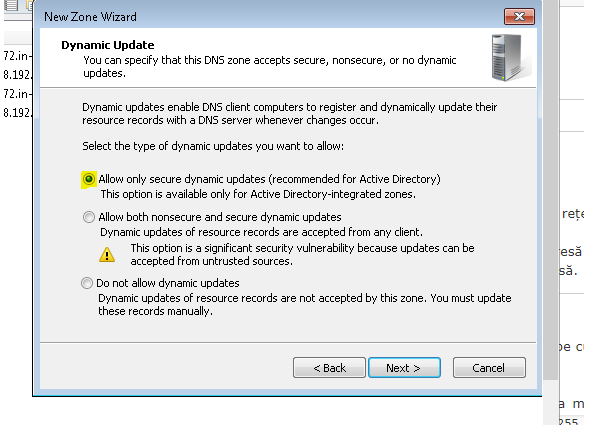
Zona Reverse DNS Data 08/02/2021 Autor Cristian Anghel Categorie Soluții -6 601 Configurare noua (How To) SituatieIn cazul in care nu exista zona de reverse DNS se creeaza urmand pasii de mai jos: Solutie Pasi de urmat Click dreapta pe Reverse Lookup Zones > New Zone Next > Selectati Primary zone > Next Selectati optiunea din poza > Next IPv4 Reverse Lookup Zone (de selectat) > Next Bifati Network ID si completam > Next Bifa pe prima optiune > Next > Finish Tip solutiePermanent Etichetare: Reverse DNS Voteaza Up Down (18 din 41 persoane apreciaza acest articol) ShareTweetShare Despre Autor Cristian Anghel Solutii Asemanatoare How to disable Windows fast Start-up 0 Optimizarea performanței API-urilor și reducerea încărcării bazei de date prin Distributed Caching cu Redis 1 Audit de Cod și Securitate Automatizat în CI/CD folosind Local AI -1 Monitorizarea automată a certificatelor SSL în Windows Server 2 PikaOS install guide -1 How to install and configure MX Linux 2 Leave A Comment? × Cancel Reply Save my name, email, and website in this browser for the next time I comment. − three = 5
Leave A Comment?