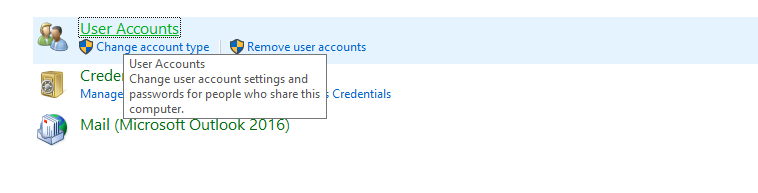
How to change user name type Data 25/07/2020 Autor Paul Pascut Categorie Soluții -9 569 Configurare noua (How To) Situatie Solutie 1.Open Control Panel 2.Click User Accounts 3.Select Manage another account 4.Select the Account 5.Select Change the account type 6.Choose the account type Tip solutiePermanent Voteaza Up Down (20 din 49 persoane apreciaza acest articol) ShareTweetShare Despre Autor Paul Pascut Solutii Asemanatoare How to sync your Android phone’s files to a PC for free 0 Use these 7 Linux commands to keep your system tidy and fast 0 How to mass delete emails in Gmail 6 How to bring back classic context menu on Windows 11 5 Cum identifici exact ce aplicație sau proces ascuns oprește calculatorul să intre în modul Sleep 0 Fișierele nu sunt afișate pe hard disk extern în Windows 11 0 Leave A Comment? × Cancel Reply Save my name, email, and website in this browser for the next time I comment. + nine = twelve
Leave A Comment?
