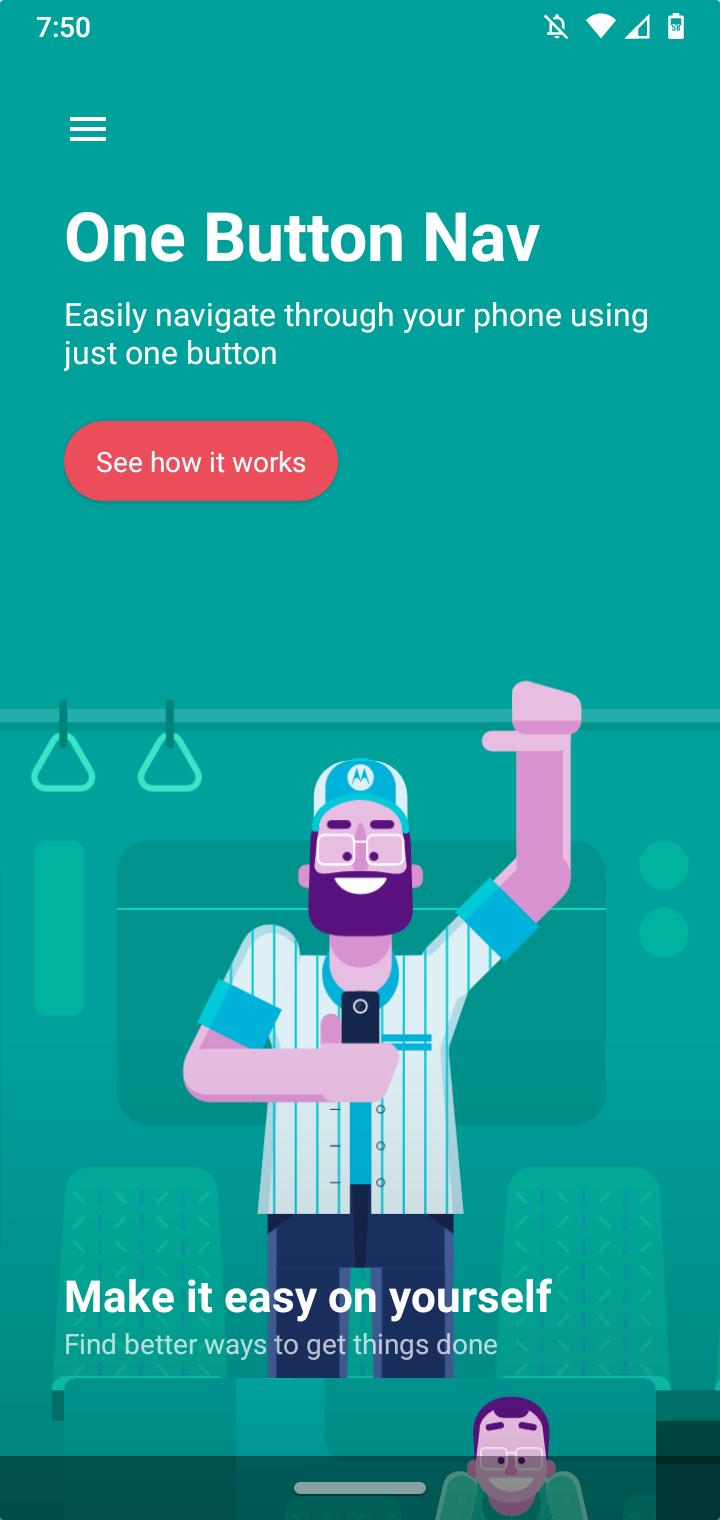
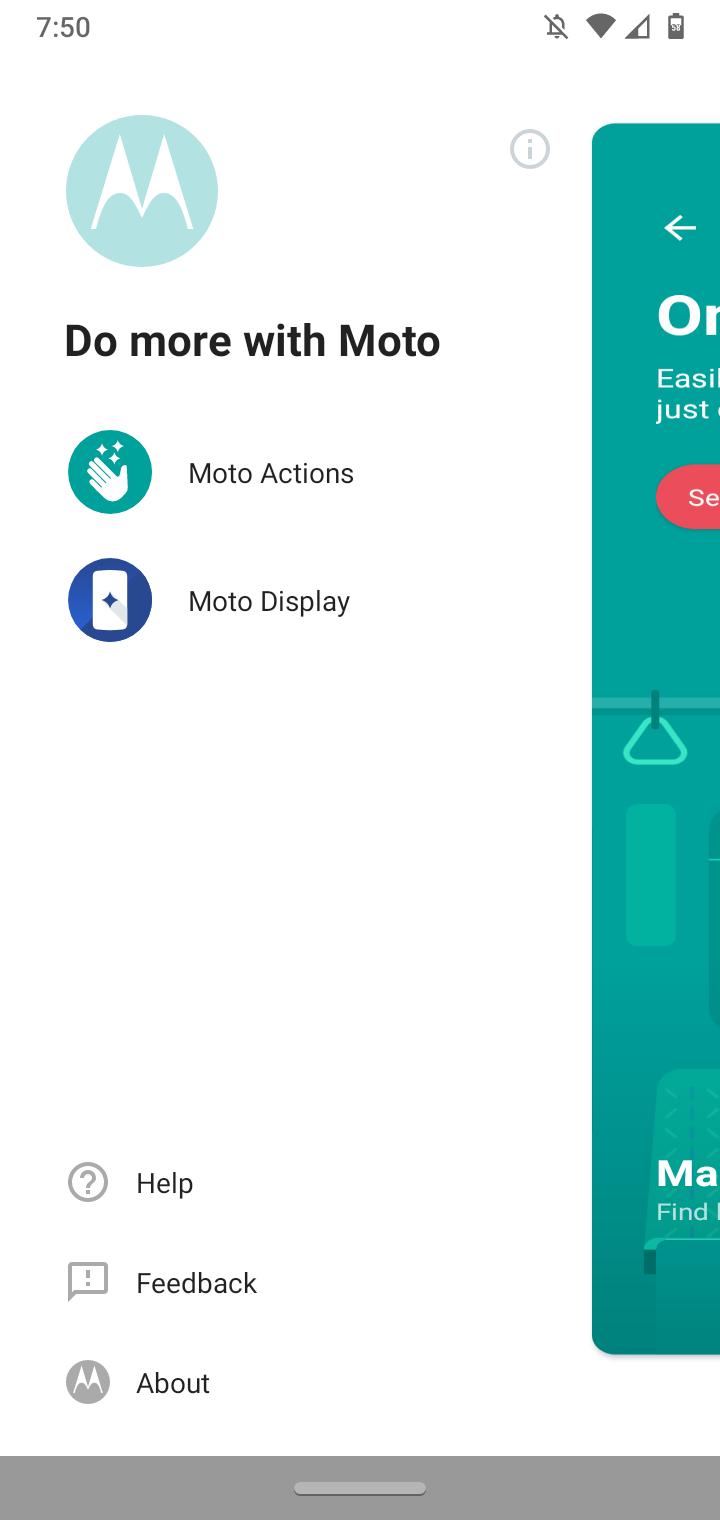
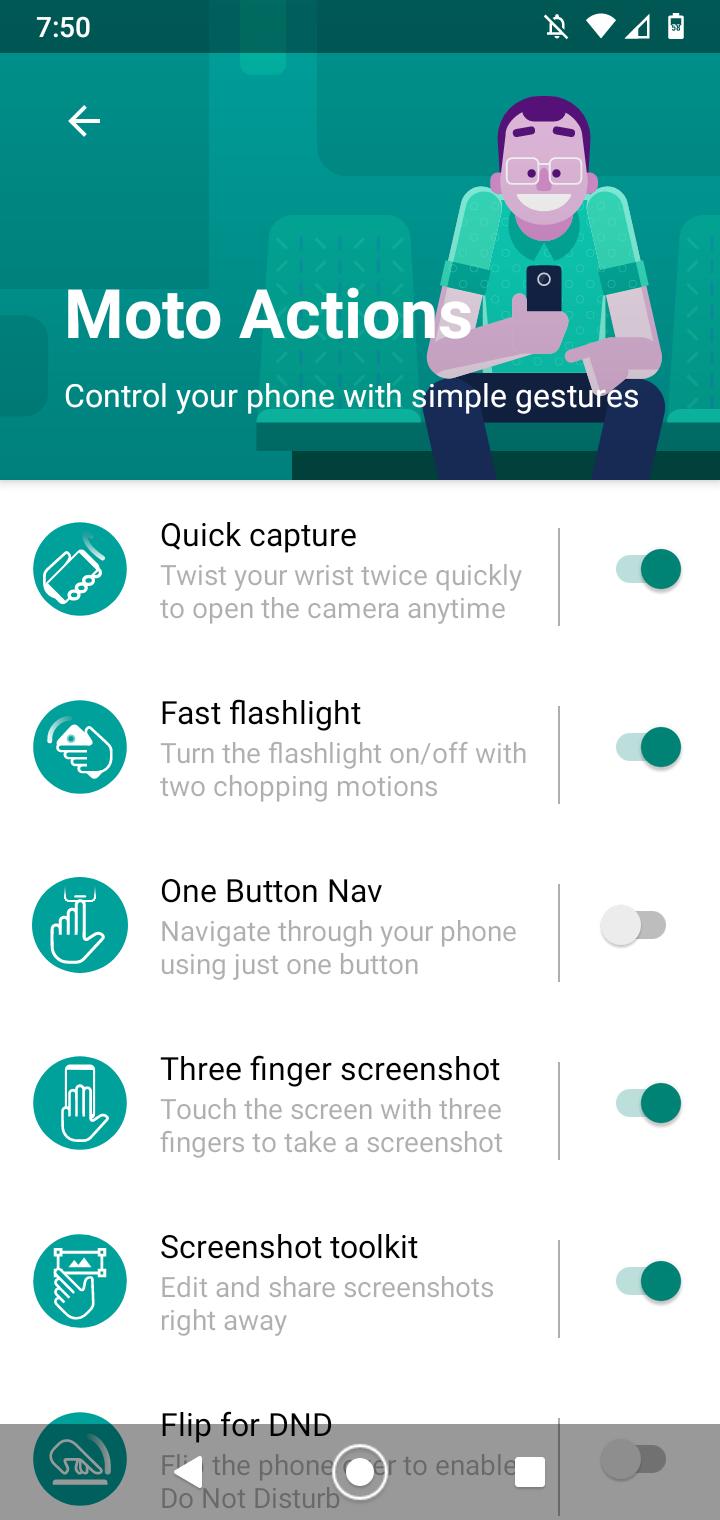
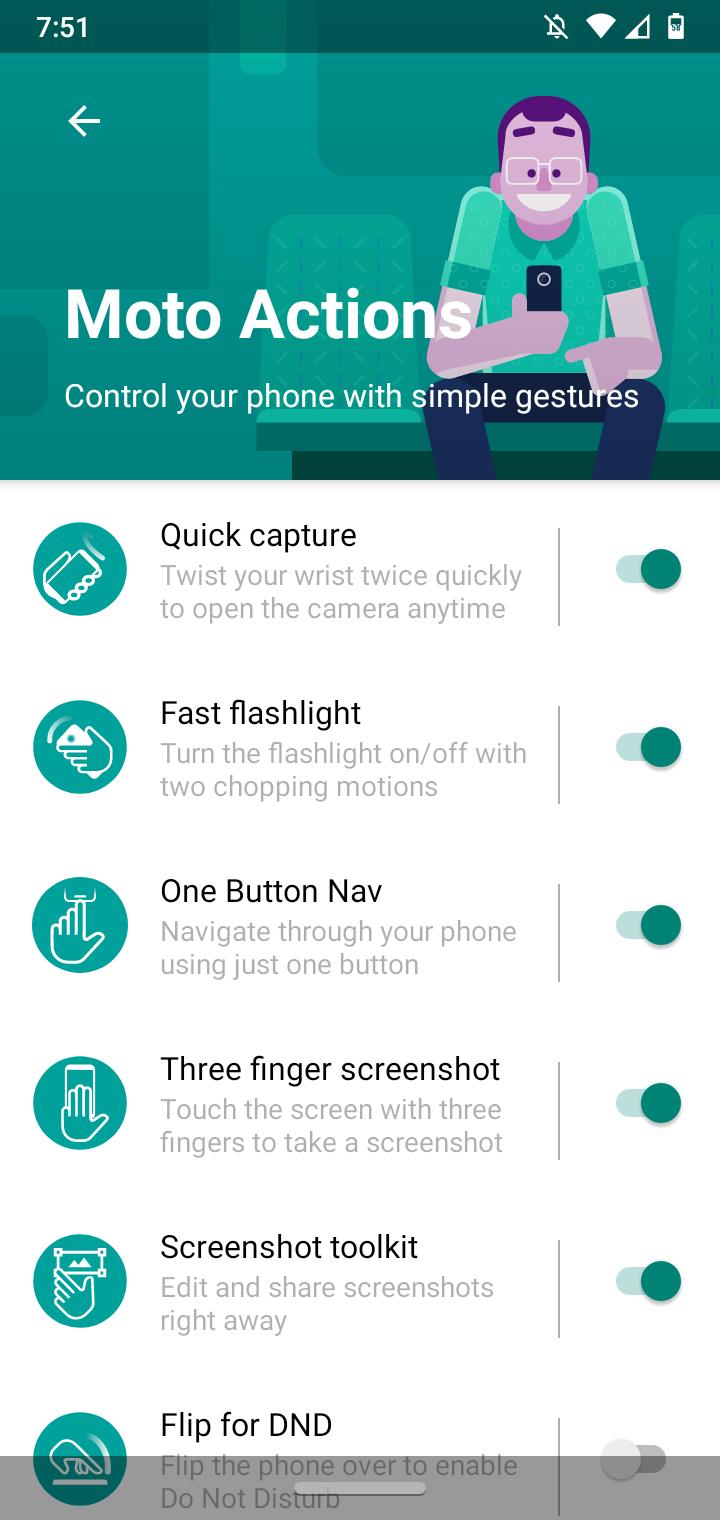
How to enable One Button Navigation using Moto Actions Data 16/08/2020 Autor digulescu gabriel ionut Categorie Soluții -1 629 Configurare noua (How To) Situatie Solutie 1.Open Moto application 2.Click on Menu 3.Select Moto Actions 4.Enable One Button Nav Tip solutiePermanent Voteaza Up Down (16 din 33 persoane apreciaza acest articol) ShareTweetShare Despre Autor digulescu gabriel ionut Solutii Asemanatoare How to disable every AI feature on Microsoft Edge for Windows 11 4 Cum folositi functia de “Optimize drives” pe Windows 11 Pro 2 iOS 27: Finally unlinks alarm volume from your iPhone ringer 3 Cum obții un certificat SSL gratuit pentru o adresă IP publică cu Let’s Encrypt 3 Software Supply Chain Attacks – detectare, prevenire și remediere 5 Cum ascunzi programele instalate din lista de dezinstalare in Windows 2 Leave A Comment? × Cancel Reply Save my name, email, and website in this browser for the next time I comment. four − = 1

Leave A Comment?