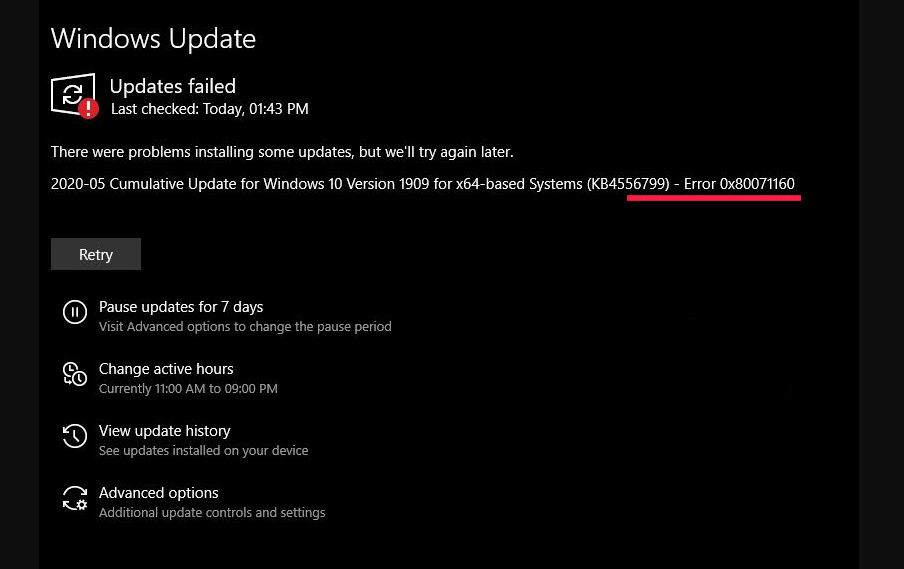
Fix Windows 10 Update Error 0x80071160 Data 13/12/2020 Autor Tiberiu Gache Categorie OS - Windows -10 620 Rezolvare problema (Fix IT) SituatieWindows 10 Update Error 0x80071160 Simptome Solutie Pasi de urmat Deschideti Settings -> Update and security Din tab-ul Troubleshooting -> Selectati Windows Update -> Run troubleshooter Tip solutiePermanent Etichetare: Fix Windows 10 Update Error 0x80071160 Voteaza Up Down (24 din 58 persoane apreciaza acest articol) ShareTweetShare Despre Autor Tiberiu Gache Solutii Asemanatoare Copilot in the Terminal: How to use GitHub Copilot straight from the command line 5 Cum ajutam la stabilitatea si buna functionare a sistemului nostru Windows 0 Cum eliminam fortat aplicatii defecte 2 Cum adaugam butonul Focused Inbox in Outlook 2 How to fix the word experienced an error trying to open the File by adding a new trusted location on Windows 10/11 -6 How to fix the Word experienced an error trying to open the File by disabling the protected view on Windows 10/11 1 Leave A Comment? × Cancel Reply Save my name, email, and website in this browser for the next time I comment. eight + three =
Leave A Comment?
