
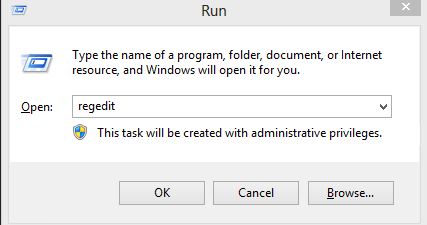
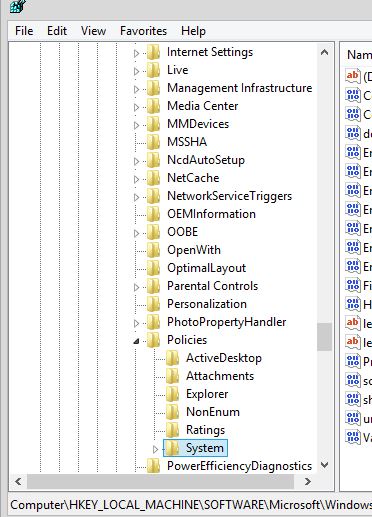
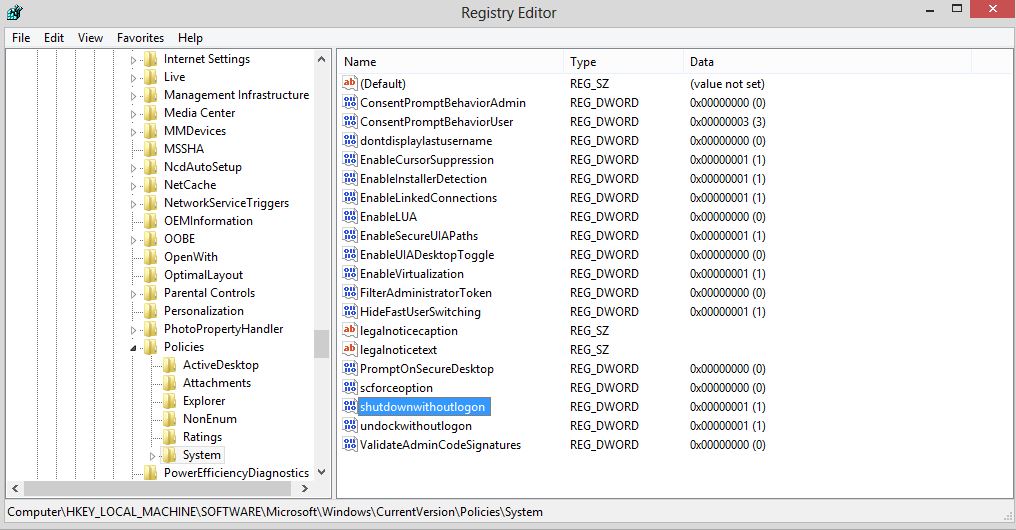
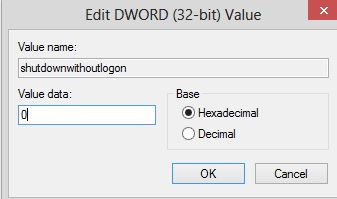
Cum scoatem butonul de shutdown din fereastra de login cu ajutorul regedit Data 14/05/2015 Autor Cristian V Categorie Configurare Sistem de operare, OS - Windows, Stații de lucru 9 1502 Rezolvare problema (Fix IT) SituatieDorim sa dezactivam butonul de shutdown din fereastra de login Solutie Pasi de urmat Pentru a efectua acest lucru urmam acesti pasi: Mergem in Start-Run si scriem regedit Accesam cheia de registri HKEY_LOCAL_MACHINESOFTWAREMicrosoftWindowsCurrentVersionPoliciesSystem In dreapta cautam cheia shutdownwithoutlogon Setam aceasta cheie cu valoarea 0 in loc de 1 Restartam sistemul de operare Tip solutiePermanent Voteaza Up Down (23 din 37 persoane apreciaza acest articol) ShareTweetShare Despre Autor Cristian V Solutii Asemanatoare How to disable the Drag Tray feature on Windows 11 using the Registry Editor 3 How to disable share Drag Tray at the top of screen on Windows 11 2 Cum găsești și elimini fișiere duplicate în OneDrive 2 5 scurtături din meniul contextual Windows care salveaza timp 1 Notificările pot fi oprite cu acest mic utilitar 2 Remedierea erorii:„Missing DLL File” în sistemele de operare Windows 5 Leave A Comment? × Cancel Reply Save my name, email, and website in this browser for the next time I comment. 9 × = 54
Leave A Comment?